Updates
Introducing In-App Events Analysis for App Store

New Tool 🗓️ In-App Events for App Store:


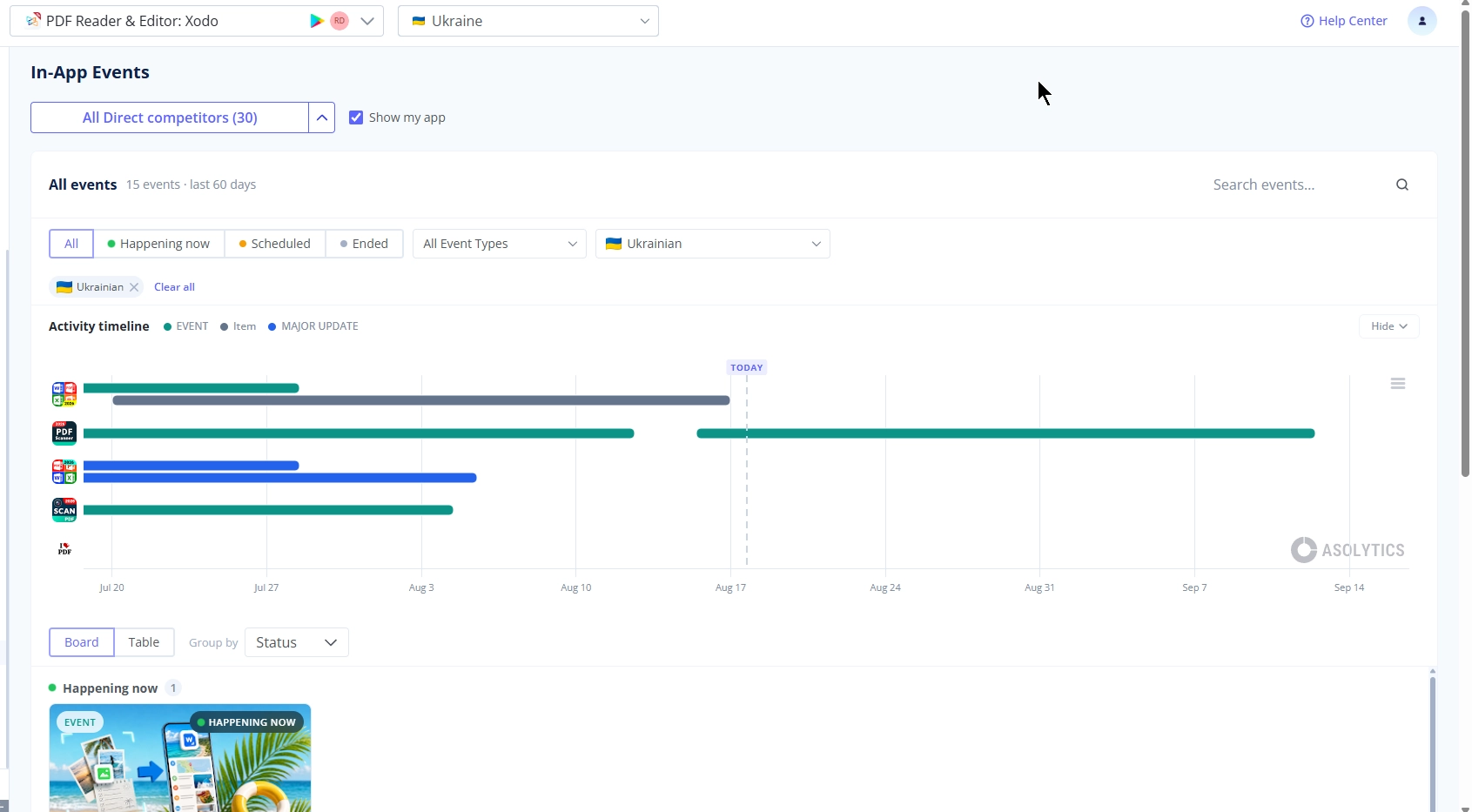
A new tool for tracking promotional activities - the In-App Events tool. We've got a new tool called In-App Events. You can easy track App Store competitors In-App Events now.


Key features:

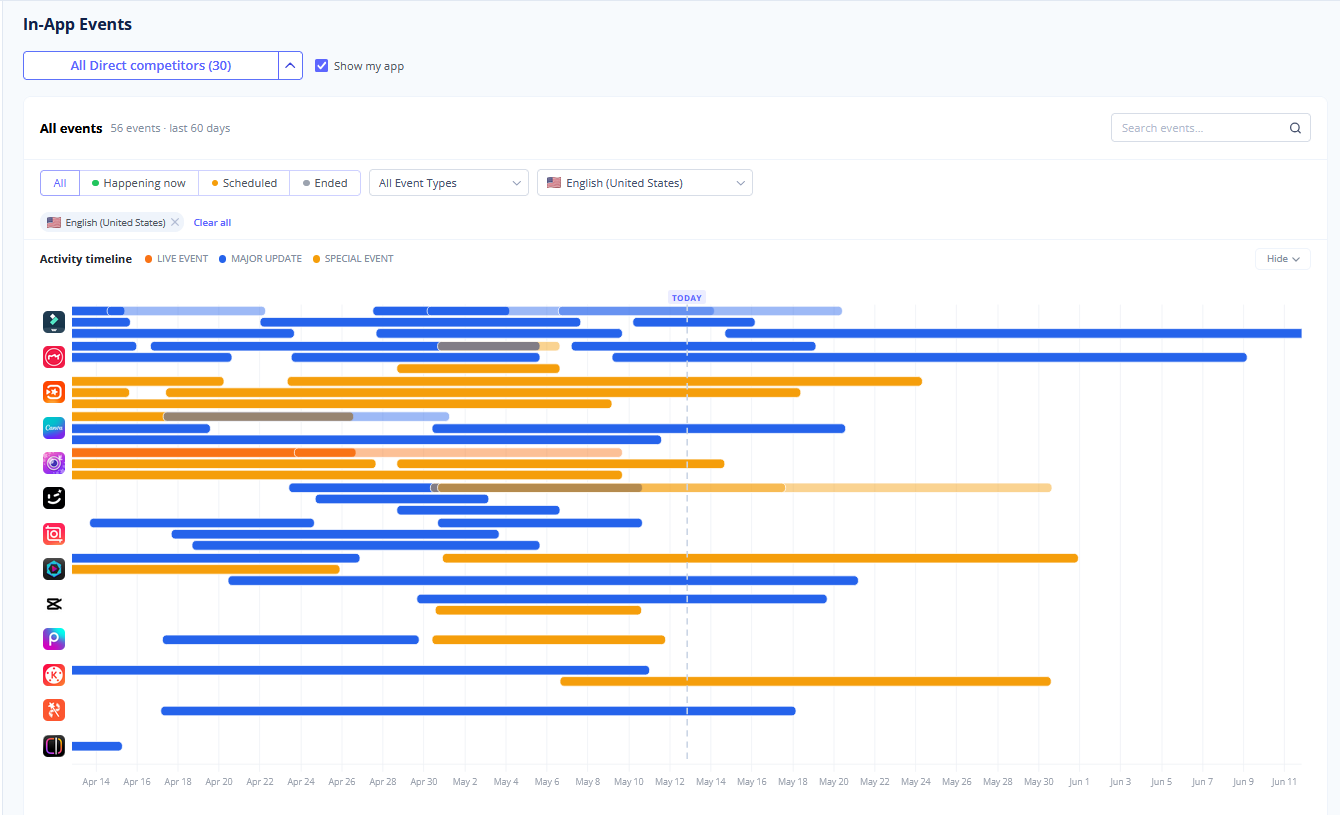
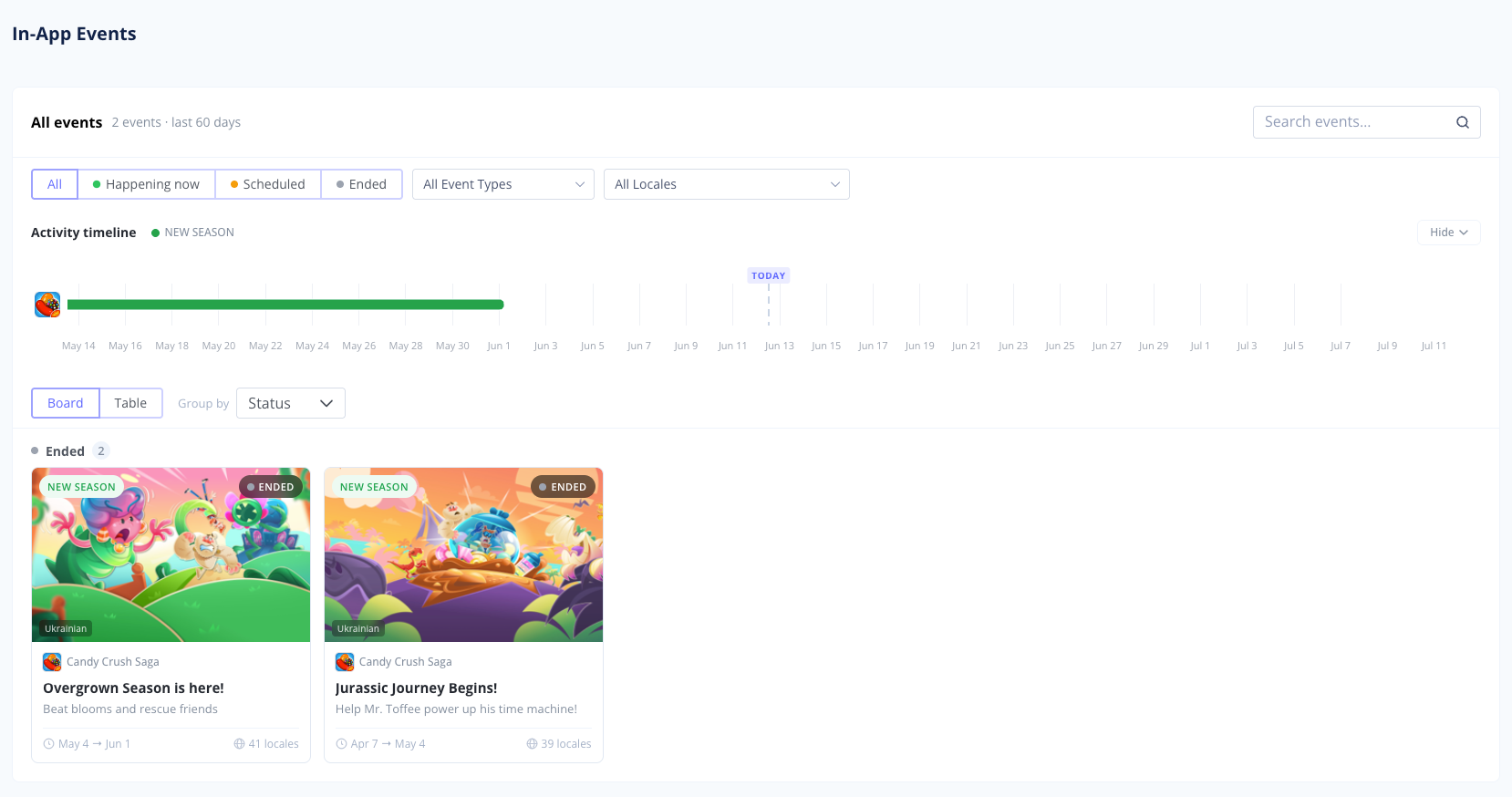
Interactive Gantt Chart: Get a clear visual timeline of your events alongside your competitors'.


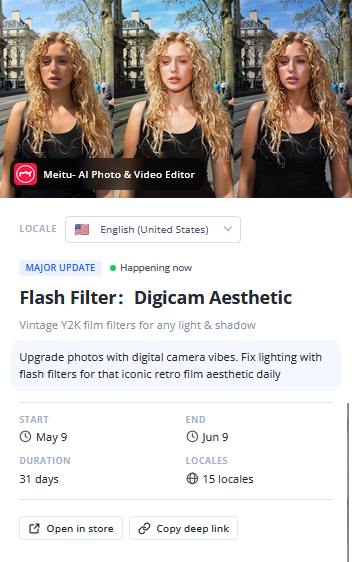
Filtering: Sort and filter events by their specific type - Live Event, Major Update, Special Event, or Challenge - so you can analyze exact marketing strategies.


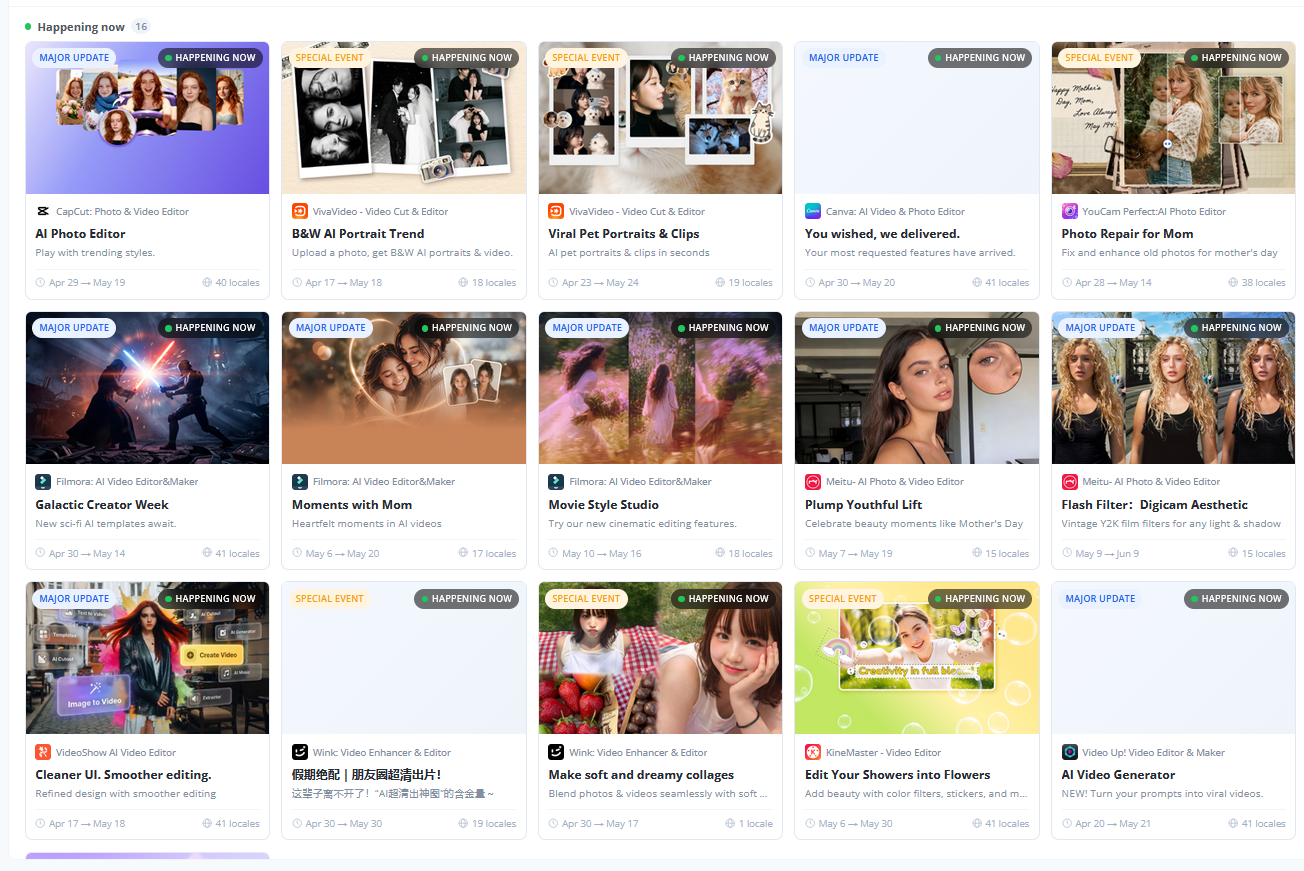
Comprehensive Event Table: Find a complete, structured table below the chart showing all the events currently displayed on your graph.

Detailed Event Insights: Click on any specific event to open a full breakdown and see exactly how competitors are presenting their updates or challenges to users.

See In-App Events on App Page

Now when you open app page you can see all running and past events:

Go to In-App Events


Keyword Management Update 📁


We've made organizing your keywords even easier. .

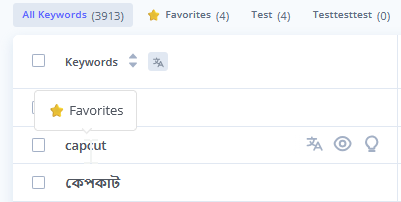
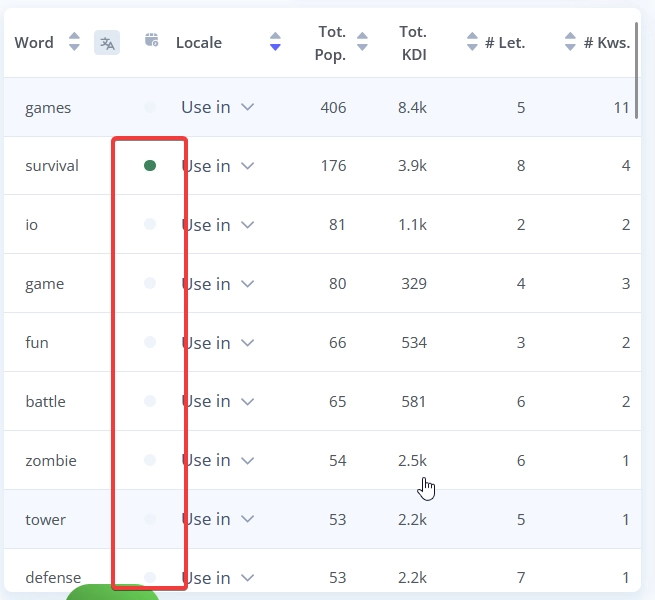
  • Favorites Stand Out: If you add a keyword to the "Favourites" folder, it will now appear in bold in the general list. You won't lose sight of your most important terms!

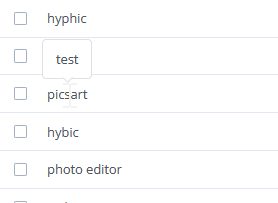
  • Hover Tooltips: Added a keyword to a different custom folder? Just hover over it, and a handy tooltip will pop up showing exactly which folder it belongs to.


New Feature 🧠 Smart ML Popularity Predictor

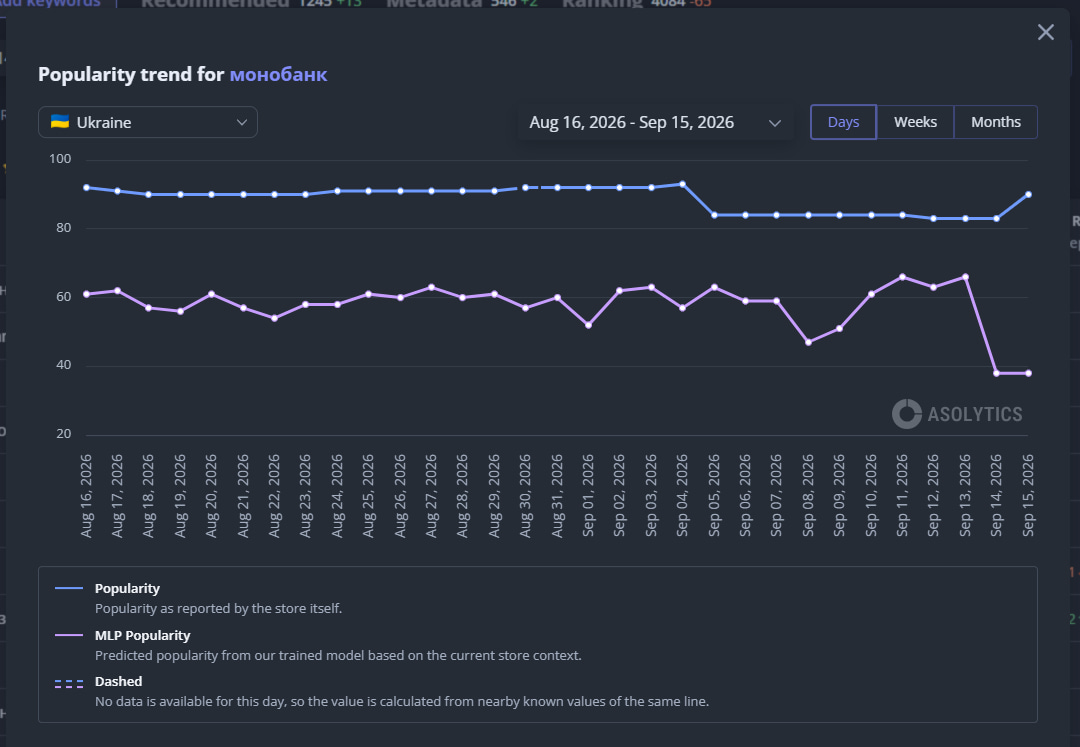
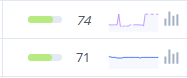
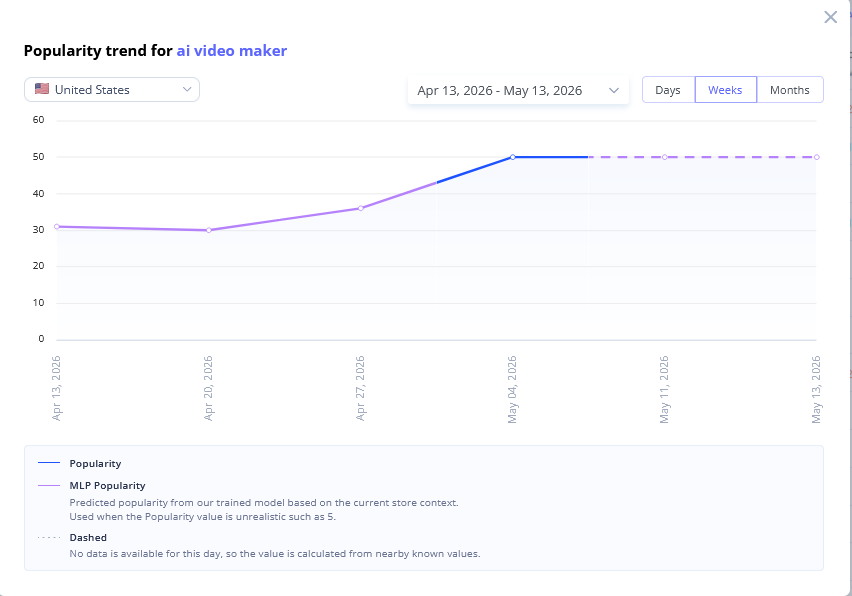
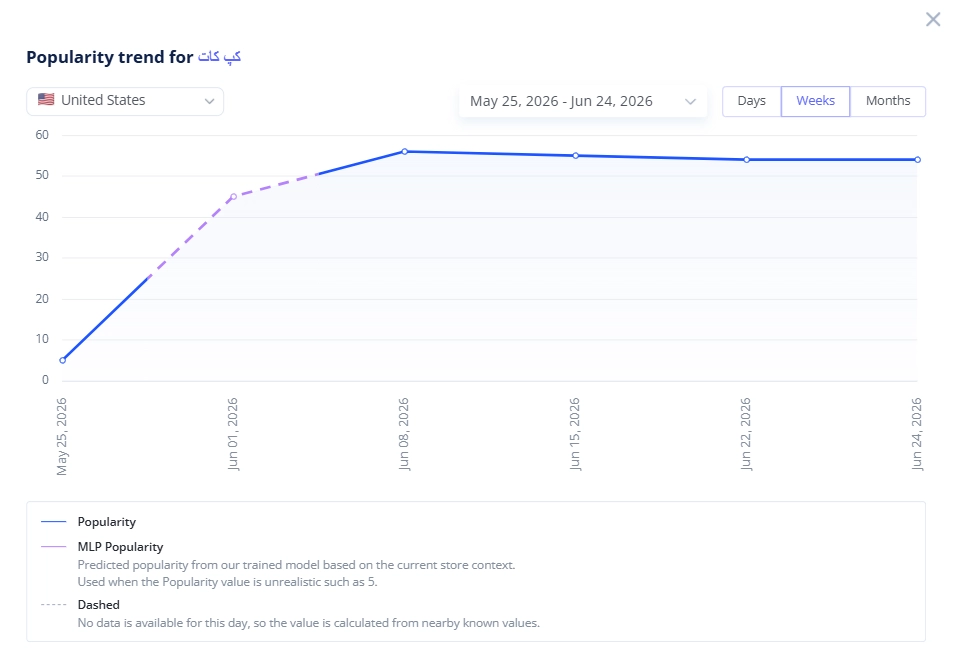
We built a powerful new Machine Learning model that predicts App Store keyword popularity with incredibly high accuracy. By analyzing a massive number of market parameters, our algorithm calculates the true search volume so you always know exactly which keywords are worth targeting to multiply your downloads.

  • Detailed timeline: If you open the full modal chart, you can clearly track the entire history.


⚡ Features & Improvements

  • Lightning-fast Recommended Keywords: We've really speed up Recommended Keywords tool. Our algorithms now find top performing search terms for your app much faster now. That lets you wait less and spend more time optimizing to boost downloads.
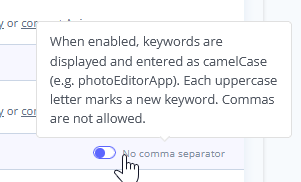
  • New Metadata Keywords Trick in App Store Meta Editor: You can now add keywords to metadata using more ways. You can now use Camel Case in addition to just using a list separated by commas. This removes more punctuation and lets you add more keywords.


🐞 Fixes:

  • Charts: Fixed the logic for the "Other" grouping. Previously, with low overall installs or revenue, all apps could incorrectly group into the "Other" category.
  • Tracking: Fixed an issue where the keyword popularity chart modal would not open.
  • Competitors Finder: Fixed a pagination bug that forced you back to page 1 after marking a competitor from the suggested list.
  • Category Ranking: Fixed a bug that caused the chart scale to display incorrectly.
  • Tracking: Fixed an issue where the app's rank for a specific keyword was displaying incorrectly.
  • Meta Editor: Fixed a bug where keywords were not displaying word-by-word for the Thai locale.
  • Meta Editor: Fixed an issue where the word counters were updating too slowly.
  • Competitors Finder: Fixed a bug where the competitor app's category was missing from the suggested list.
  • Metadata: Fixed an issue where app metadata would not update on demand.


last week
✍️ Meta Editor Update, Faster Autosuggests

✍️ Meta Editor: Stop Words & Version Management


We have upgraded the Meta Editor to give you more control over your metadata drafts and help you focus on the search terms that actually matter.


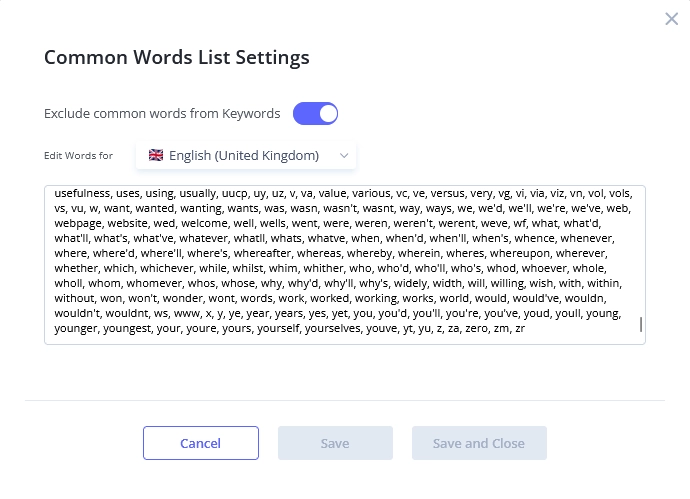
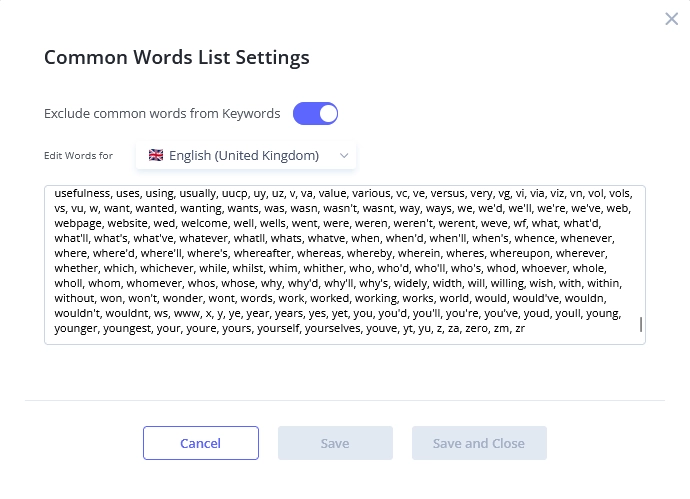
  • Stop Words: We added a customizable stop word list for every locale. This keeps "free" or low-value words out of your analysis so you aren't distracted. You can easily add or remove words from the list to fit your specific strategy.


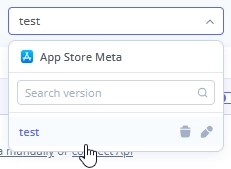
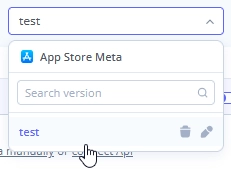
  • Version Control: Navigating between different metadata drafts is now much smoother. You can easily search for a specific metadata version and rename them to keep your ASO experiments organized.


✨ Features & Improvements

  • Faster Autosuggests: We completely rebuilt the architecture of our Autosuggests tool. It now loads significantly faster and accurately captures keyword suggestions that were previously missed.


  • In-App Events Update: You can now view In-App Events that are in video format. We also updated the display logic - you will now only see events from apps that are available in your currently selected locale, keeping your competitive research highly relevant.


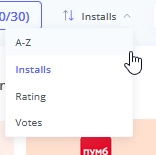
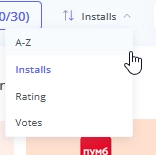
  • Visual Analysis Sorting: In the Competitors -> Visual Analysis tool, you can now sort competitor graphics by alphabet, estimated installs, average rating, and total review count.


  • Expanded Localizations: We added support for 11 new languages and dialects: Bengali, Gujarati, Kannada, Malayalam, Marathi, Odia, Punjabi, Tamil, Telugu, Urdu, and Slovenian.


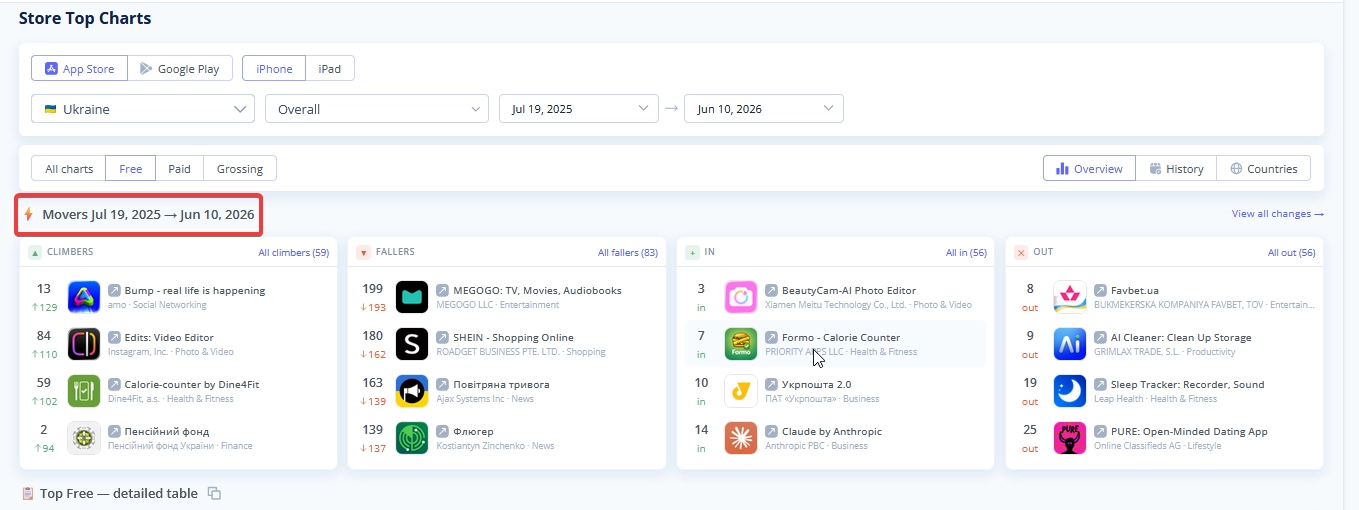
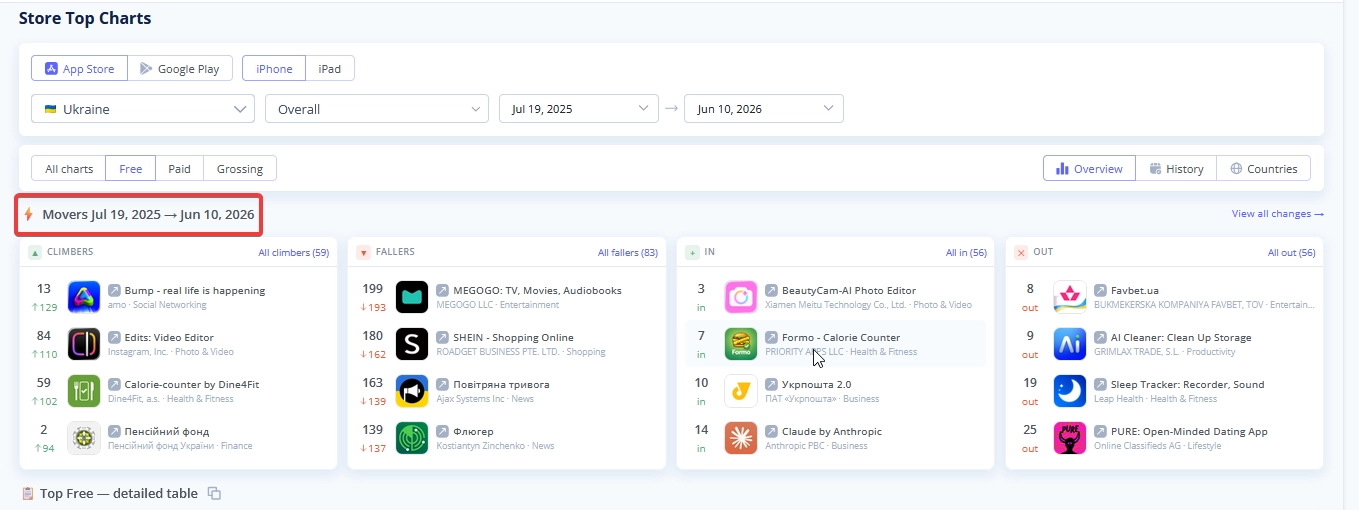
  • Store Charts Clarity: When comparing dates from different years in Store Charts, we now explicitly display the year next to the "Movers" section to prevent any confusion.


🐞 Fixes:

  • Fixed an issue where tables and pie charts in Market Intelligence were empty.
  • Fixed a bug where Google Play Impressions were not calculating correctly.
  • Corrected an error causing Competitors Google Play Installs & Revenue to display as 0.
  • Resolved formatting and generation issues with PDF reports.
  • Fixed a bug where the service failed to track the deletion of preview videos from an app's store page.
  • Fixed an issue with missing keyword suggestions in the Autosuggests tool.
  • Addressed various chart rendering bugs in Market Intelligence.


last week
Asolytics Update: Dark Theme, Meta Editor Update

Dark Theme is Here

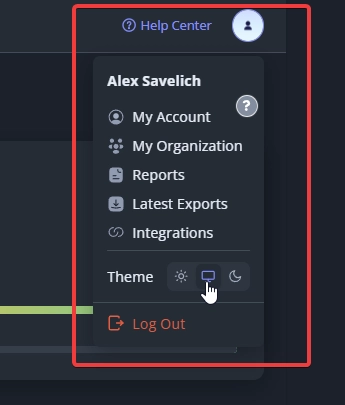
Give your eyes a rest! Enable the new Dark Theme in your settings, or let it automatically sync with your current system preferences for a seamless experience.


🚀 The All-New Meta Editor & Smart Insights

The Meta Editor has been completely rebuilt under the hood! It is now significantly faster, more reliable, and packed with new intelligent indicators to help you rank higher.

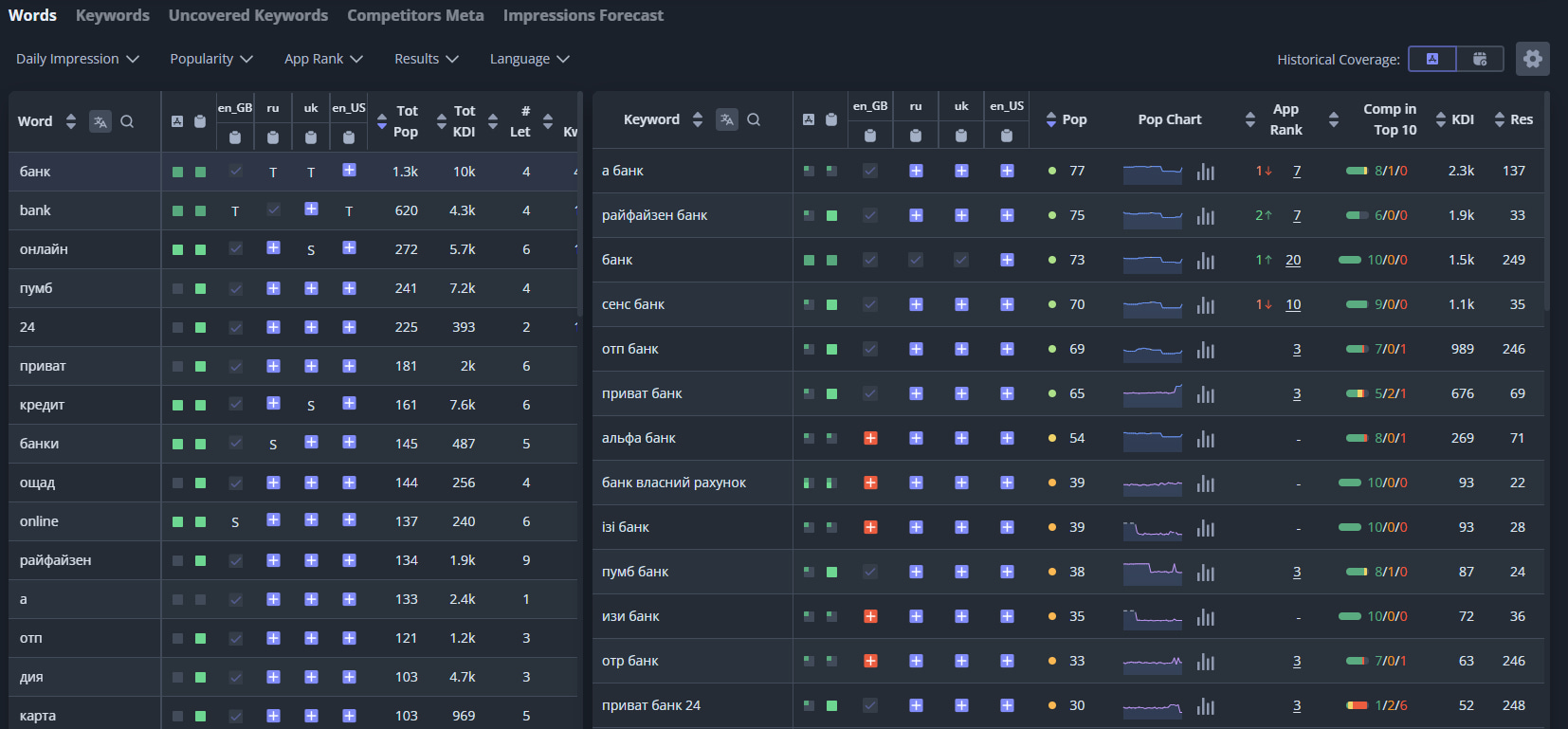
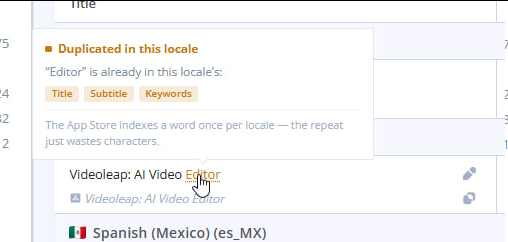
  • Smart Duplication Alerts: We now highlight duplicate words across different locales. Repeating keywords wastes valuable metadata space - catch and replace them instantly.

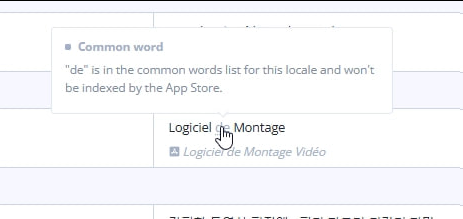
  • Free Keyword Indicators: The editor automatically highlights free keywords that the App Store does not index, so you can stop wasting character limits and focus solely on terms that actually drive downloads.


  • Custom Stop Words: We added a customizable stop word list for every locale. Easily filter out low-value words to keep your analysis clean and distraction-free.


  • Version Control: You can now easily search for specific metadata versions and rename them, making navigation between your drafts and ASO experiments much smoother.

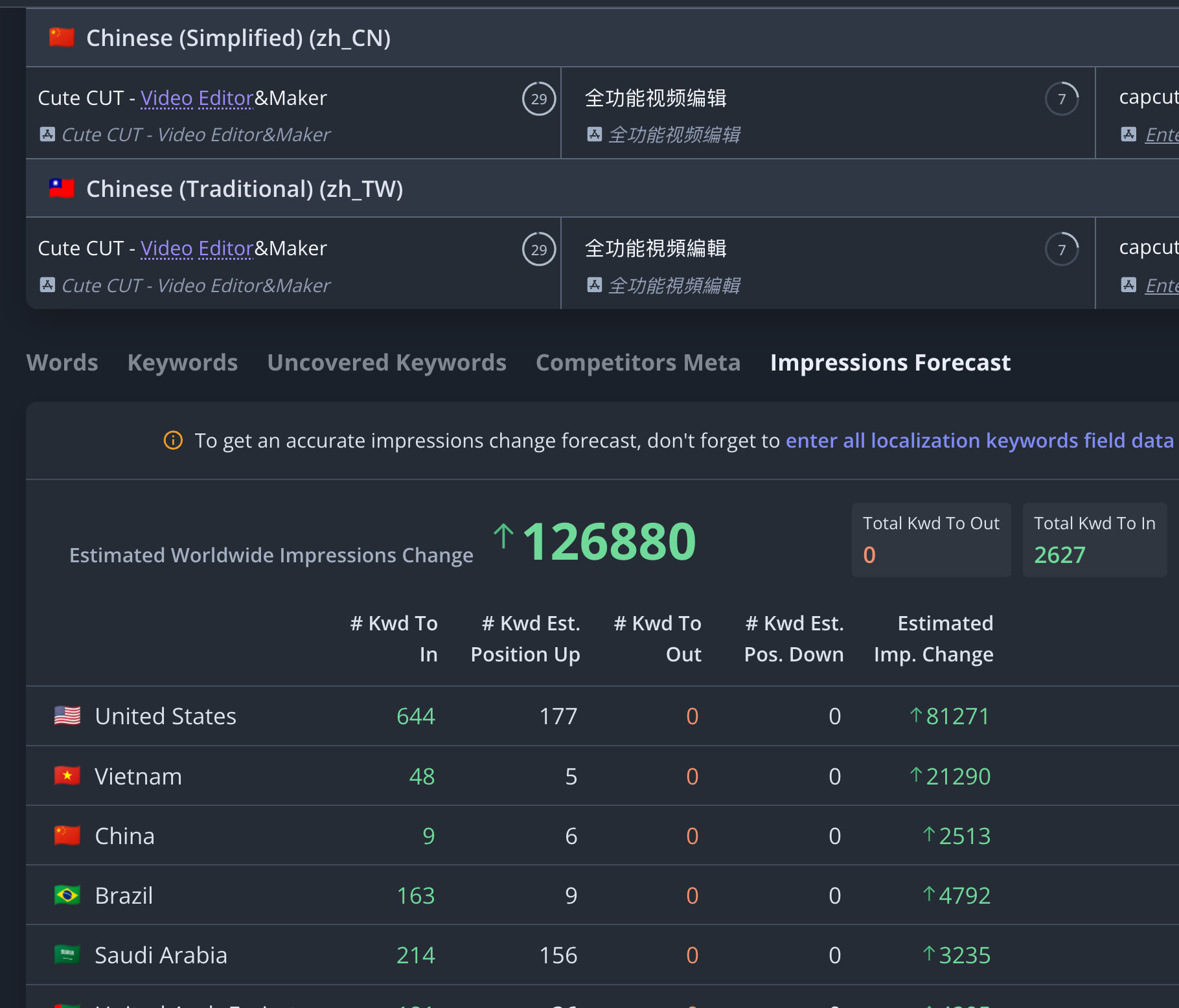
  • Primary Locale Selection (App Store): Set a primary locale to power localization forecasting. Optimizing keywords here will accurately boost and track your keyword coverage worldwide.


🌍 Global Expansion: Apple Ads & 11 New Markets

We have successfully connected all Apple Ads countries to Asolytics to give you more regional keyword opportunities. We unlocked 11 completely new markets for your worldwide ASO strategy:

  • Ghana
  • Jordan
  • Lebanon
  • Sri Lanka
  • Bolivia
  • El Salvador
  • Guatemala
  • Paraguay
  • Mongolia
  • Nepal
  • Honduras.


📊 Enhanced Analytics Stability

We improved the core stability of our Analytics tool for App Store. By intelligently distributing the analytics load across multiple accounts, we prevent potential tracking bans and ensure your market data updates smoothly and safely.


⚙️ Features & Improvements


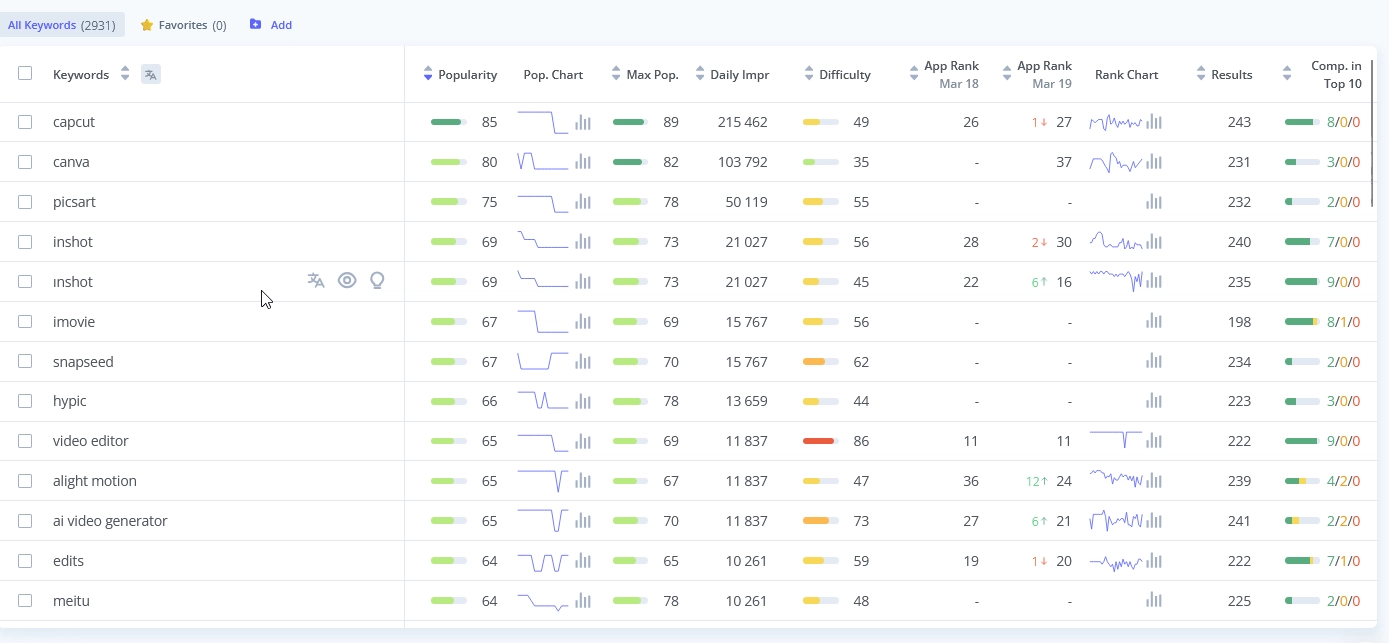
  • Granular Popularity Scale: We refined the left scale on the keyword popularity chart. This detailed, fractioned view makes it much easier to analyze visual trends and pick the most profitable search queries for your app.

  • Paid API Updates: Managing your API plan is now easier. We added automatic email invoices, a complete transaction history, metadata support in Live Search, and a new endpoint specifically for pulling keyword metrics.
  • Faster Autosuggests: We completely rebuilt the architecture of our Autosuggests tool. It now loads significantly faster and accurately captures keyword suggestions that were previously missed.


  • In-App Events Update: You can now view In-App Events that are in video format. We also updated the display logic - you will now only see events from apps that are available in your currently selected locale, keeping your competitive research highly relevant.


  • Visual Analysis Sorting: In the Competitors -> Visual Analysis tool, you can now sort competitor graphics by alphabet, estimated installs, average rating, and total review count.

  • Expanded Localizations: We added support for 11 new languages and dialects: Bengali, Gujarati, Kannada, Malayalam, Marathi, Odia, Punjabi, Tamil, Telugu, Urdu, and Slovenian.
  • Store Charts Clarity: When comparing dates from different years in Store Charts, we now explicitly display the year next to the "Movers" section to prevent any confusion.


🐞 Fixes:

  • Fixed a memory leak on the Market Research page to ensure fast and smooth browsing during your competitive analysis.
  • Fixed an issue in the Recommended keywords tool where the auto-approve filter did not properly account for indirect competitors.
  • Fixed an issue where tables and pie charts in Market Intelligence were empty.
  • Fixed a bug where Google Play Impressions were not calculating correctly.
  • Corrected an error causing Competitors Google Play Installs & Revenue to display as 0.
  • Resolved formatting and generation issues with PDF reports.
  • Fixed a bug where the service failed to track the deletion of preview videos from an app's store page.
  • Fixed an issue with missing keyword suggestions in the Autosuggests tool.
  • Addressed various chart rendering bugs in Market Intelligence.


last week
Google Play Events

Google Play Events Support

You can now track and analyze in-app events for Google Play applications directly in Asolytics. This update mirrors our existing App Store support, allowing you to easily monitor competitor activities and discover new ways to increase your app's visibility and downloads.


Visual Analysis Enhancements

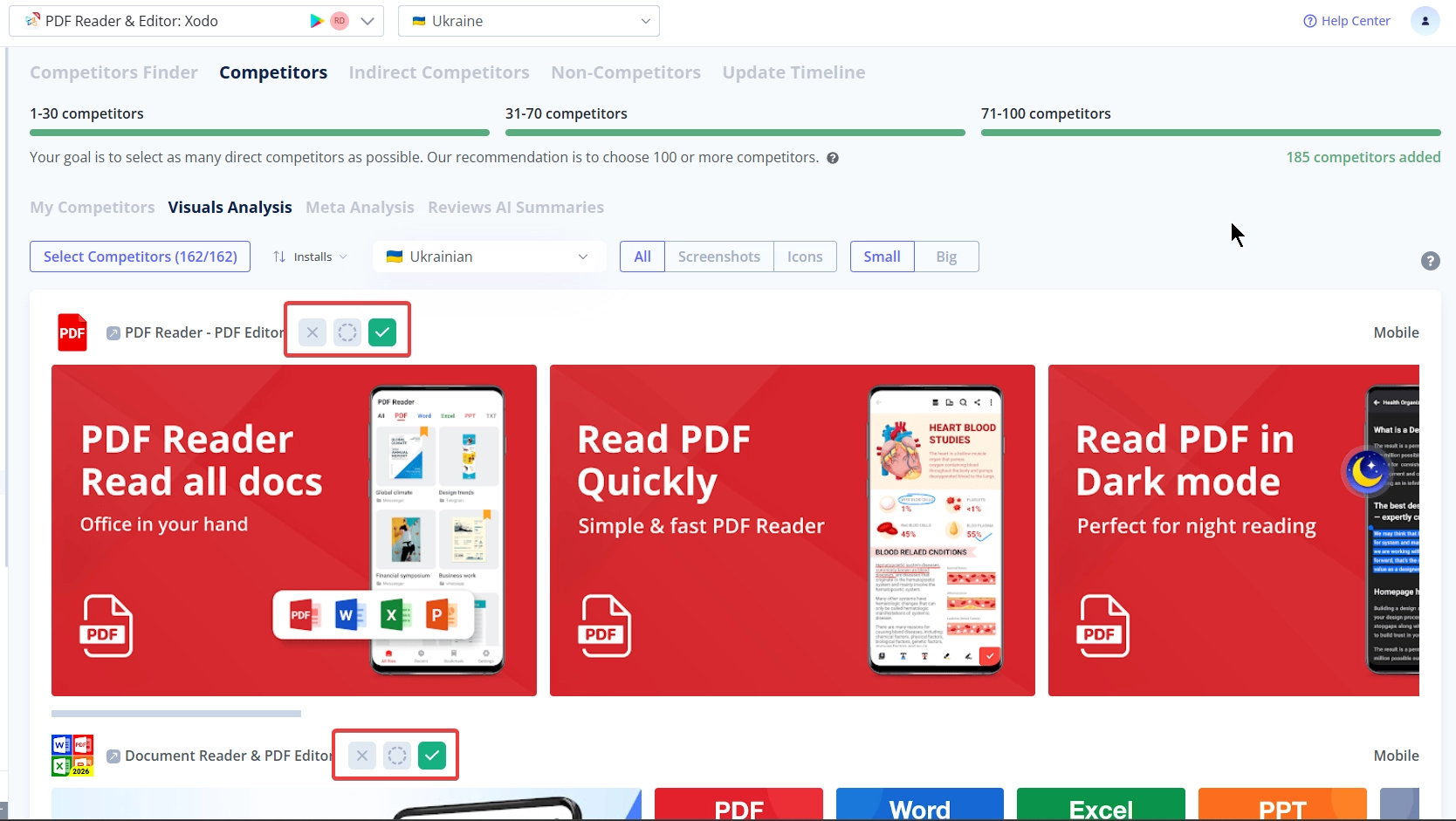
You can now easily mark and manage your competitors directly within the Visual Analysis tool.


Advanced Keyword Management

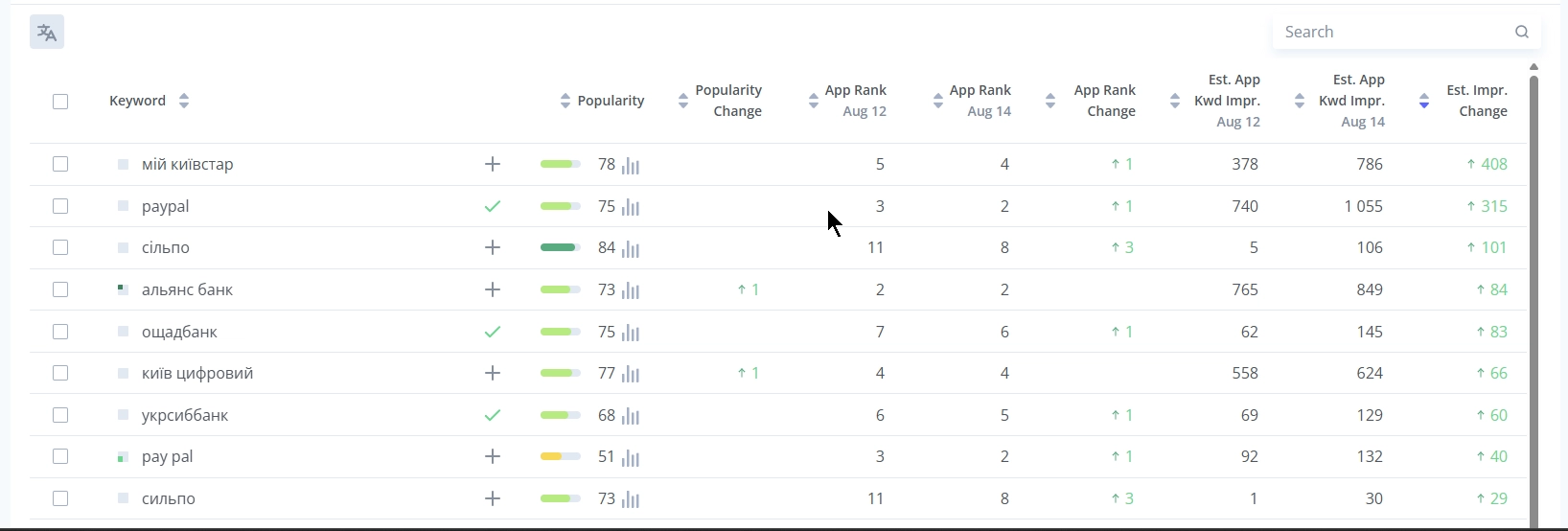
We made working with keywords in the Rank Comparative report much faster and more intuitive.

  • You can now add a new keyword to your Semantic Core instantly from the report.
  • We added the familiar coverage indicator from the Meta Editor next to your keywords to help you run a deeper text analysis.


Flexible Folder Organization

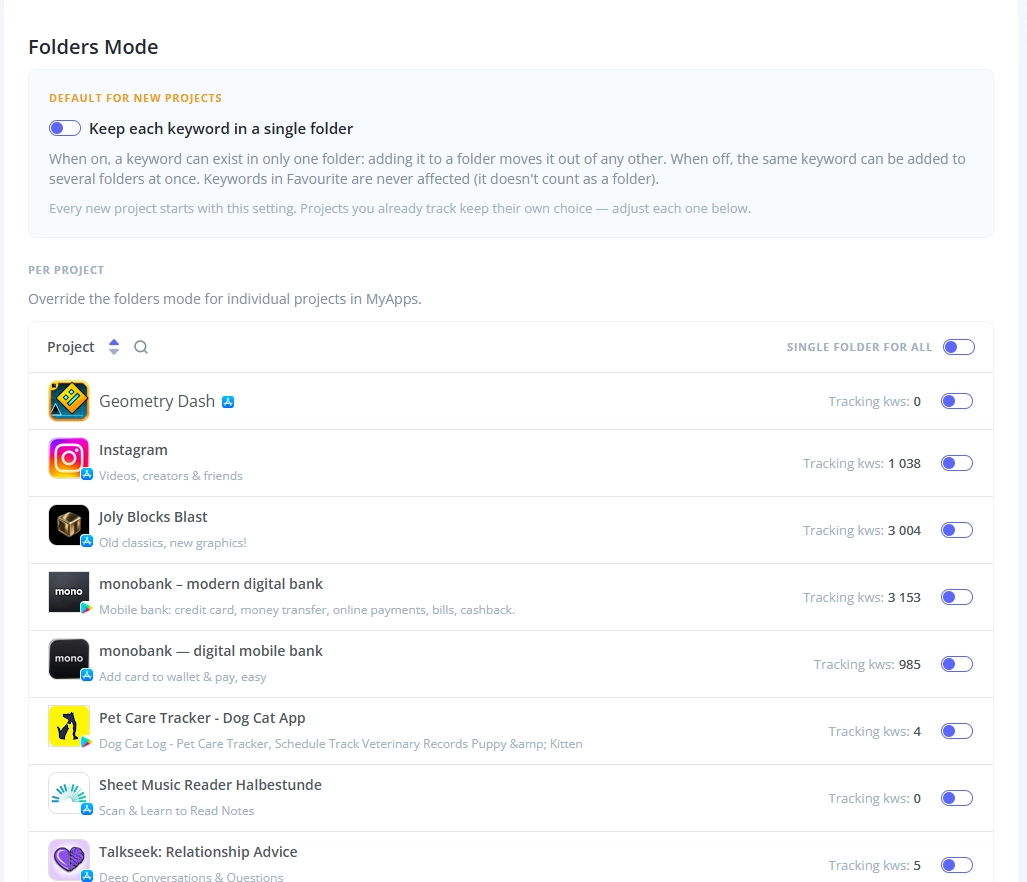
You now have full control over how you organize keywords to match your ASO strategy, using two new folder modes.

  • Single folder: A keyword can only exist in one folder at a time, and it will automatically move if you reassign it.
  • Multiple folders: You can add the exact same keyword to several folders simultaneously.
  • You can set your preferred mode as a default for new projects, adjust it for specific existing projects, or apply it globally across all of them.
  • The Favourite folder works independently and is not affected by these limitations.


Chart Exports and Viewing

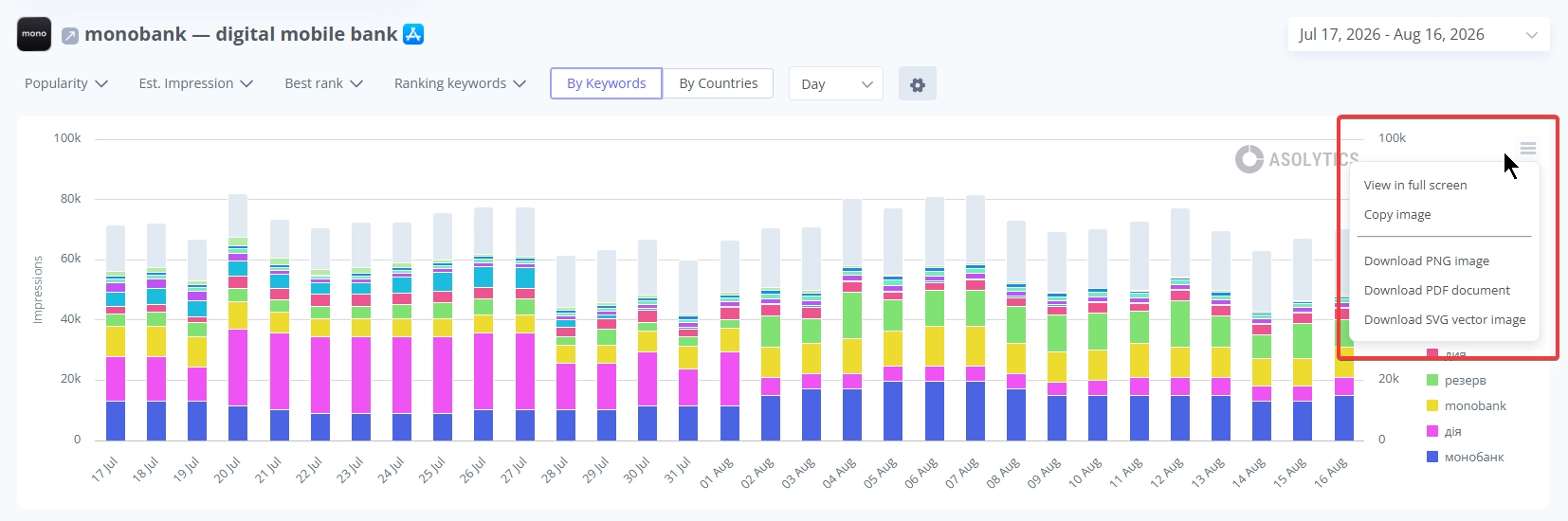
Analyzing and sharing your growth metrics is now more convenient. You can copy any Asolytics chart or download it in PNG, PDF, or SVG formats for your reports. You can also expand charts to full-screen mode for a highly detailed review.


Features & Improvements

  • We significantly accelerated the processing of large data volumes, improving the speed and stability of major reports like Impressions, Forecast, and keyword analytics.
  • We optimized the column layout in the Metadata Editor to give you a cleaner workspace.
  • The synchronization of your tracking folders has been improved.


🐞 Fixes:

  • We restored the functionality of the Related module.
  • The Website link in the App Info section for Google Play apps now works correctly.
  • The Your App Ranking metric in Live Search no longer shifts unexpectedly when loading additional results.
  • We improved the visual display of tooltips, making them much easier to read in the dark theme.


last week
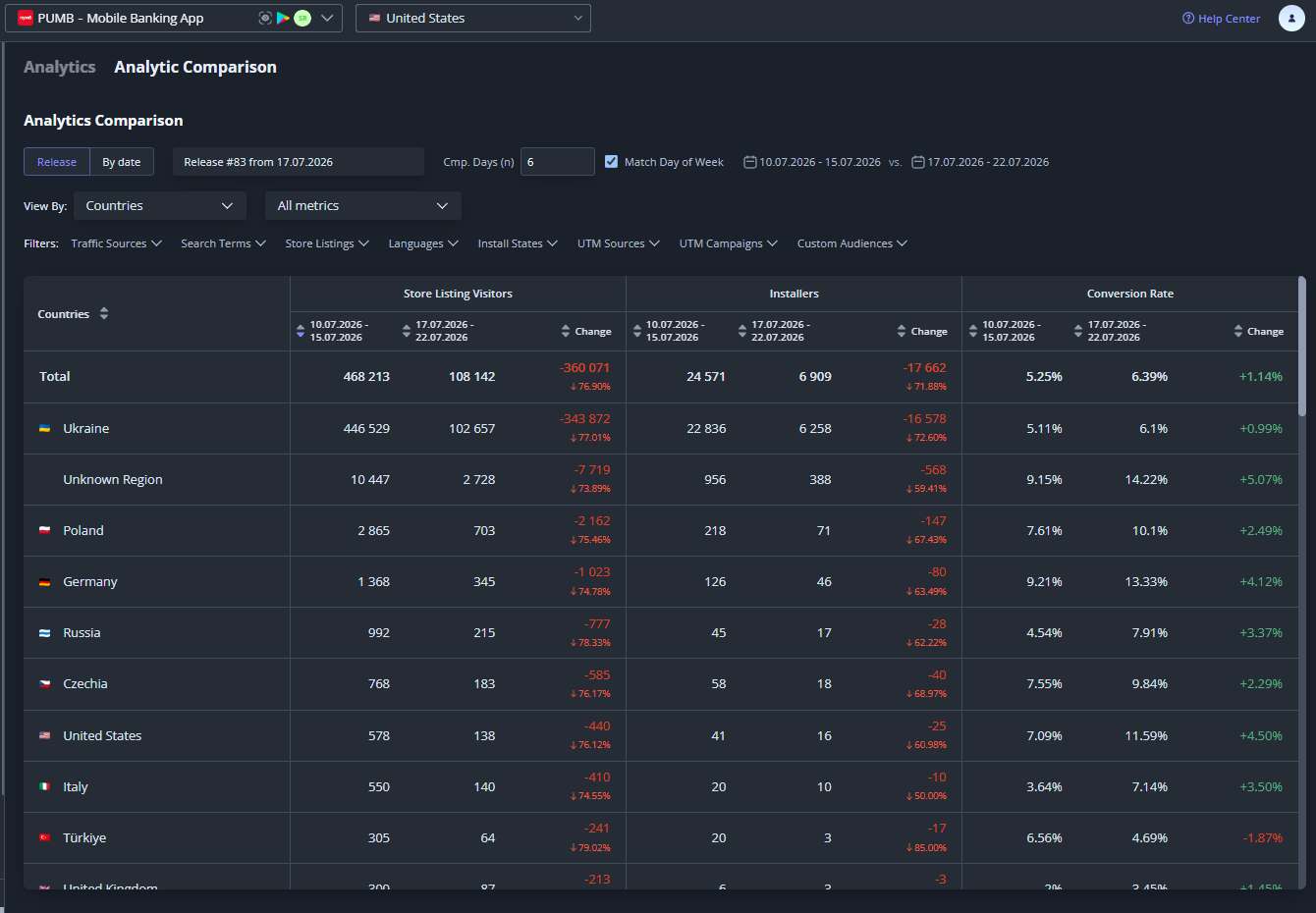
Google Play Analytics Comparison

📊 Google Play Analytics Comparison

  • You can now use the comparison mode for your Google Play analytics.
  • This brings the exact same comparison tool you use for the App Store directly to your Android apps.


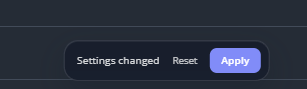
⚡ Smart Filter Application in Analytics

  • We overhauled the filtering logic in Analytics for a smoother experience.
  • Previously, changing even a single filter caused the entire page to reload, which made it inconvenient to use and negatively affected the tool's performance.
  • Now, when you tweak one or more filters, a new action button appears at the bottom offering you to Apply your changes or Reset them to the initial state.


🤖 AI-Powered Competitor Selection

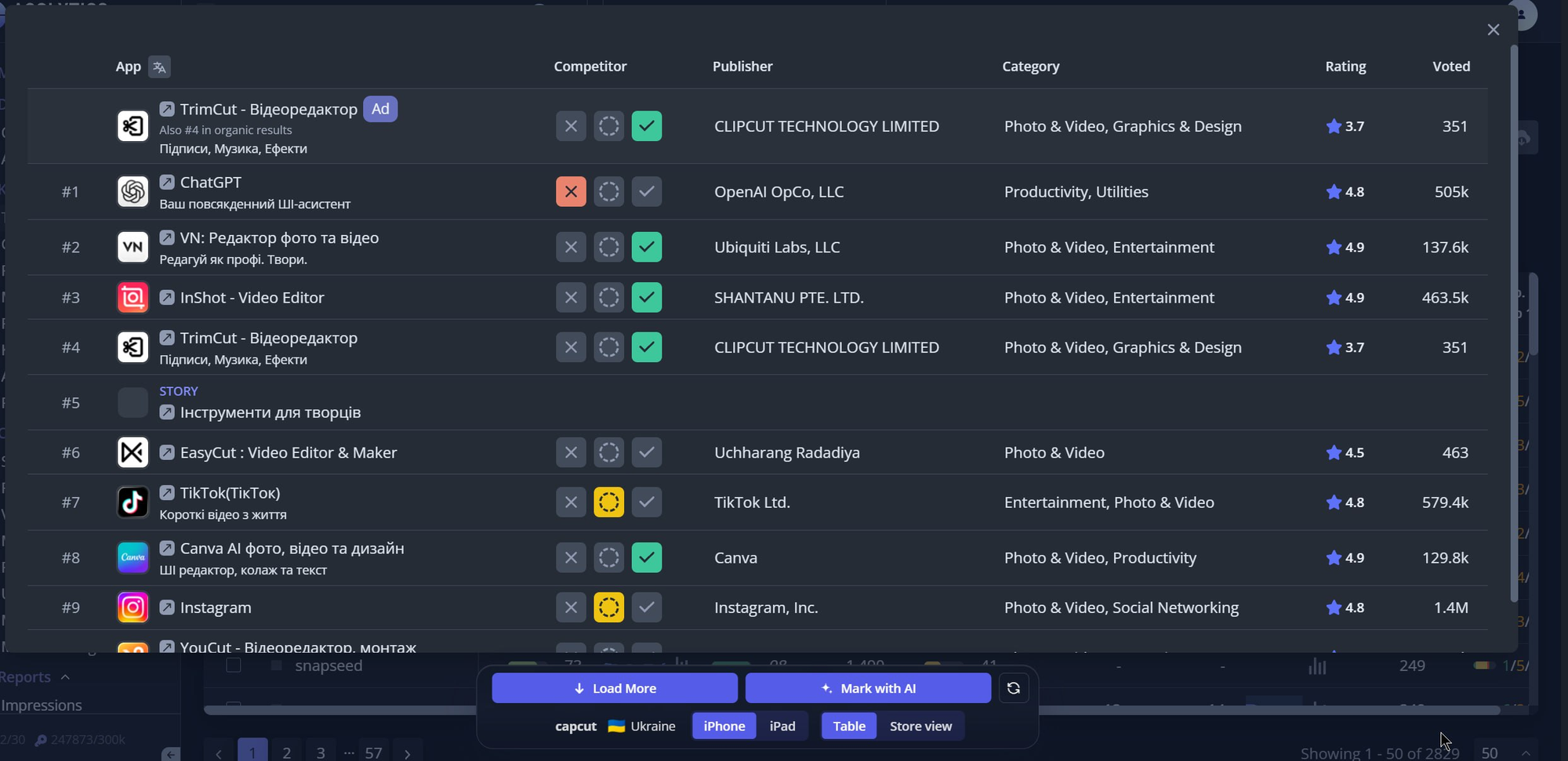
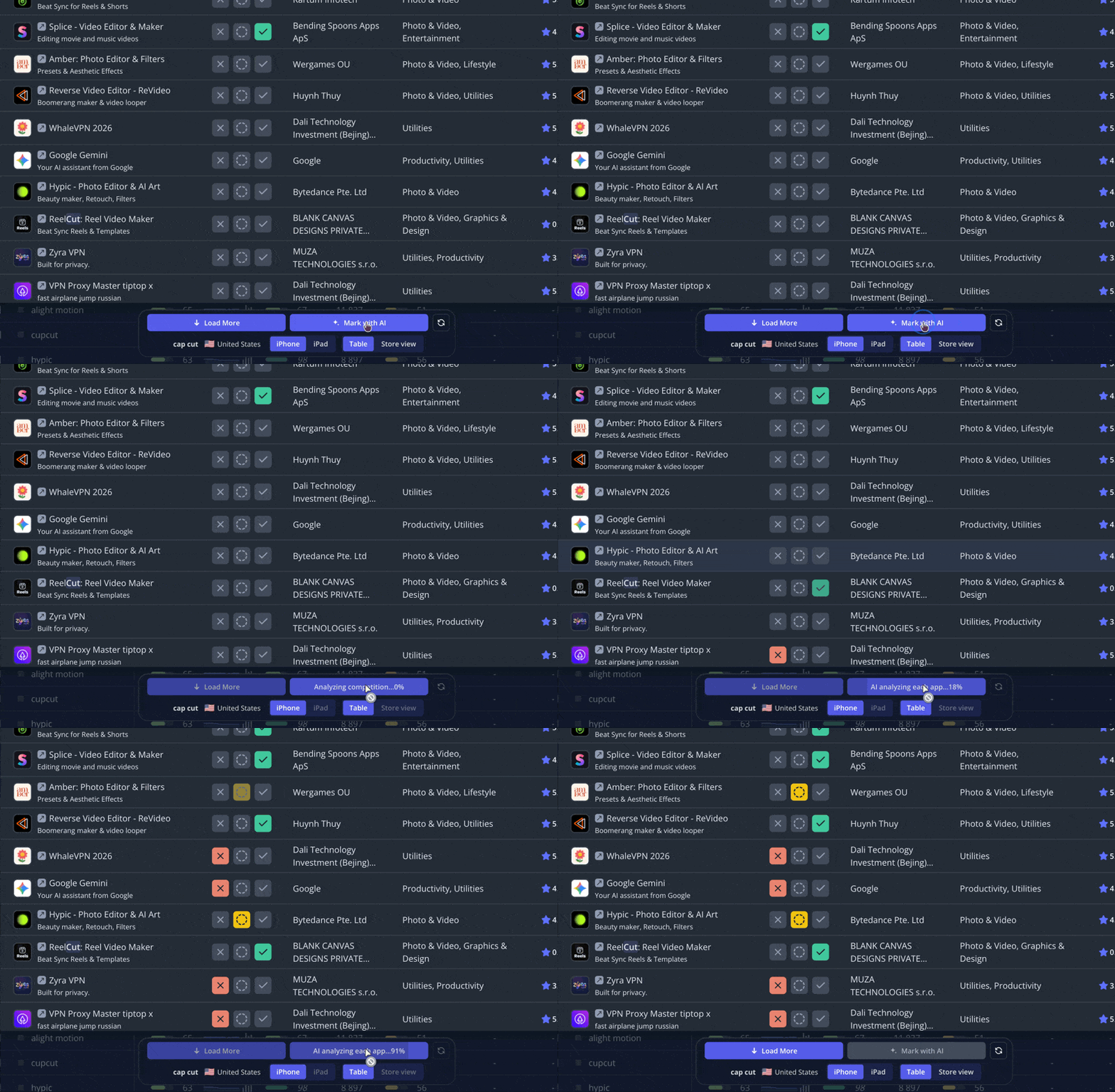
  • The Competitors Finder tool now includes a new Mark with AI function.
  • This allows you to automatically select competitors using AI, which significantly saves your time.


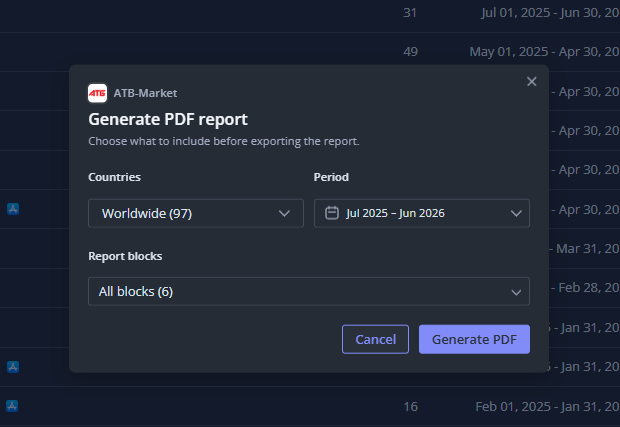
📄 Customizable Market Research PDF Exports

  • Generating Market Research PDFs is now fully customizable.
  • You can specifically choose which dates, countries, and data blocks to include in your final export.


✨ Features & Improvements

  • Updated the Impressions Report so all search queries are now displayed in different colors.


🐞 Fixes:

  • Fixed a bug in the Rank Comparative report where keyword changes were not displaying even though they occurred.
  • Corrected a bug where the Market Intelligence tool showed incorrect install numbers.
  • Fixed a bug in the Metadata Journal where data failed to display after connecting the API.
  • Resolved an issue where the Rank Breakdown graph did not show the complete selected scope.
  • Fixed a bug related to metadata coverage in the Meta Editor.
  • Corrected an issue where Meta Analysis failed to switch to the default language.


last week
Asolytics Updates: Store Charts V2 & Other Improvements

🚀 Store Charts Massive Upgrade

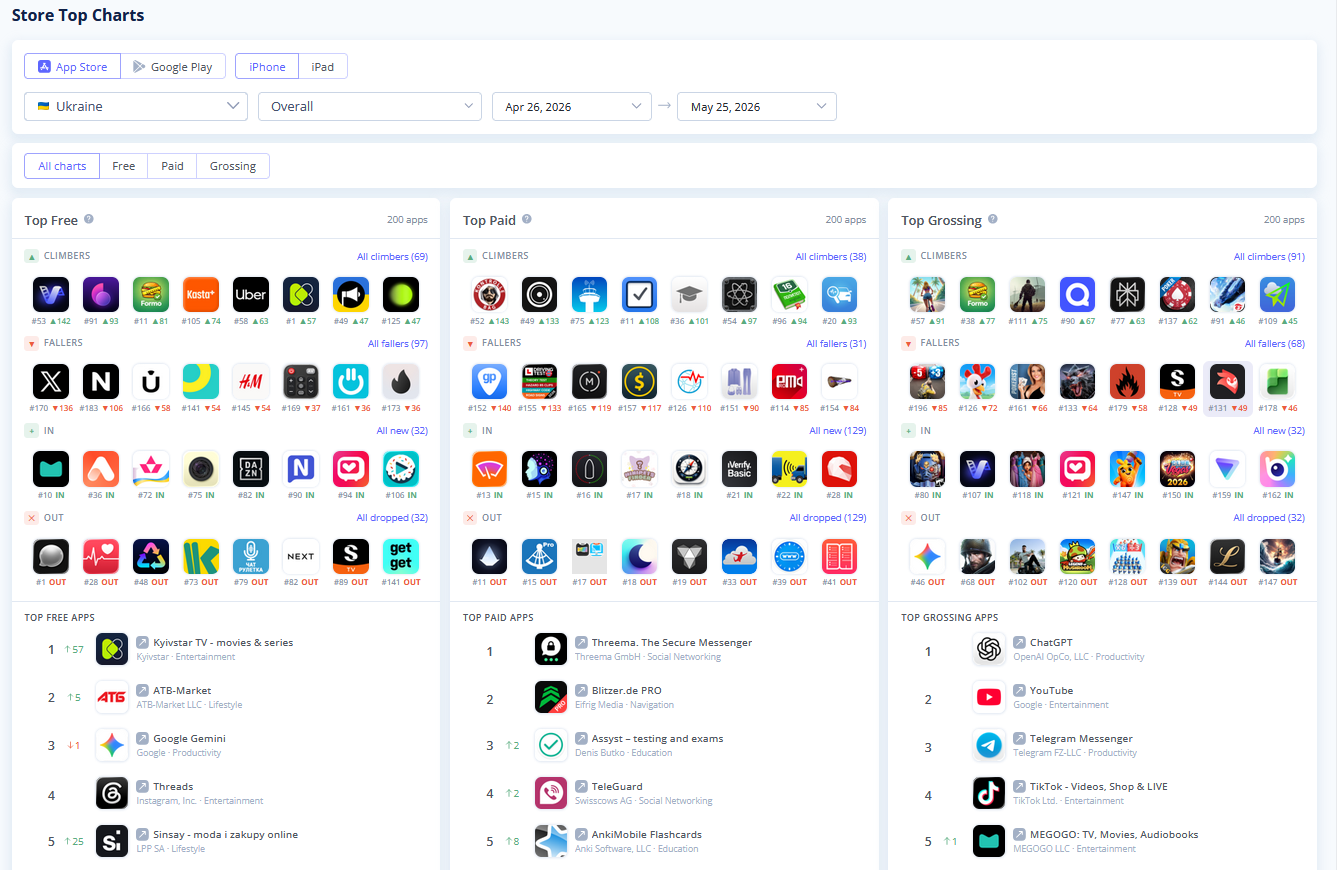
We have completely updatedf the Store Charts tool and now you get a clear and immediate view into market trends and quickly find top apps.

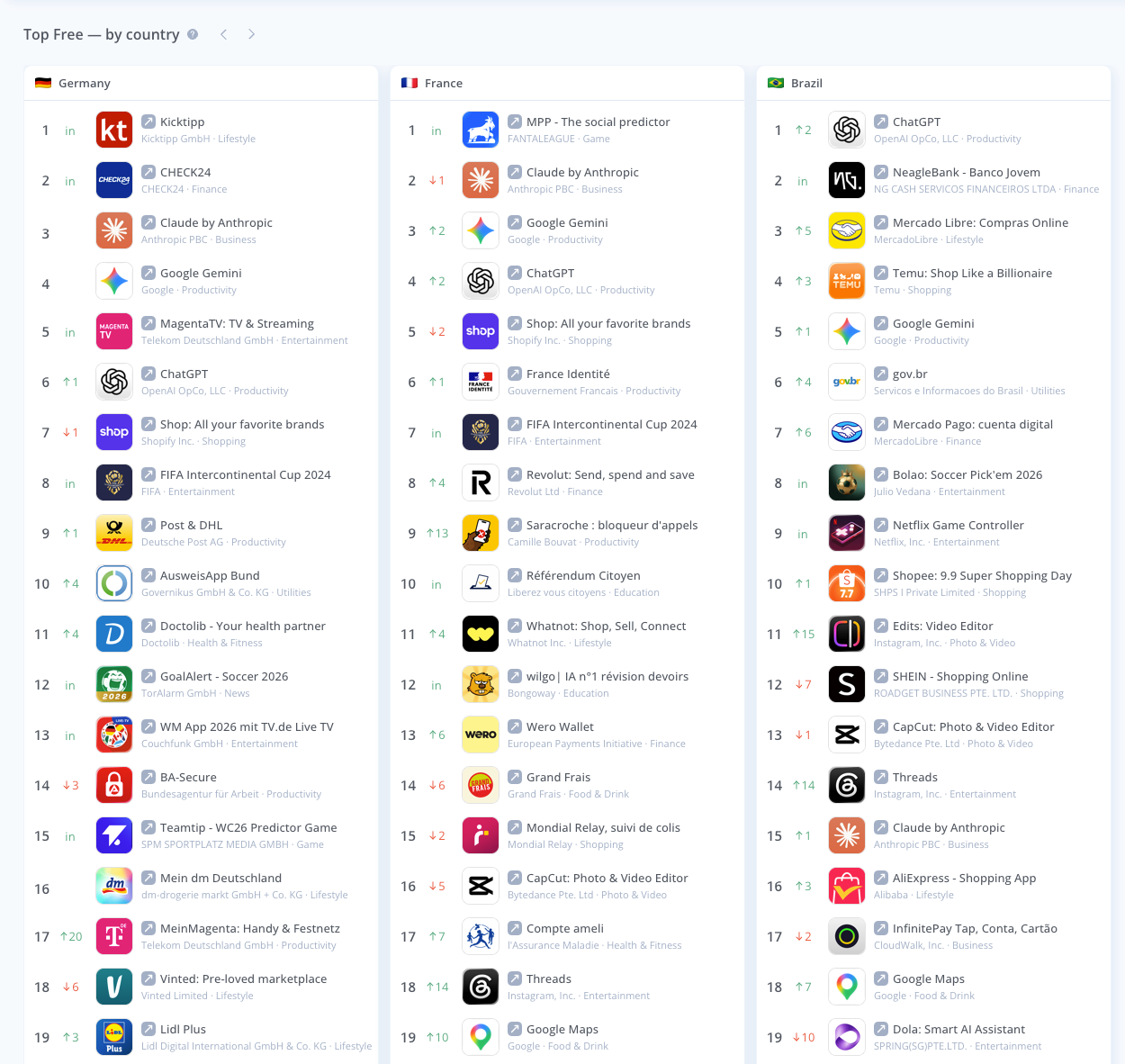
The main dashboard now features dedicated tables for Free, Paid, and Grossing apps, packed with actionable data to refine your ASO strategy:


  • Spot the Market Movers: Instantly track the most dynamic apps in your category with four new quick-access boxes: Climbers (growth), Fallers (rank drop), In (newly ranking apps), and Out (apps that dropped from the charts).


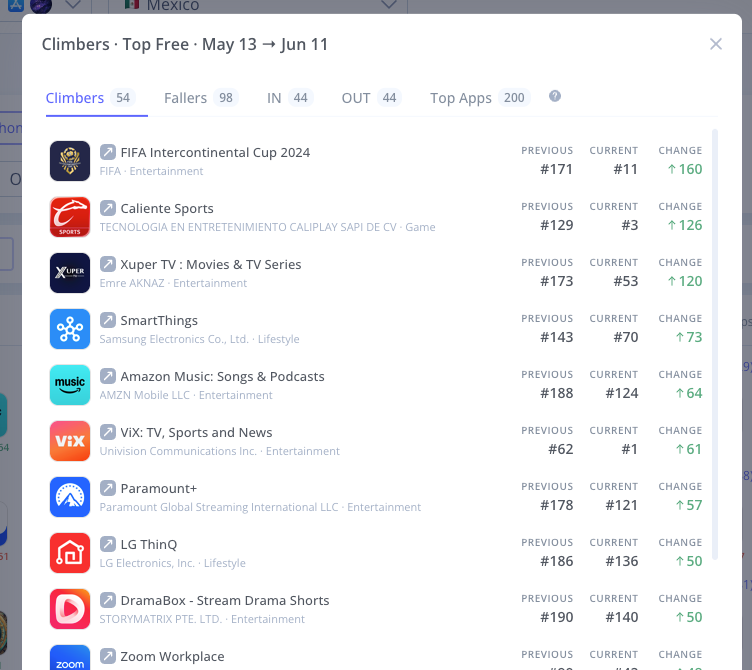
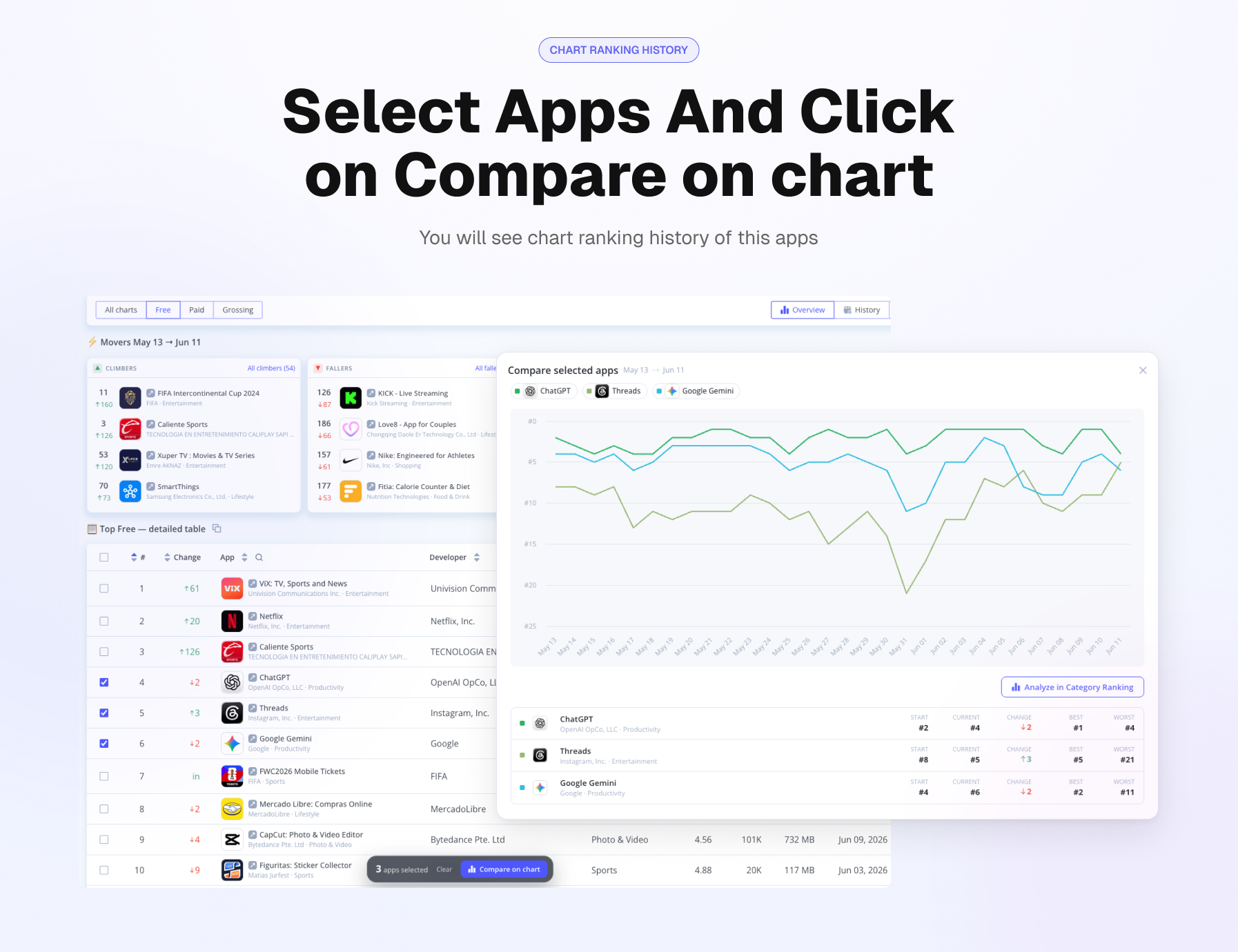
  • Compare historycal Top Chart Rankings: When you select a specific section (Free, Paid, or Grossing), it opens a highly detailed analytics table for that category. You can now select multiple apps directly from the table to compare their ranking dynamics side-by-side.
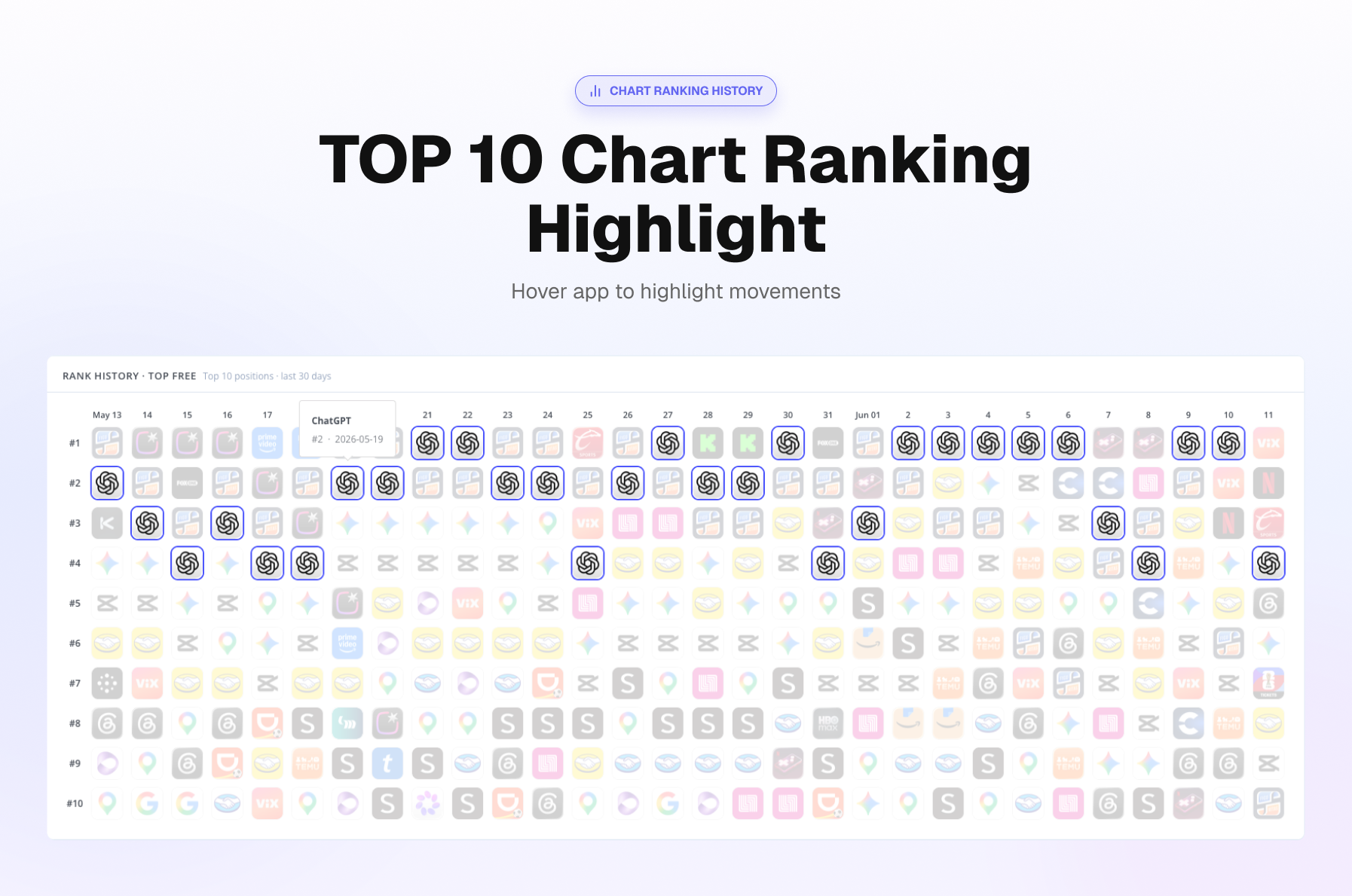
  • Top 10 Ranking Dynamics: Hover over an app to see recent ranking changes over last 30 days.
  • See All Countries on One Page: Choose the countries you want to track and view them all at once.
  • Easy Export: You can now copy the entire Store Charts table and paste it directly into Google Sheets or Excel.


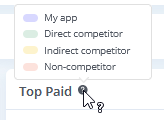
  • Smart Competitor Highlighting: Instantly see who is who in the top charts. The tool now visually highlights Your app, Direct competitors, Indirect competitors, and Non-competitors directly in the lists.

Features & Improvements

  • Lightning-Fast Market Research: Market research has just gotten much faster now. We have greatly improved loading speeds and raised the limit for competitor reports. Reports that used to take minutes are up to six to eight seconds now to load with as many as 300 competitors. End that waiting and frozen displays forever.


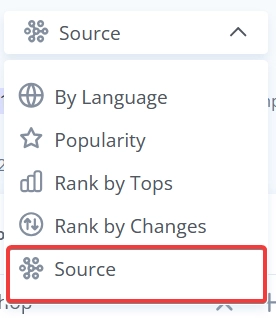
  • Keyword Grouping by Source: Keywords in the Recommended tool are now grouped by Source.

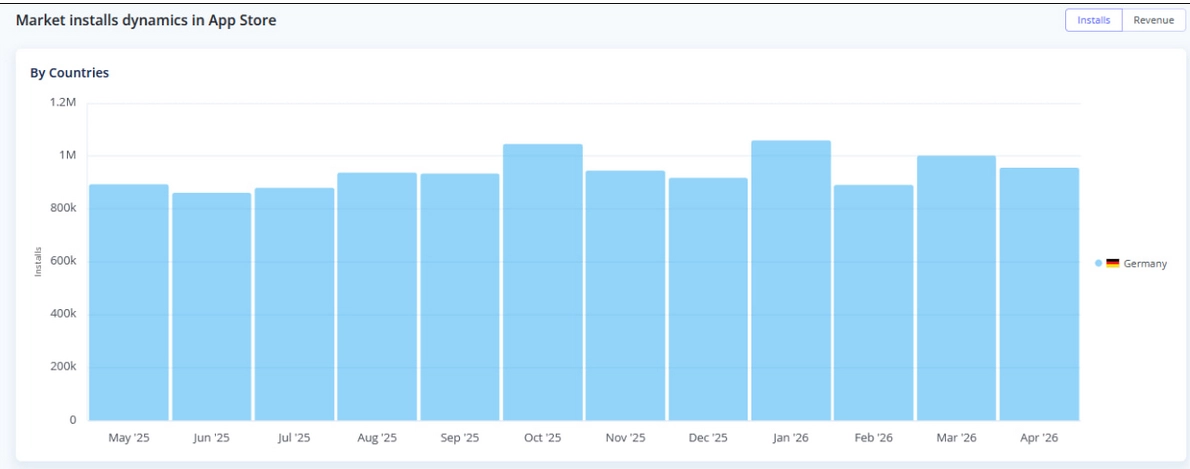
  • Improved Market Research Visuals: When filtering your Market Research report by a single country, the tool now displays a dedicated by countries graph for installs and revenue, making your localized market analysis much more intuitive.


3 months ago
Asolytics Update: "Search Ads Analysis" for App Store

🚀 Introducing the "Search Ads Analysis" for App Store

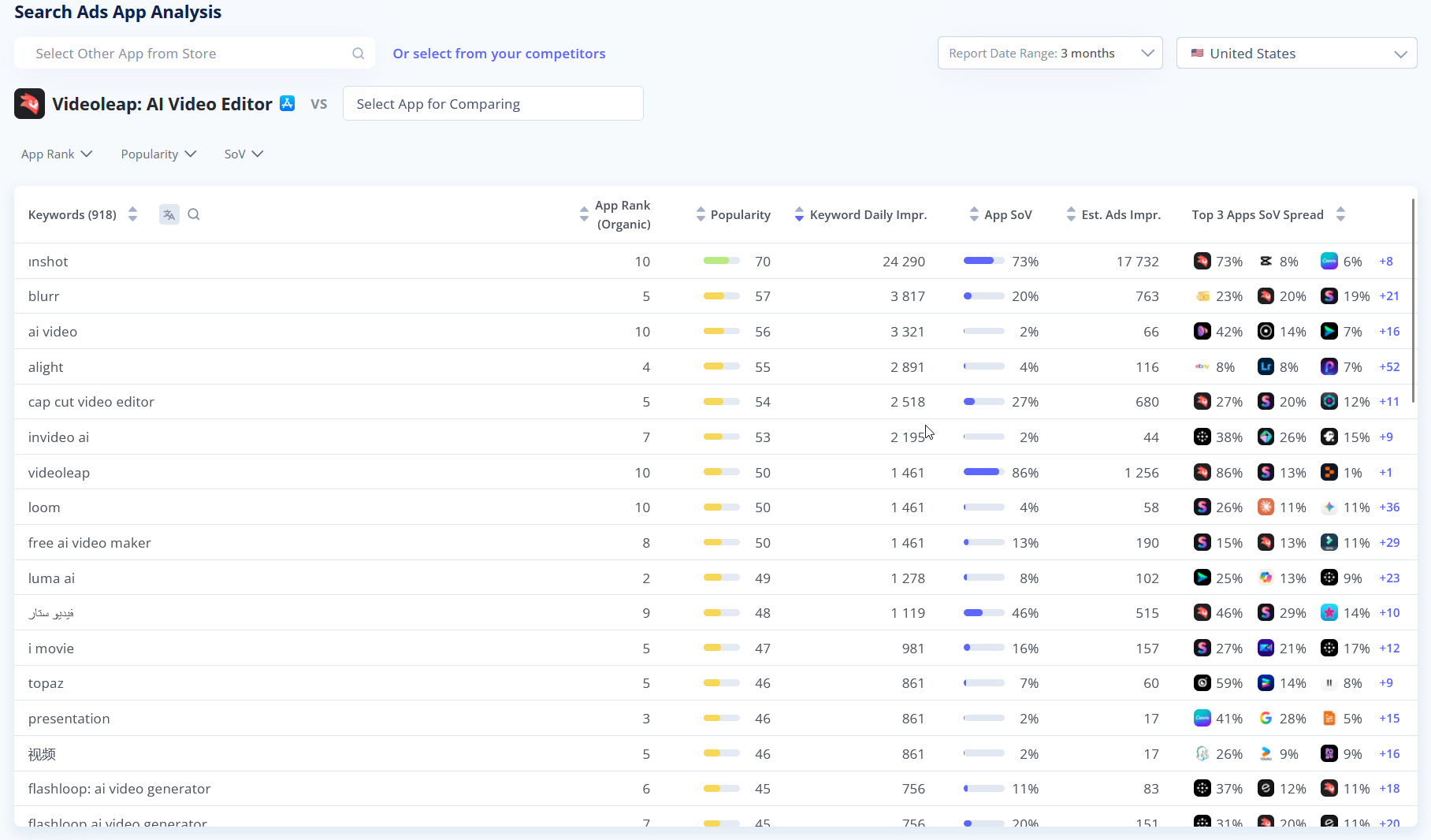
We’ve launched App Analysis for Apple Search Ads. You can now see which keywords an app is running ads on. This is the first tool in our new Search Ads section. More coming soon.

  • Analyze Any App: Instantly access a detailed breakdown of any app's Search Ads foo]tprint. Track crucial metrics like Bidding Apps, Share of Voice (SoV), Keyword Popularity, Estimated Ad Impressions, and Organic App Rank all in one place.
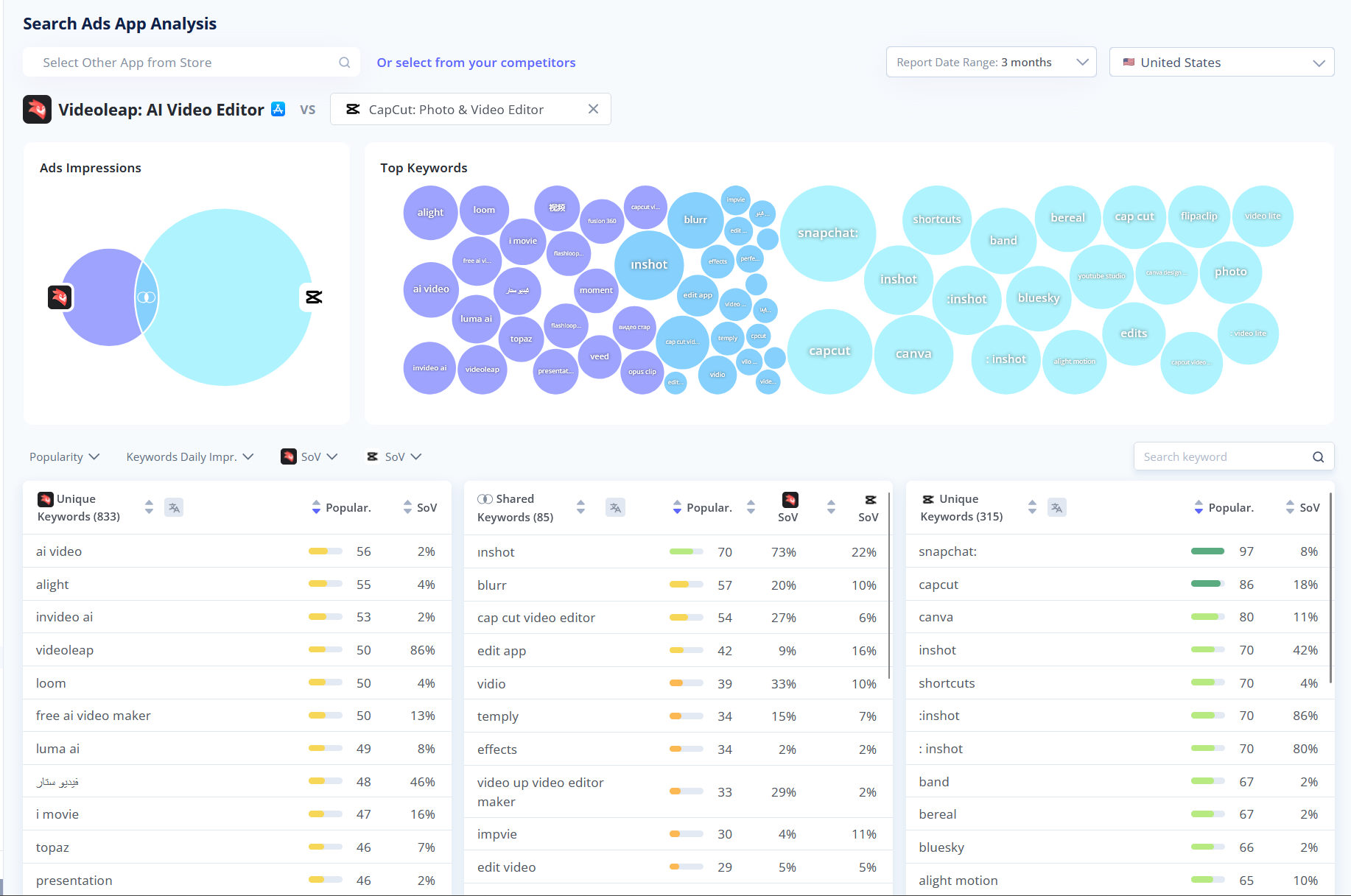
  • Head-to-Head Competitor Comparison: Ready to see how you stack up? Click the "+" (Compare) button to compare with other apps buying ads for same keywords. Visual Data & Keyword Gaps easily identify Shared Keywords to see who is winning the SoV battle, and uncover Unique Keywords your competitors are bidding on (but you aren't!).

🗂️ My metadata & Apps Metadata improvements

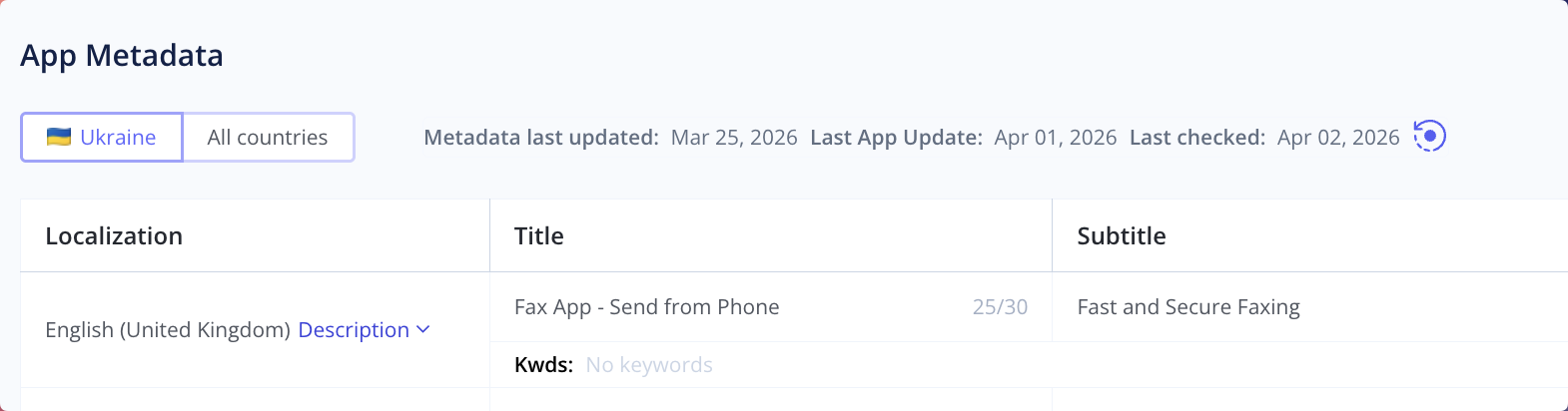
We've released a new Metadata tab, available right inside your main Dashboard and updated Metadata section in App Analyzer.

Here is what you can do with the new dashboard:

  • Switch beetween locales from current country and all countries
  • On-Demand Data Refresh: You can now manually trigger a metadata check by simply clicking the refresh icon next to the "Last checked" date to pull the absolute latest info.

💡 Quicker Access to Help & Feedback

We’ve made a small but mighty tweak to our interface to ensure you can always find help or share your thoughts without breaking your workflow.

Here is what changed:

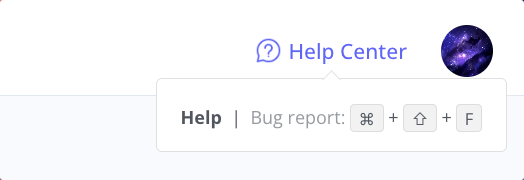
  • Help Center Relocated: We've moved the Help Center and Bug Report link to the top right corner of your screen. It's now always within easy reach, right next to your profile!
  • New Feedback Hotkey: Got a feature request or spotted a bug? You can now instantly trigger the feedback form from anywhere on the platform using the new Ctrl + Shift + F shortcut. Fast and seamless!


4 months ago
App Page, Market Research, Meta Editor App Store update

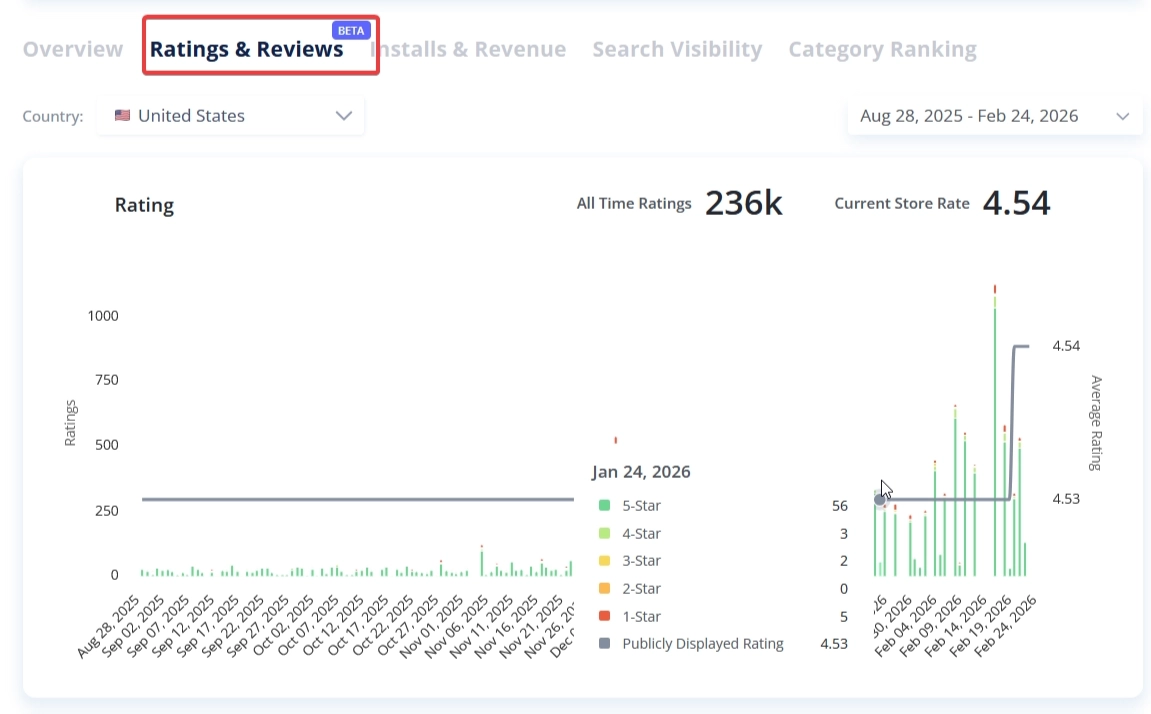
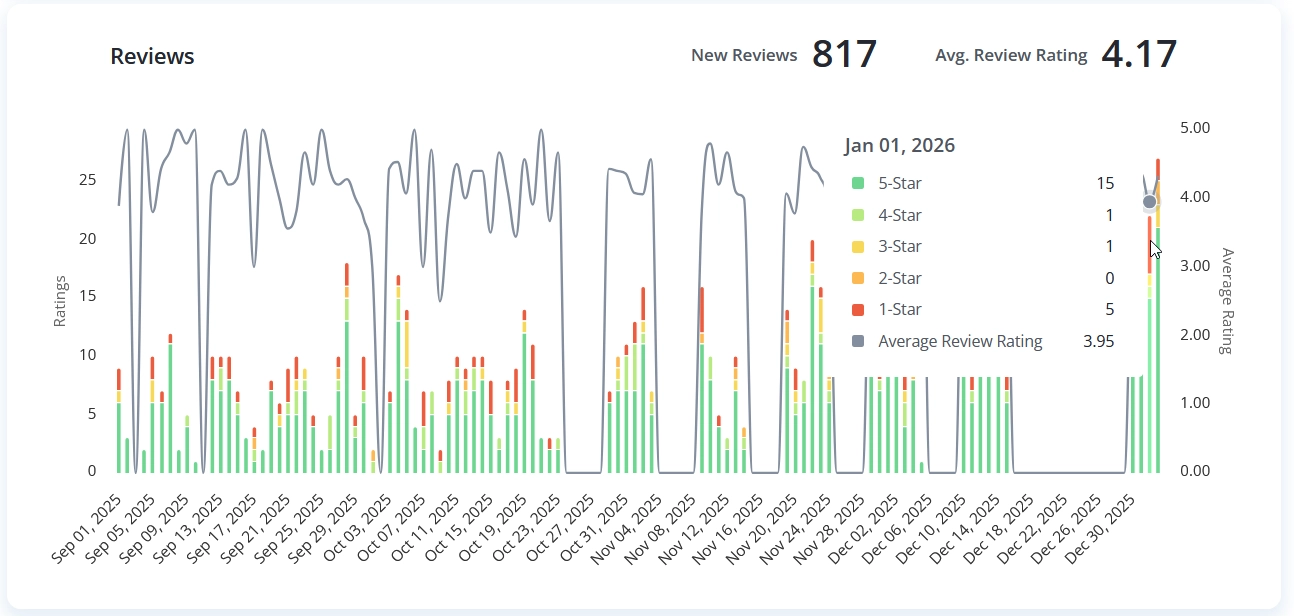
Dashboard: Ratings and Reviews (Beta)

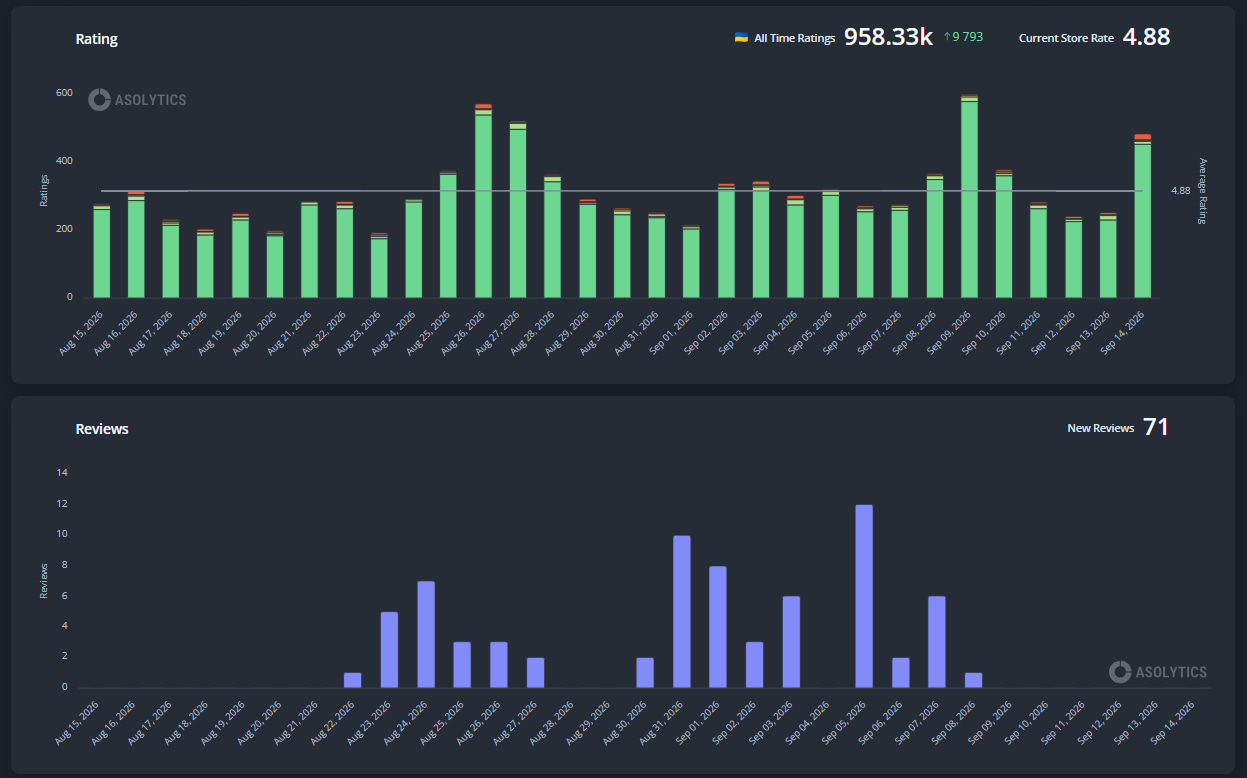
We have added a new tab to the Dashboard to provide a comprehensive overview of app sentiment and rating metrics.

  • Ratings: A new chart visualizing the progression of your app's rating, including the percentage distribution of each score (1-5 stars) and the cumulative average.
  • Review: A secondary chart tracking new review counts and the average score specifically for users who left written feedback.
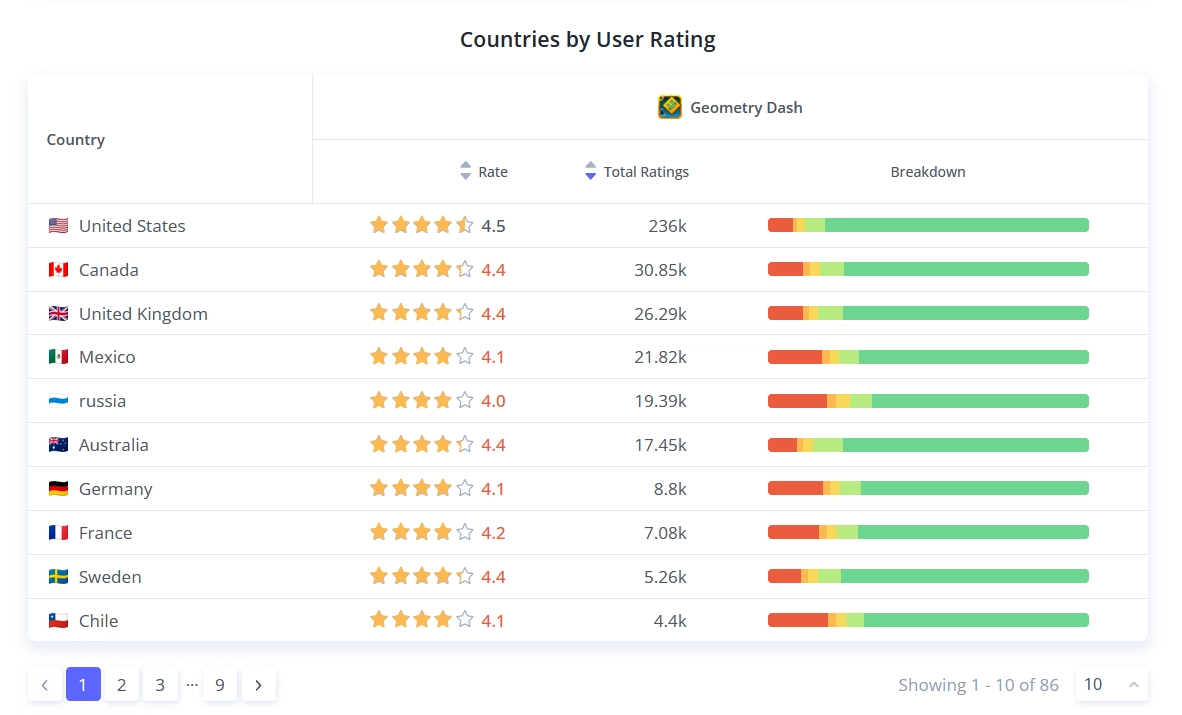
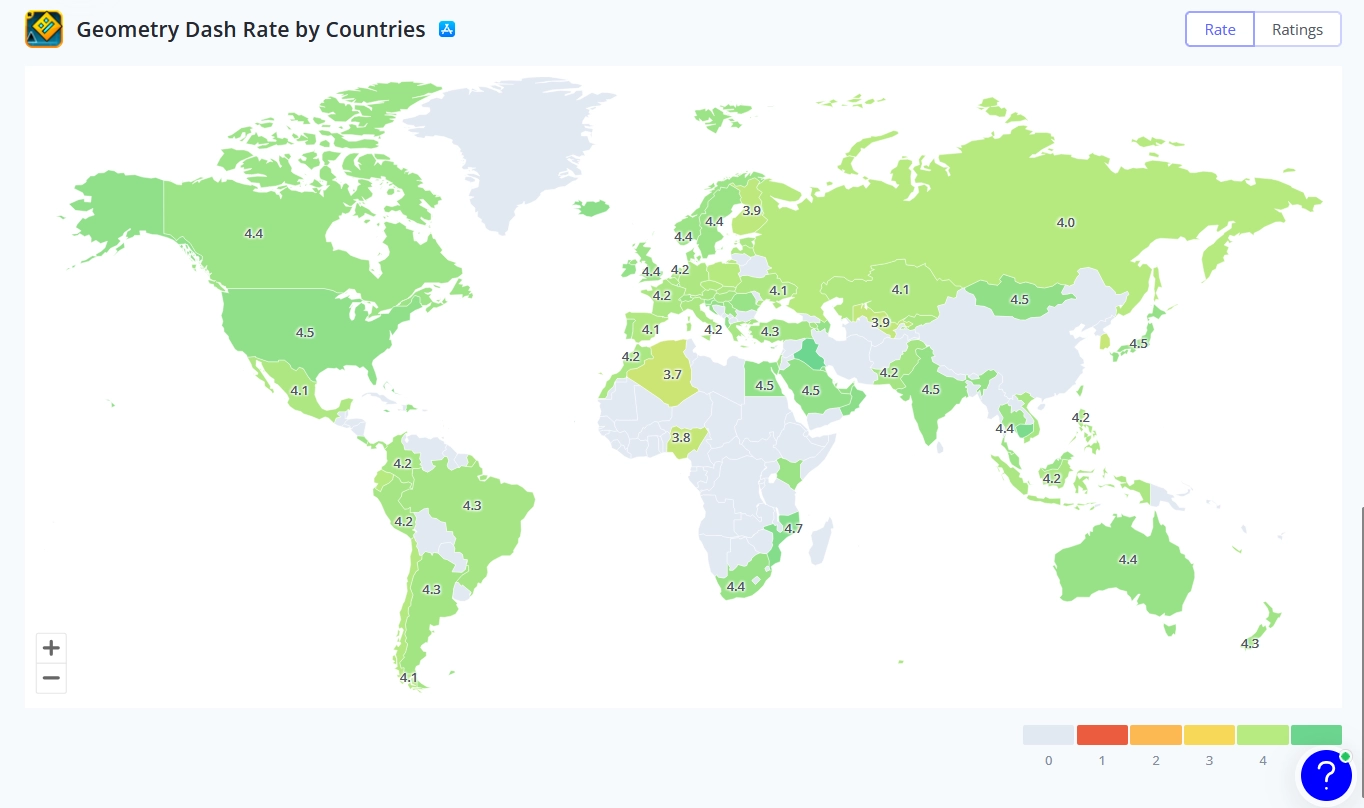
  • Worldwide Rating Distribution: A table and map for analyzing rating performance by country. This includes the average rate & ratings per country and a breakdown scale for each ratings from 1 to 5.

Meta Editor: Keyword Coverage History

We have integrated a historical analysis tool within the Meta Editor to track keyword usage across previous metadata iterations.

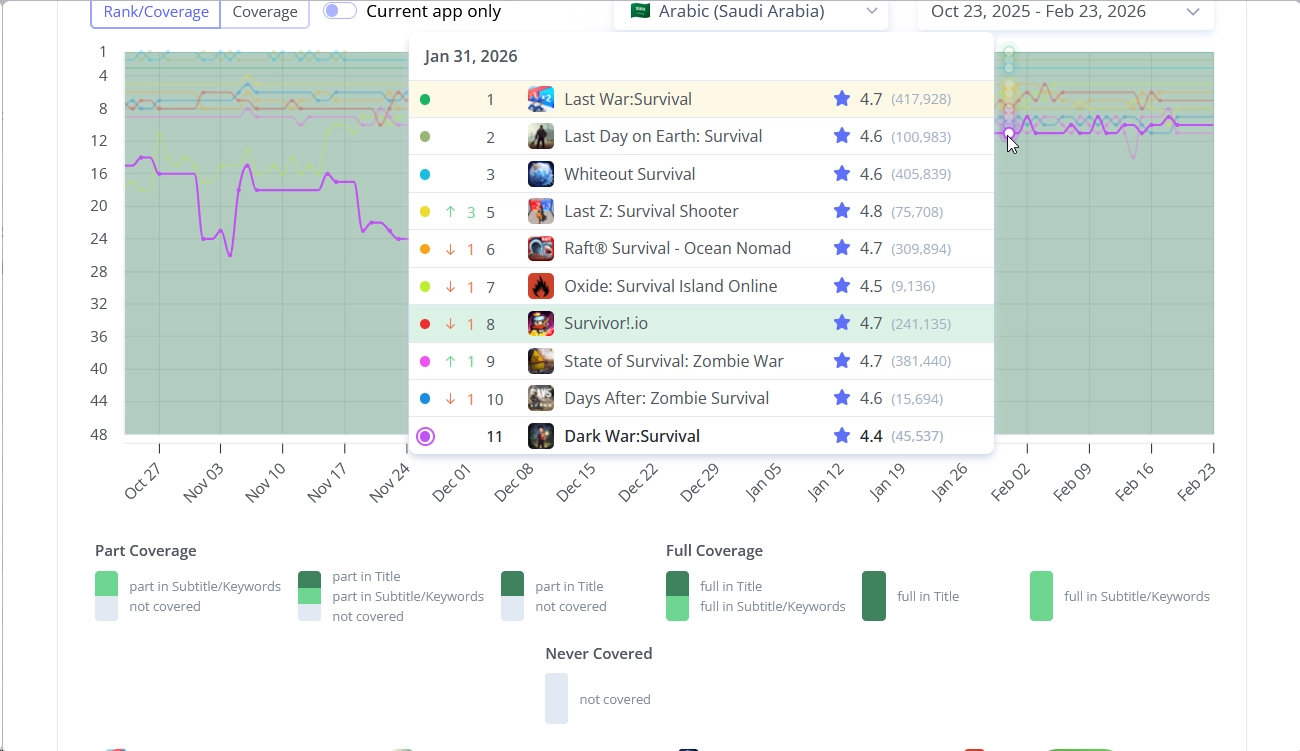
  • Visual Indicators: Toggle the history mode to switch status icons (squares to circles). Hovering over a term reveals exactly which locales and fields (Title, Subtitle, or Keywords) contained the word in the past.
  • Impact Analysis: Linked charts allow you to overlay metadata changes with ranking history for both your app and your competitors. This helps identify the direct cause-and-effect relationship between specific metadata updates and store visibility.

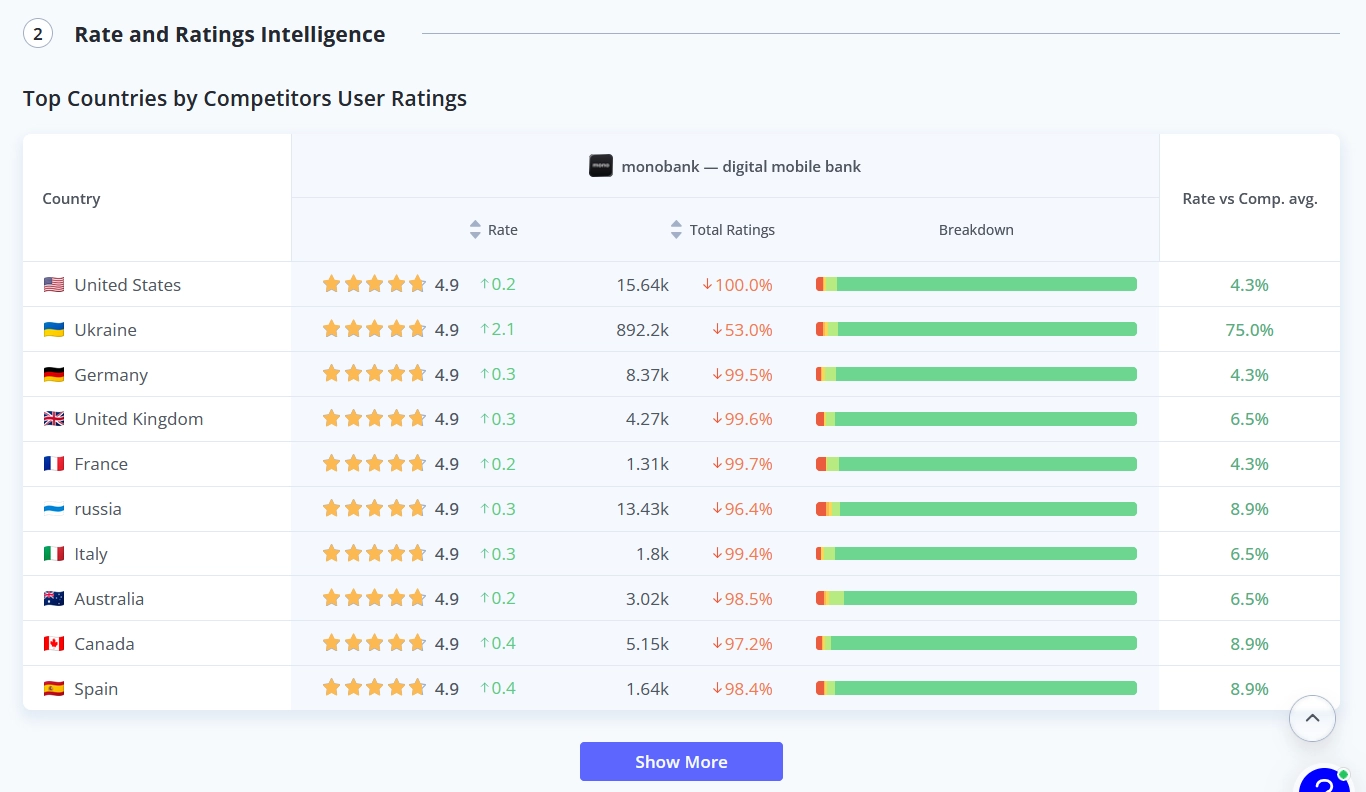
Market Research: Rate and Ratings A new section within Market Research to benchmark your app’s reputation against competitors globally. Identify specific markets where competitors have a sentiment advantage or where your app’s rating requires strengthening.

Bug Fixes & Optimizations

  • Recommended Keywords: Fixed a logic error for worldwide automatic semantic core collecting.
  • Metadata Journal: Fixed a bug with events deleting
  • Review AI & Market Research: Restored stable functionality for automated analysis.
  • Impressions Report: Optimized data processing for faster loading speeds.
  • Live Search: Fixed Subtitle display issues and corrected the popularity sorting logic for keywords with no current popularity score.


4 months ago
Update: New Category Ranking Tool, Apple Ads Keyword Analysis

New Tool 🚀 Category Ranking Tool

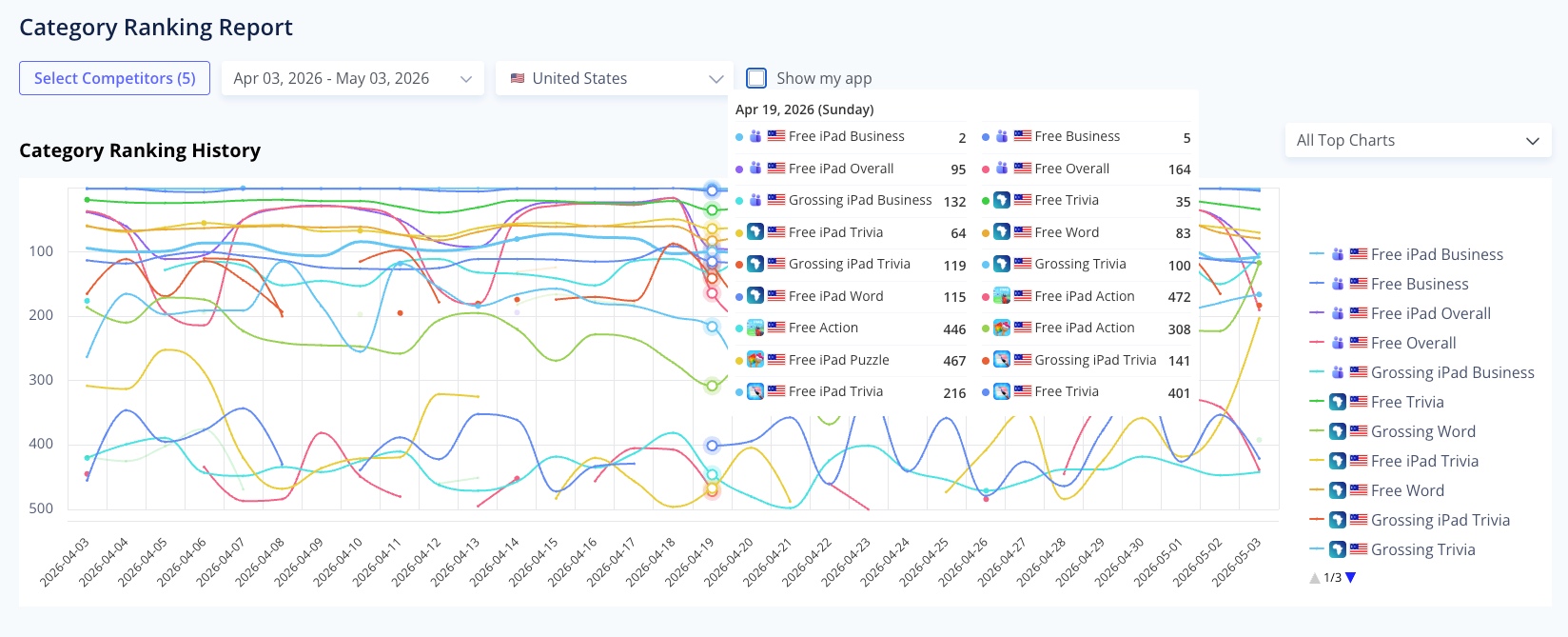
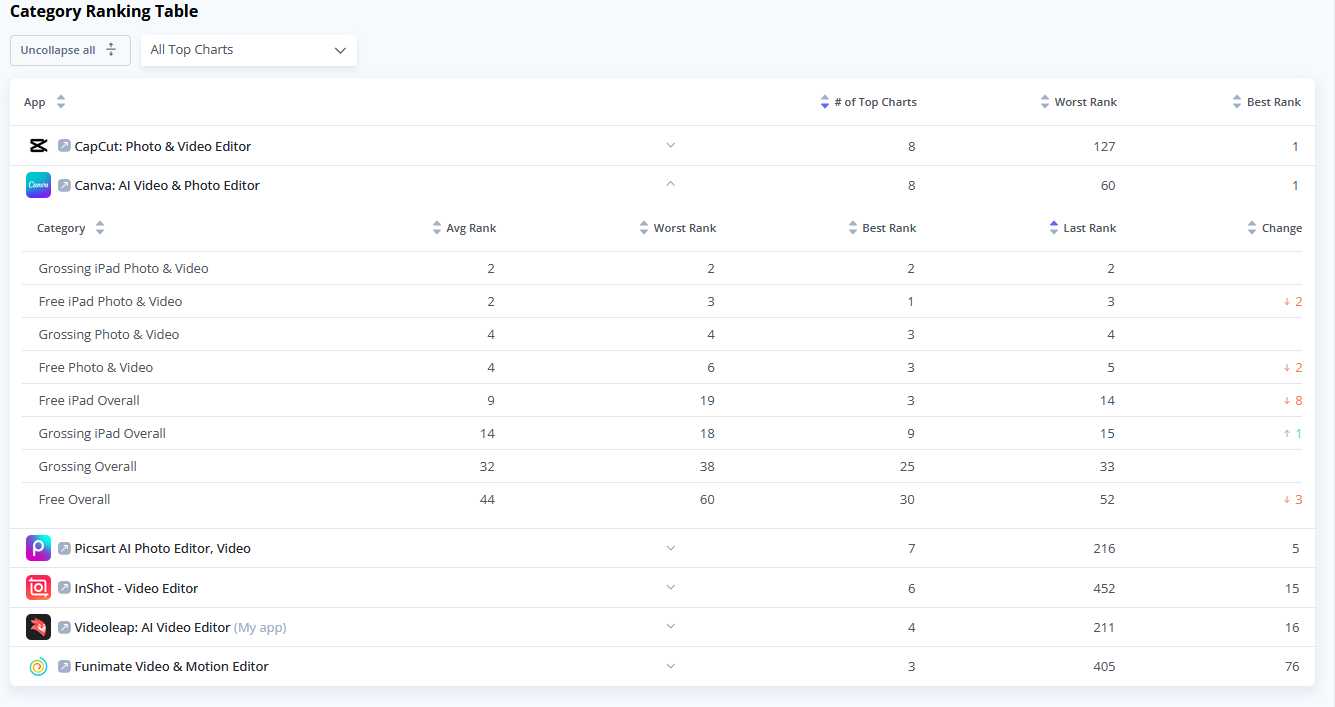
A new tool for analyzing your app's market performance - the Category Ranking Report. which allows you to monitor how your app and competitors rank across global store charts and categories.

Key features:

  • Any App's Historical ranking charts: Select up to 5 apps and one specific country to track changes in rankings over your chosen time period.
  • Table View: shows the number of charts an app appears in, its best rank, and its worst rank within a selected timeframe.
  • You can expand any app within the table to view detailed statistics for each category, including the best, worst, average, and latest rank, as well as the overall change.


Go to Category Ranking Tool


New Tool 🔍 Search Ads Keyword Analysis

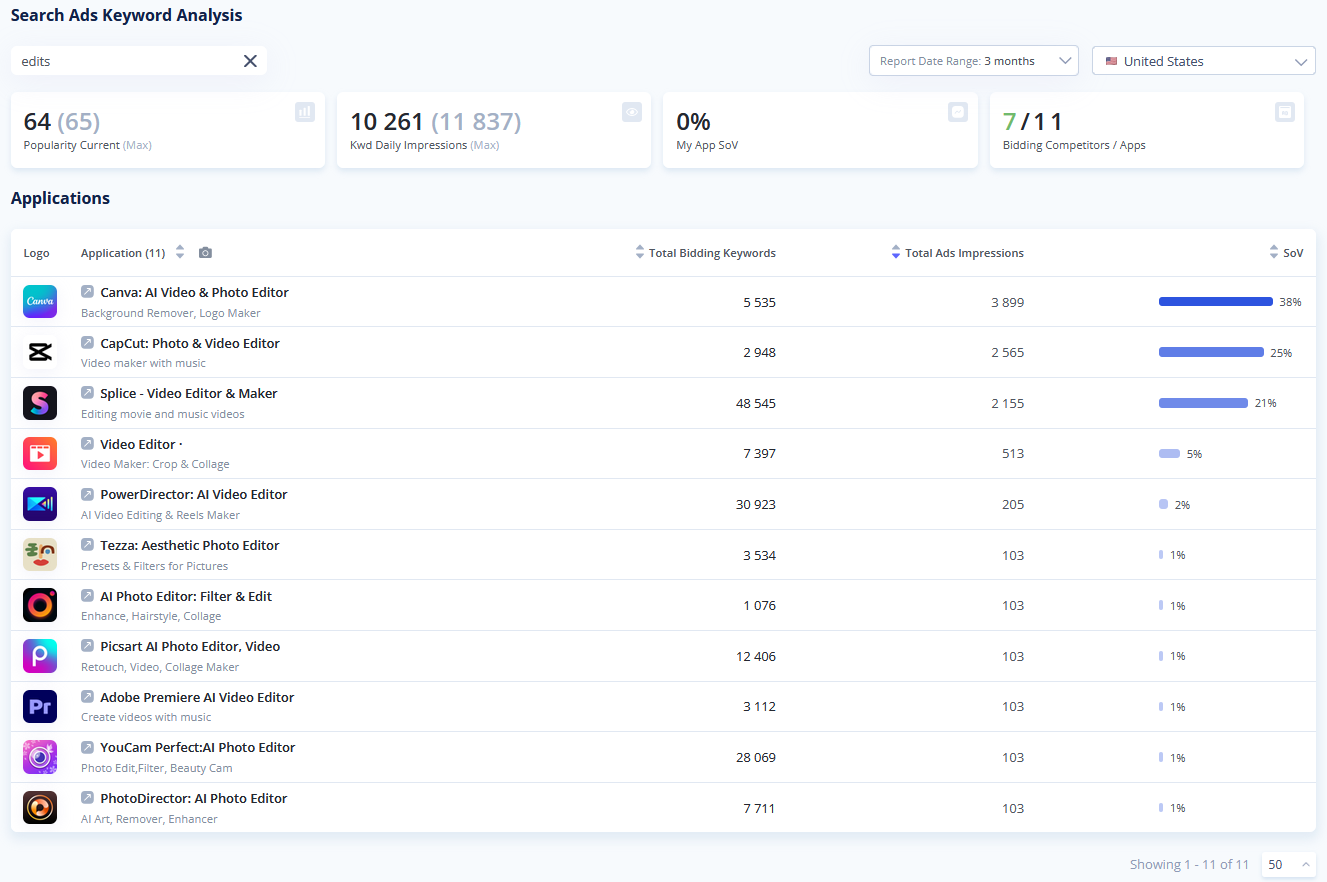
This tool allows you to search for specific keywords and analyze which applications are actively bidding on those terms.

Key features:

  • Competitor bidding insights: Enter any keyword to see a comprehensive list of apps bidding on it, helping you understand the competitive landscape for specific user queries.
  • Seamless cross-navigation: The numbers in the "Total Bidding Keywords" column function as direct links. Clicking them takes you directly to the App Analysis tool, where you can explore that competitor’s keyword strategywhich applications are actively bidding on those terms.
  • The top section provides immediate context for the search term, displaying Current/Max Popularity, Keyword Daily Impressions, your app's Share of Voice (SoV), and the total number of bidding competitors.
  • Detailed application breakdown: The main table provides data for each bidding app, detailing their Total Bidding Keywords, Total Ads Impressions, and their individual Share of Voice (SoV) for the selected keyword.


Open Apple Ads Keywords Analyzer


Update Competitors Finder Updates – The Easiest Way to Find All Competitors in Your Niche

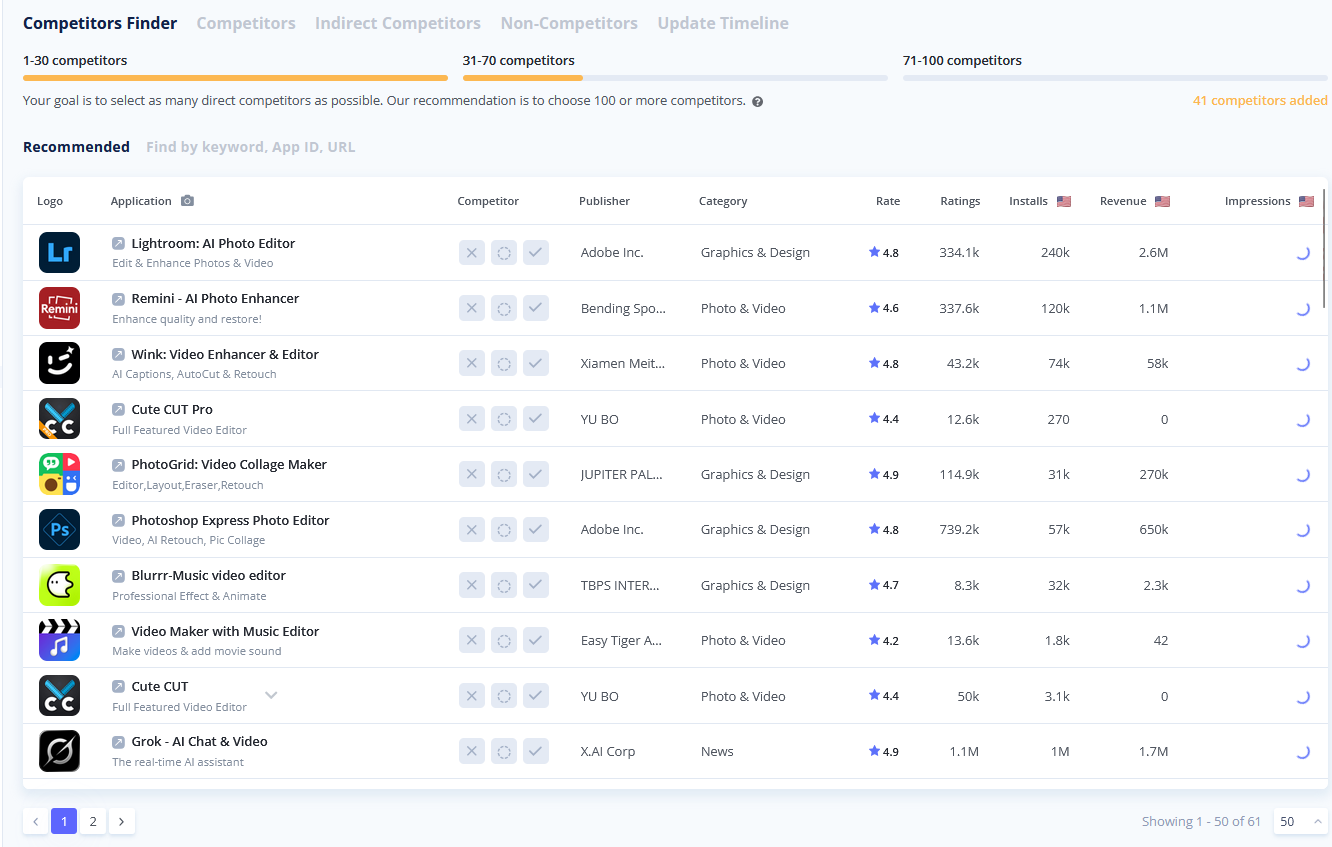
We have updated the Competitors Finder to make the process of identifying and selecting your market rivals smoother and more flexible.

Key improvements:

  • Now you get a full list of potential competitors. Mark apps at your own pace and click "Update Competitors" when you are ready to refresh the recommendations based on your input.
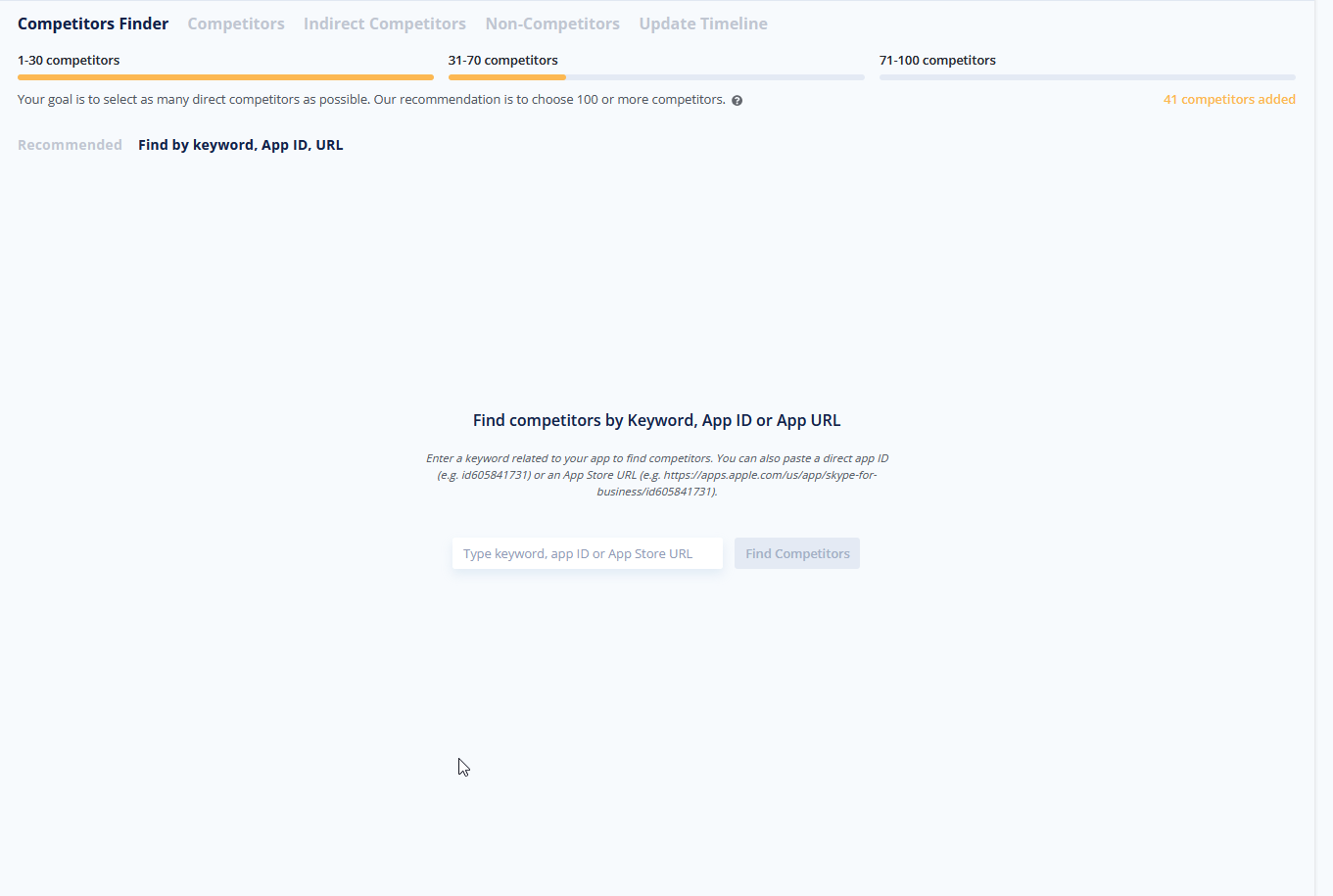
  • Expanded search options: In addition to standard keyword searches, you can now find specific competitors by directly pasting their App Store URL or App ID into the search bar.

  • Usability enhancements:
    • Persistent screenshot view: Your preference for displaying app screenshots is now saved automatically and will remain active when you switch between tabs.
    • Improved layout: We have widened the "Category" column to ensure that full category names are displayed clearly without being truncated.


4 months ago
Asolytics Product Update 13.03.2026

⬆️ New Features


Market Research Updates

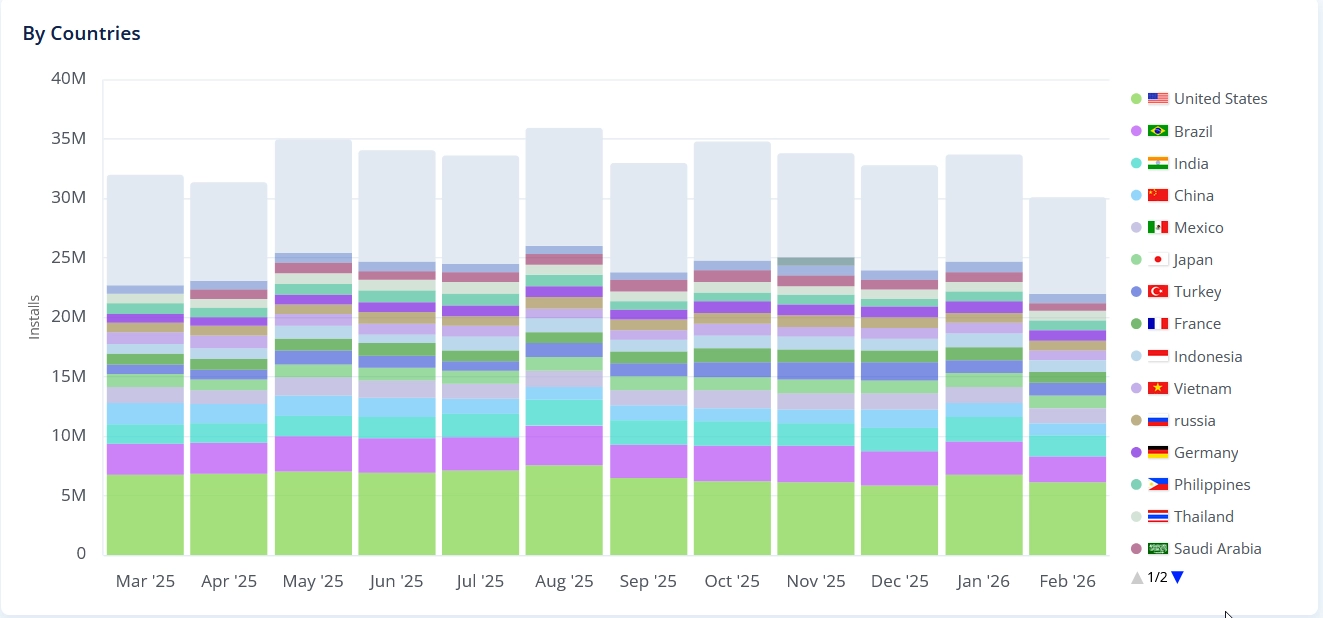
  • New Color Palette: We harmonized the colors to create a cleaner, more cohesive visual experience.
  • Improved Legend Sorting: Countries in the legend are now logically ordered from largest to smallest for quicker data reading.
  • Clearer Timelines: Added year indicators alongside the months to provide better context at a glance.


Market Intelligence Update

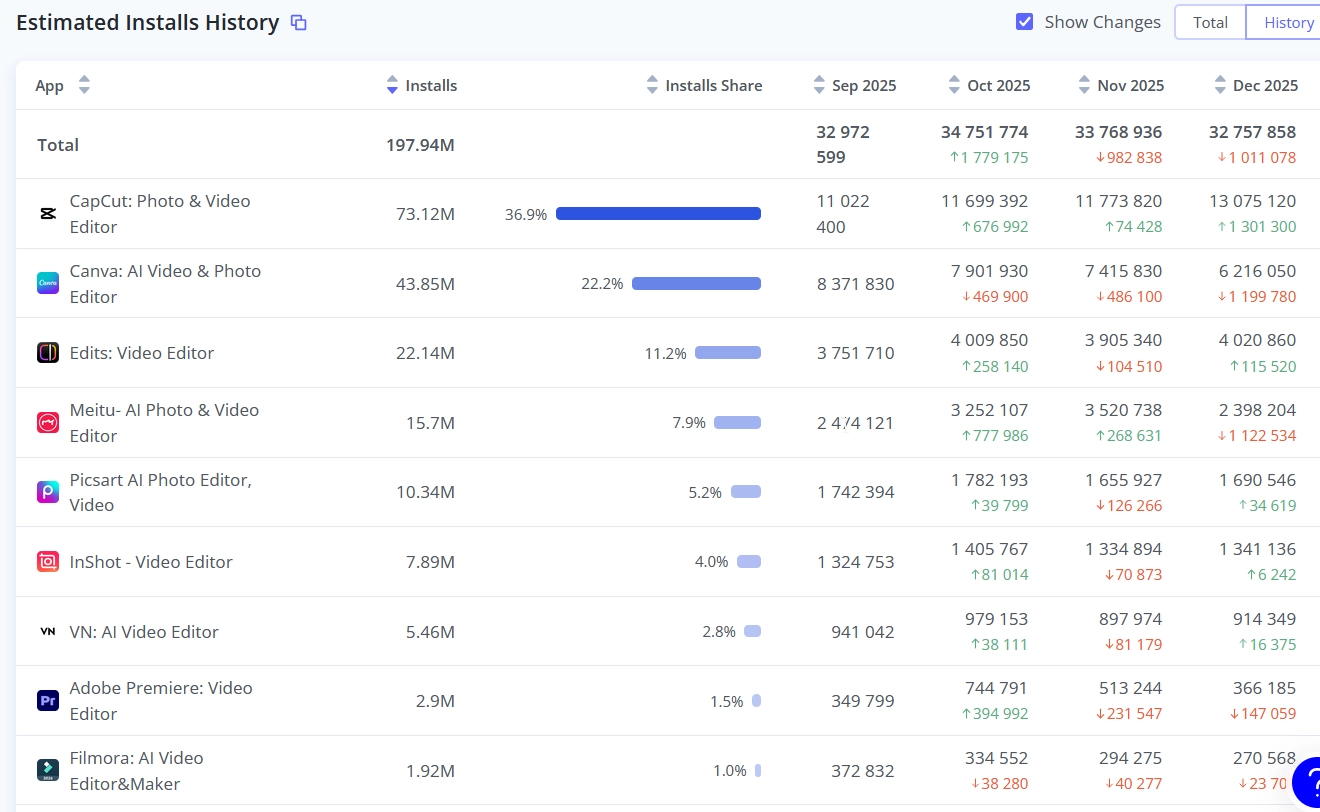
  • History Mode Introduced: We’ve added a new History Mode, allowing you to easily track changes and review past data states.
  • Quick Table Copy: You can now instantly copy data tables to your clipboard for effortless sharing and external analysis.


Auto-Scroll on Pagination

Seamless Table Navigation: The view now automatically snaps to the top of the table when switching pages, so you can immediately start reading the new data.


Meta Editor Coverage History

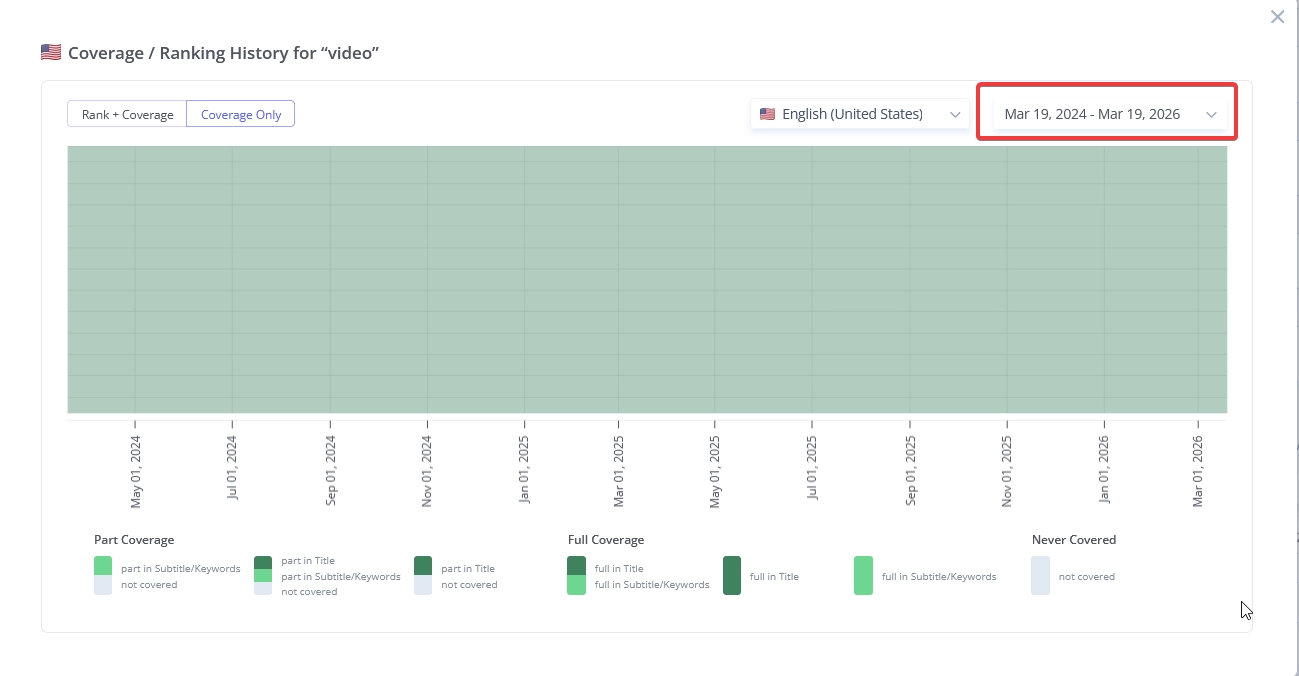
Adjustable Data Limits: Added the ability to define custom ranges for historical keyword coverage, guaranteeing optimal visual presentation and a clean interface.


App Store Analytics & Analytics Comparison tools improvements

  1. Fixed: Data synchronization issues for single periods between Analytics and Analytics Comparison.
  2. Fixed: "Total" calculation logic for date differences in Analytics Comparison.
  3. Fixed: Column sorting behavior.
  4. Fixed: Pagination logic incorrectly counting collapsed rows.
  5. Updated: Replaced "n/a" with "0" for missing values in data displays.
  6. Improved: UI layout by moving the country selector and redesigning the Source filter.
  7. Added: Sticky table headers for vertical scrolling.
  8. Added: 6-hour session memory for date picker selections.
  9. Aligned: Bar chart visualization to display larger segments at the bottom, matching other reports.

🐞 Fixes:

  • Live Search: Fixed disappearing Total Apps metric on country update.
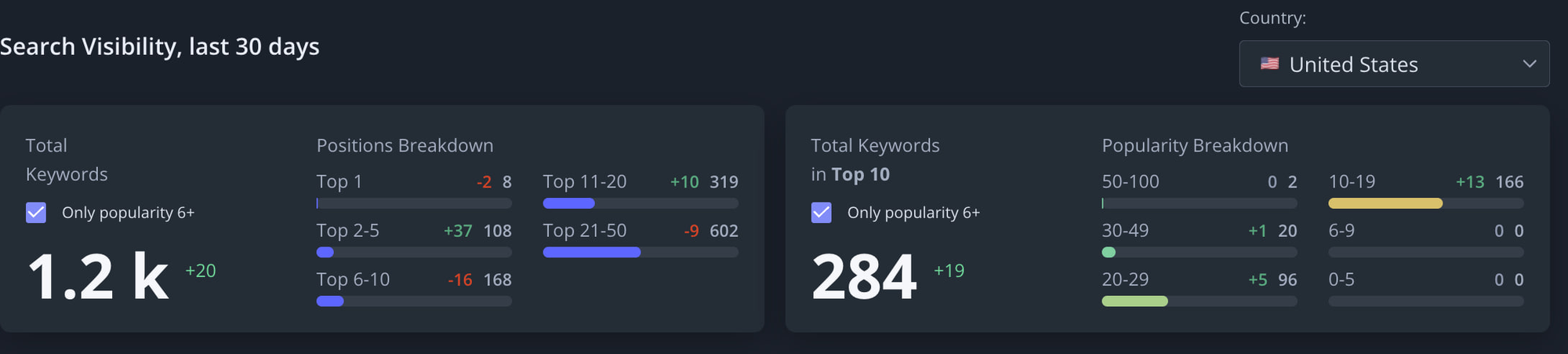
  • Search Visibility: Fixed competitor count displaying "-1" instead of "0" when no competitors are selected.
  • Sorting: Corrected highest-to-lowest sorting logic for App Rank.
  • App Analyzer: Fixed an issue where app icons wouldn't refresh during searches.
  • Navigation: Resolved unresponsive menu items after a tab remained idle.
  • Global Tracker: Fixed vertical scrolling behavior in Firefox.
  • Routing: Fixed an issue where product links forced a redirect to the last viewed app.
  • Settings: Fixed the "Name" field not syncing with the My Organization view.
  • UI: Fixed avatar distortion (squishing) for users with long names.


6 months ago
Improved Analytics and Analytics Comparison Tool

We've refined Analytics and Analytics Comparison tools for better accuracy and usability:


  • Data Accuracy: Fixed Worldwide mode discrepancies and corrected +/- total indicators.
  • UI Improvements: Table headers are now sticky, and source/country filters are more visible. Fixed sorting and pagination issues
  • Navigation: Date selections now persist even after leaving the page.


Check out the updated dashboard to see the changes in action.

6 months ago
New: Google Play Meta Editor & Optimization Assistant

NEW Google Play Meta Editor

We have launched the Google Play Meta Editor, designed for creating and optimizing metadata sets to cover search queries from your semantic core. The tool helps you optimize the Title, Short Description, and Description in the most effective way to ensure coverage of popular keywords across different countries and localizations.


Multi-Localization Support

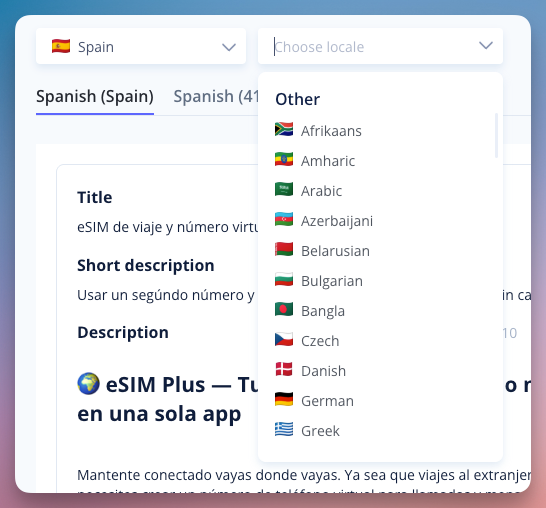
Edit and manage your app’s title, short description, and full description for different regions within a single interface.


Keyword-Driven Localization

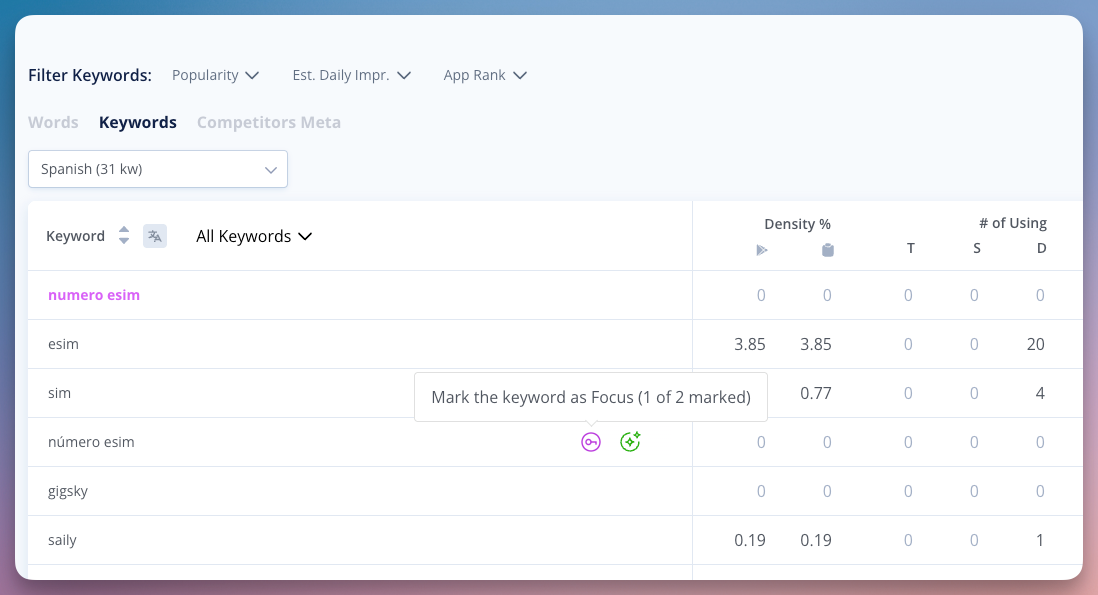
For every localization, you can select two focus keywords and several secondary keywords. This allows you to optimize the Title, Short Description, and Description for maximum coverage of the most popular search queries from your semantic core in each specific country.


Built-in Optimization Assistant

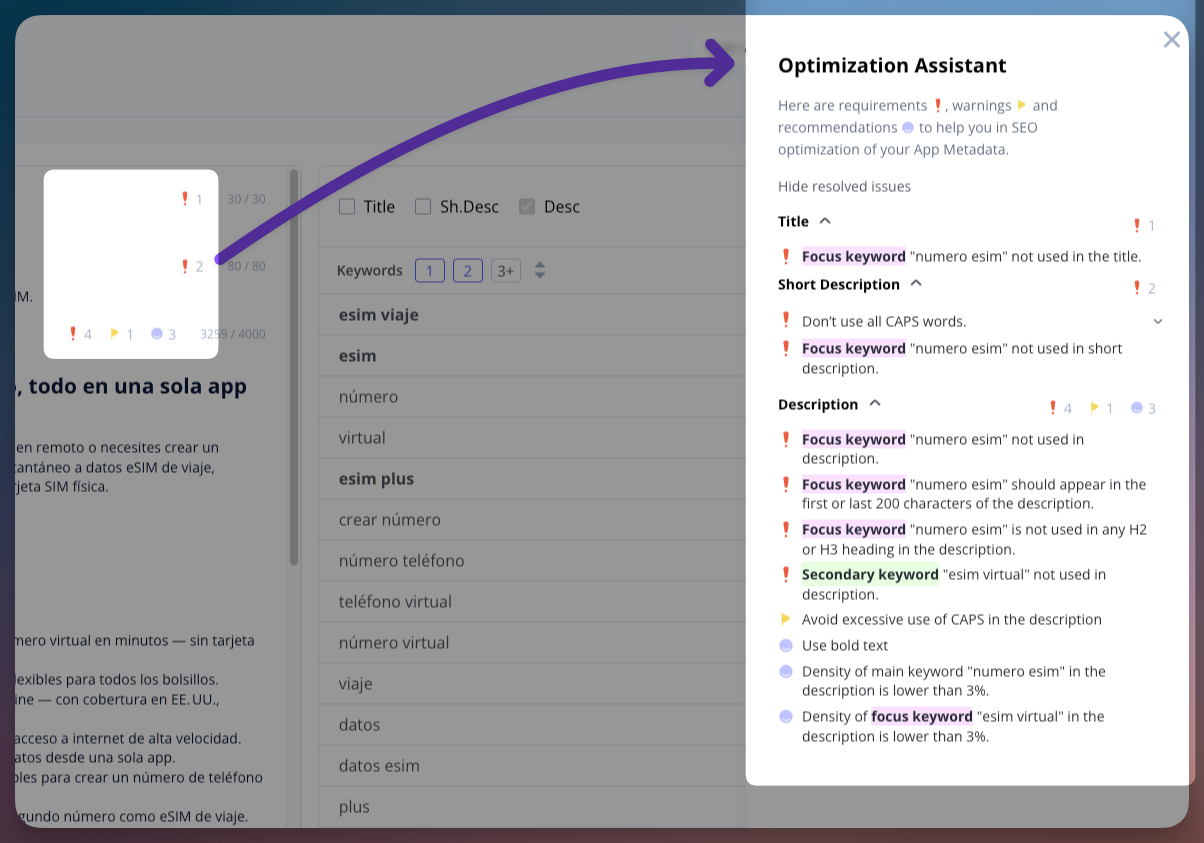
Instead of a separate audit, the editor features real-time indicators directly next to each field (Title, Short Description, and Description). These indicators flag errors and offer specific recommendations based on over 25 optimization parameters, including:

  • Keyword Presence: Immediate alerts if your focus keywords are missing from the Title or Short Description.
  • Density Control: Monitoring the frequency of focus and secondary keywords to prevent over-optimization and ensure natural phrasing.
  • Strategic Placement: Validation of keyword positioning, such as ensuring primary terms appear in the first or last 200 characters of the Description for better indexing.
  • Content Structure: Automated checks for the use of H2/H3 headings, lists, and formatting errors like excessive use of CAPS.


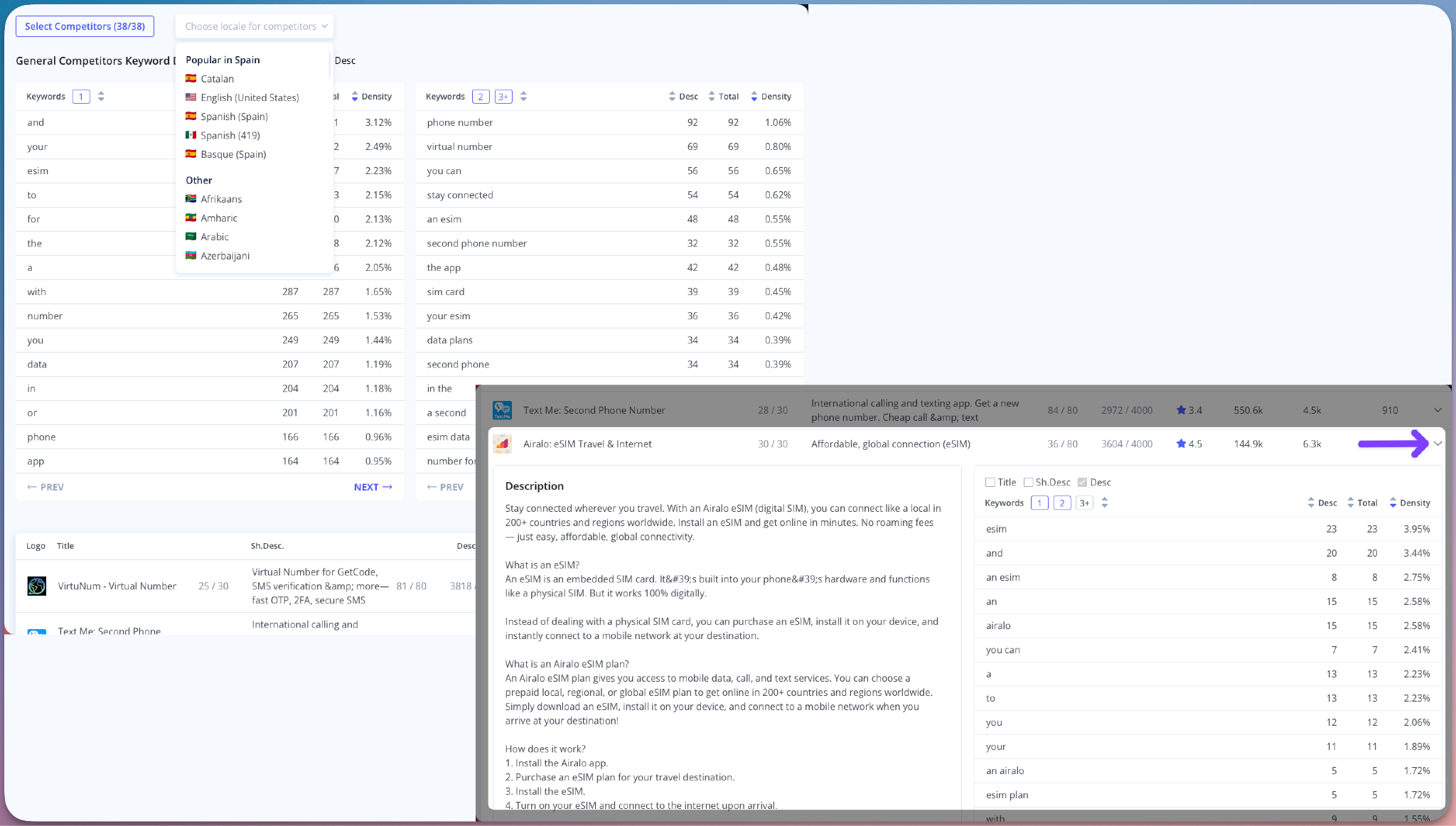
Analyze what competitors are writing in specific localizations. You can view the General Competitors Keyword Density across their metadata. This allows you to compare their Title, Short Description, and Description against your own to identify which keywords they focus in this localization


Easy Competitor Metadata Analysis

Analyze exactly how competitors structure their metadata in any specific localization. By viewing the General Competitors Keyword Density, you can see the frequency of terms used across their Title, Short Description, and Description. This allows you to compare their content directly against your draft to pinpoint their focus keywords and ensure your metadata is positioned to compete effectively in the local search landscape.


The Meta Editor helps you catch optimization mistakes early and prepare your Title, Short Description, and Description to cover as many popular search queries as possible. Instead of guessing if your metadata will work, you can effectively structure your texts to ensure they are technically optimized for search visibility before you hit publish. This ensures your store listing is ready to reach the maximum number of users.

7 months ago
Product Updates Nov 17, 2025

1️⃣ Rank History Chart - now with competitors 🔥

Now you can view not only your app’s ranking history for a selected keyword - but also add and analyze other apps, including your competitors!
→ Go to Tracking Keyword tool and open Rank Chart in the table.

In the Select competitors modal, we’ve added Ranking Apps - all apps that ranked for this keyword during the selected period.

2️⃣ Tracking now has a second viewing mode - the Ranking History Table 🔥

Get a full historical overview of keyword positions for any period.

3️⃣ Impressions, Rank Breakdown, and Comparative Reports can now be generated for a group of queries!

  • to use this feature, ensure your queries are actively tracked within a separate folder
  • select the “Tracking Keywords” report mode
  • you’ll see a new folder selection option for building reports by folder

4️⃣ Build Impressions Chart for Selected Queries Directly from the Table!

Quickly build an Estimated Impressions chart for selected queries directly by checking the checkboxes in the table.

5️⃣  Meta Editor App Store update - now you can select the primary locale!

  • this primary locale setting is used to power localization coverage and forecasting
  • primary locale keywords affects keywords coverage in all countries

by optimizing keywords in the primary locale you can boost keyword coverage worldwideResult:

✅ Other updates

  • Review AI Summary: Removed the 365-day parsing limit - now you can parse reviews from any date.
  • Added ability to select the period for keyword popularity history.
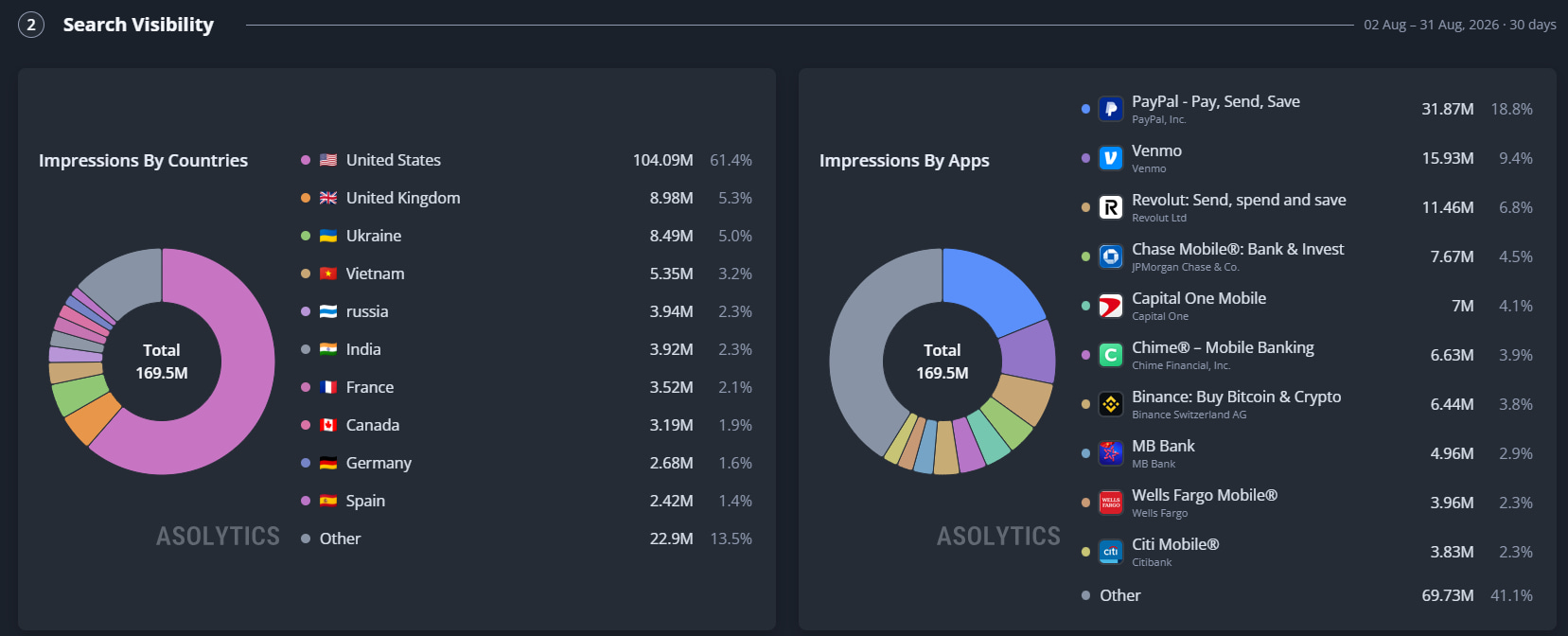
  • Improved behavior of App Page → Search Visibility:

- added Rank Breakdown chart

- significantly improved tab loading speed

- fixed styles and tooltips

  • New clear Competitor Filter Format!

- now it's a single number indicating either from which point or up to which point (non-competitors)

- added checkbox to include/exclude Indirect Competitors

- auto-approval settings now display all filters on one screen - the “More Filters” option has been remove

  • Fix: bug with “Words to Use” in Meta Editor App Store (disappearing words).
  • Fix: issues with displaying metadata in Meta Analysis tool. All metadata now loads correctly across locales.
  • Fix: Competitors Finder enhanced screenshot display.


10 months ago