Find New Competitors
Competitors Finder is a handy tool for finding all relevant competitors for further collection of the semantic core. It creates a list of apps similar to yours and allows you to filter out the direct competitors from irrelevant apps. Once you mark competitors and non-competitors, Asolytics uses your selection to suggest the most suitable keywords to build a strong semantic core.
Why to use: Initial step to collect keywords based on direct competitors.
Goal: Discover direct competing apps by analyzing them.
Time: Up to 5 minutes.
Finding the right competitors is essential because they are the best source of keyword ideas. Plus, they define how app store algorithms show your app according to the search terms. Competitors already rank for the queries your audience is searching. By analyzing them, you get:
- A curated list of apps in your niche
- Data about their performance
- Faster and more accurate keyword collection compared to manual research
Note: The more competitors you add, the more accurate your future analysis will be. Still, focus on real rivals in your niche – don't choose random apps.
 How to Use Find New (Competitors Finder)
1. Find Your Potential Competitors
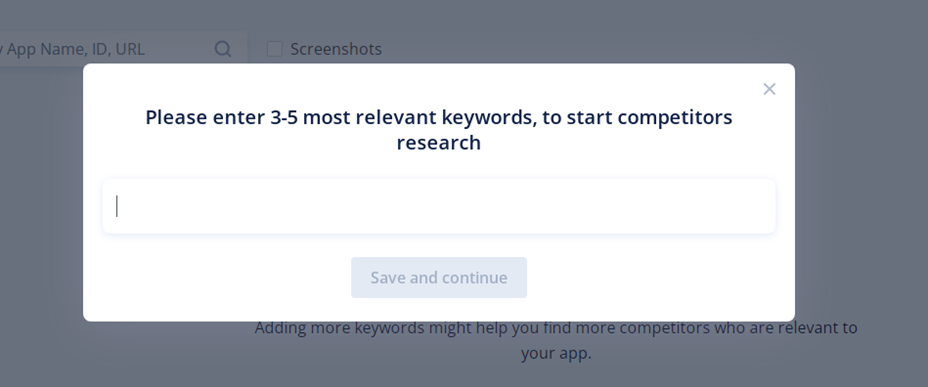
To discover competitors, enter several keywords relevant to your app. The tool will automatically select all similar apps.
You can also search by app name, ID, or URL to locate specific rivals.
2. Select Direct Competitors
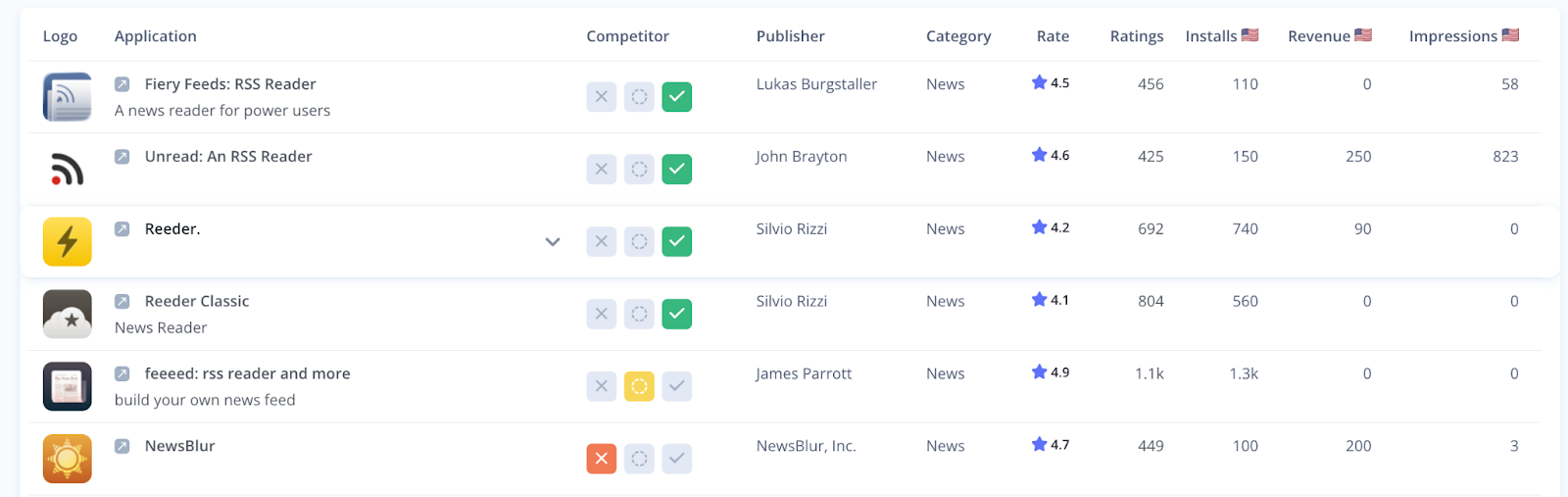
Review the list carefully and decide which apps are most relevant to yours. Mark them as follows:
- Direct competitors – green checkmark
- Indirect competitors – yellow circle
- Non-competitors – red cross
Once you've finished a page, click Next to continue.
Important: You need to mark at least 5 apps per page before the Next button becomes active. If some apps remain unmarked, you'll see a notification prompting you either to go back and finish marking or to proceed.
3. Go into Details
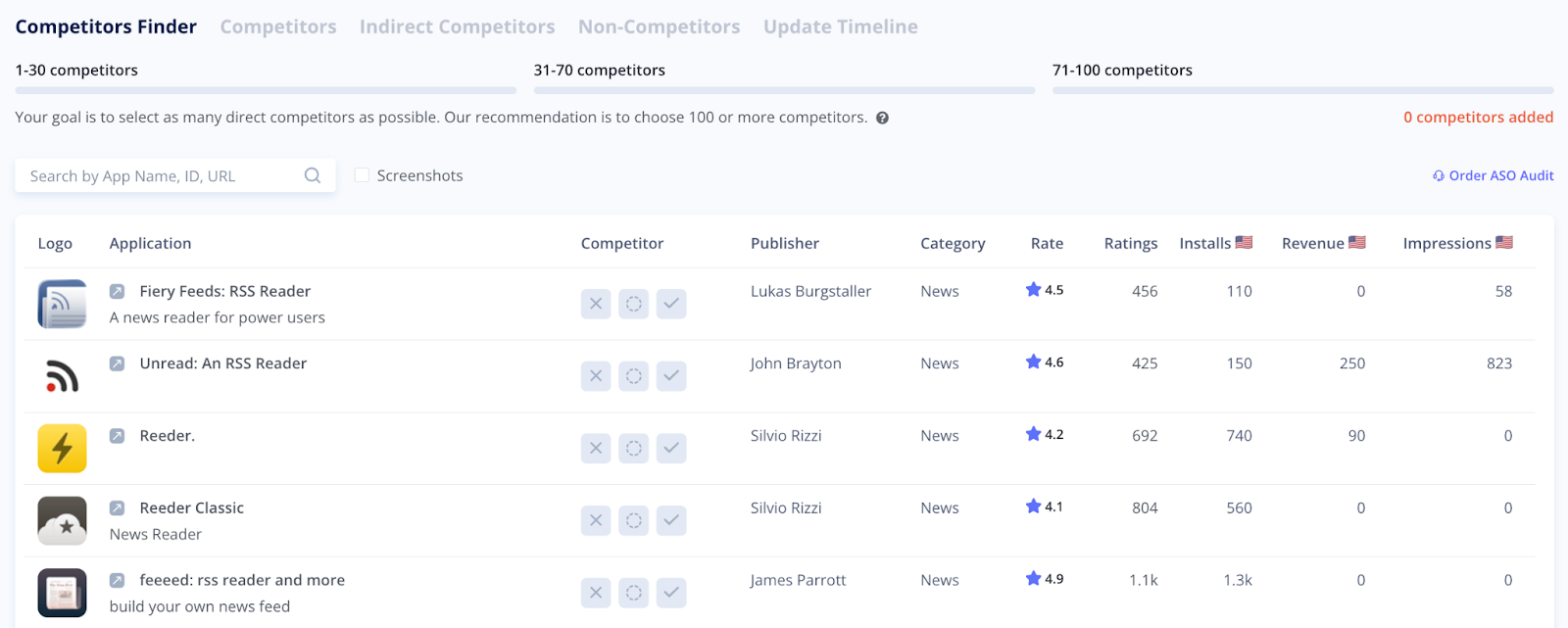
Each app's preview shows a lot of useful information, such as:
- Name and logo
- Publisher and category
- Ratings
- Installs and revenue numbers
If you need more data to make your choice, click the app's title to open the full competitor profile, including:
- Screenshots, text metadata, and other key information
- Installs and revenue details (global and by specific country)
- Search visibility and impressions
Category ranking chart and table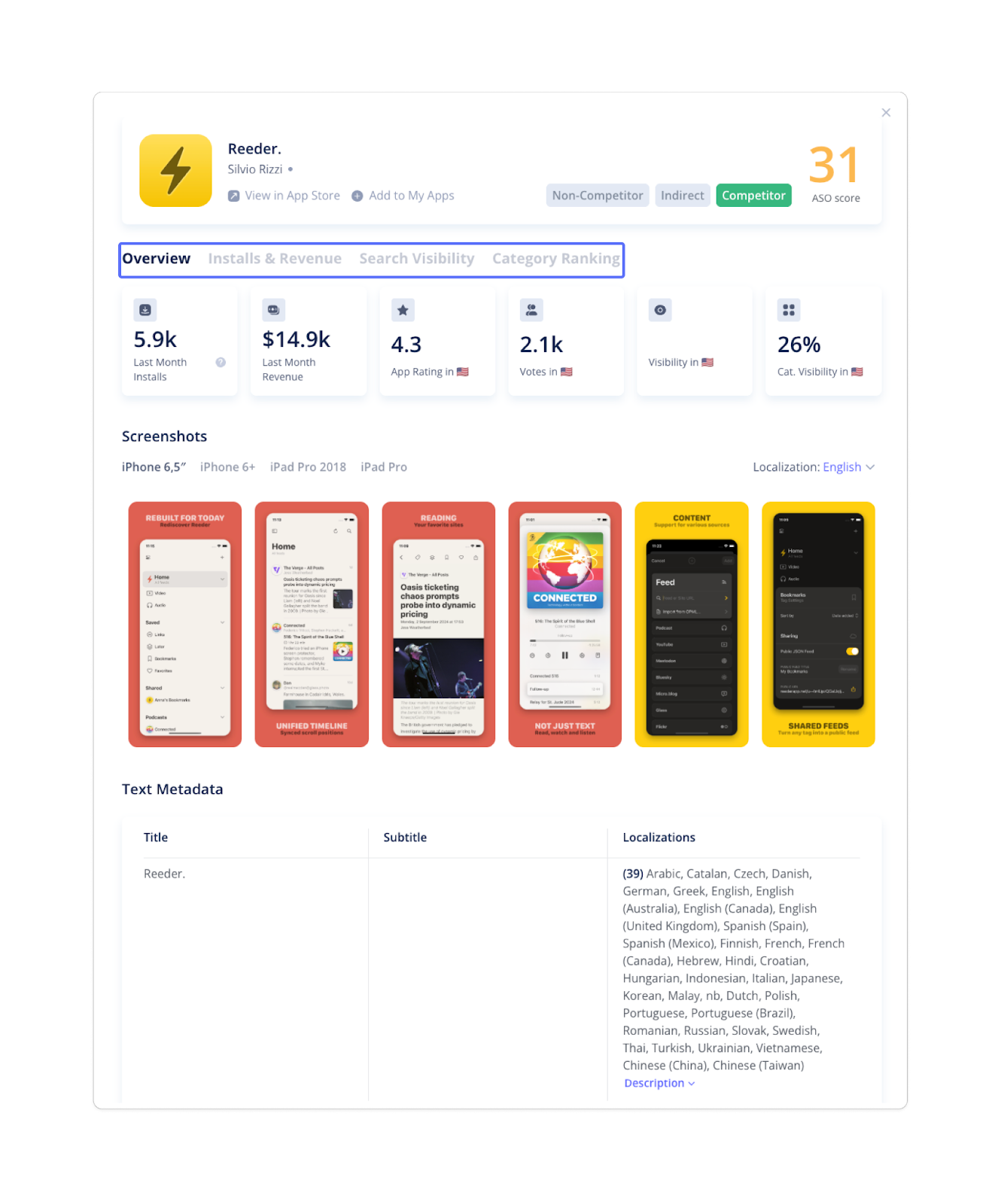
Pro Tip: Start with 20–30 competitors, then expand to ~100 for maximum accuracy. Also, quality matters more than quantity.
4. Track Your Progress
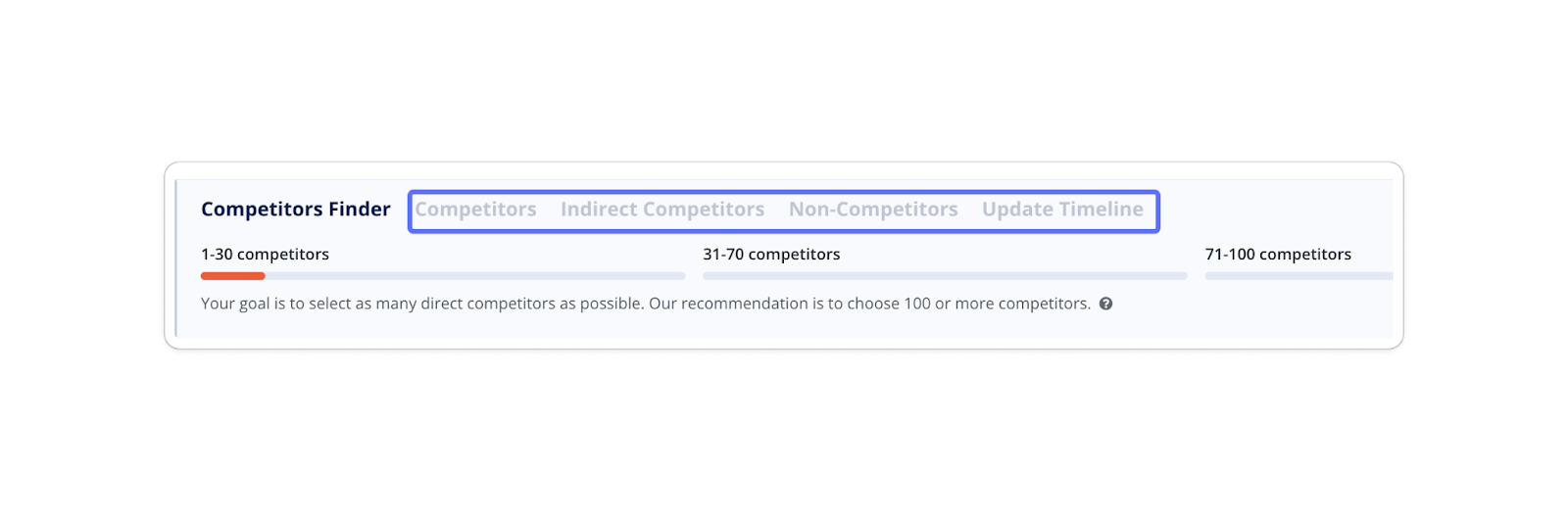
At the top of the page, you'll see a progress bar that shows how many direct competitors you've already marked.
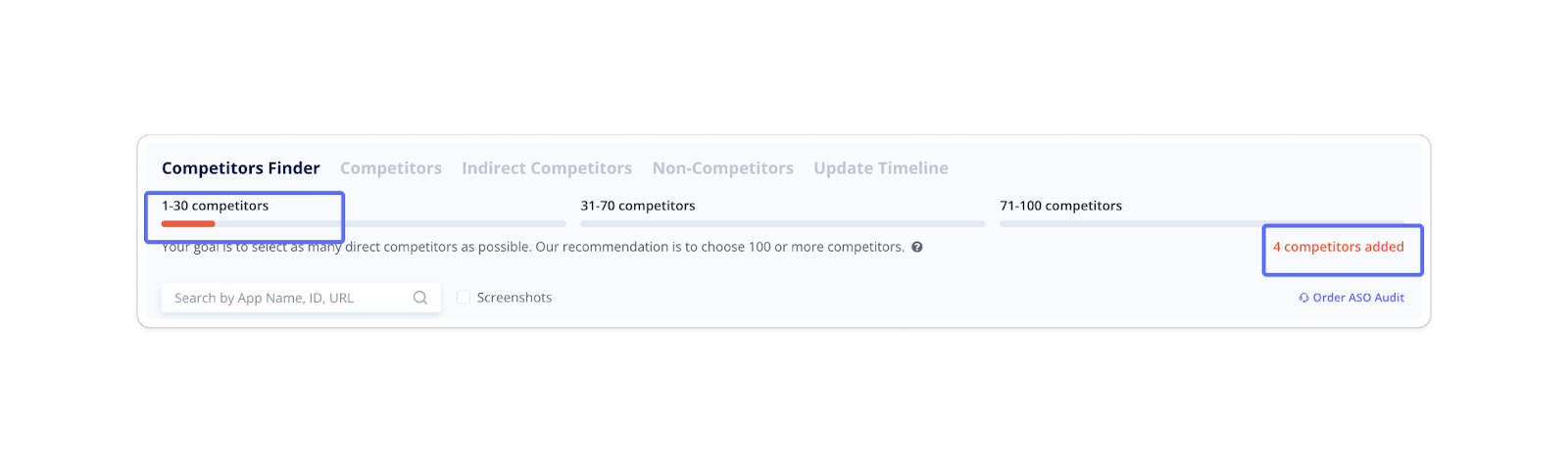
- Continue until the bar is full.
- Stop earlier if you feel your list already covers the main competitors in your niche.
All progress is automatically saved in the corresponding tabs at the top of the page. You can return any time to review and edit your lists.