
Rank Comparative Report
The Rank Comparative Report is an ASO tool that shows whether a metadata update or localization release really worked. It compares your app's keyword rankings and estimated search impressions between two dates across multiple countries and regions. This way, you don't just see if your app’s ranking by specific keywords changed – you also learn whether real user visibility increased or decreased.
Why to use: Measure the impact of metadata updates or localization releases on app visibility.
Goal: Compare keyword rankings and estimated search impressions between two dates across countries and regions to see if your updates worked.
Time: Up to 5 minutes.
Why is this important? Because with this report, you can see exactly how your app’s metadata changes affected visibility. That way, you can double down on what works and fix or roll back edits that failed to deliver.
Key Features
By running the Rank Comparative Report, you'll see:
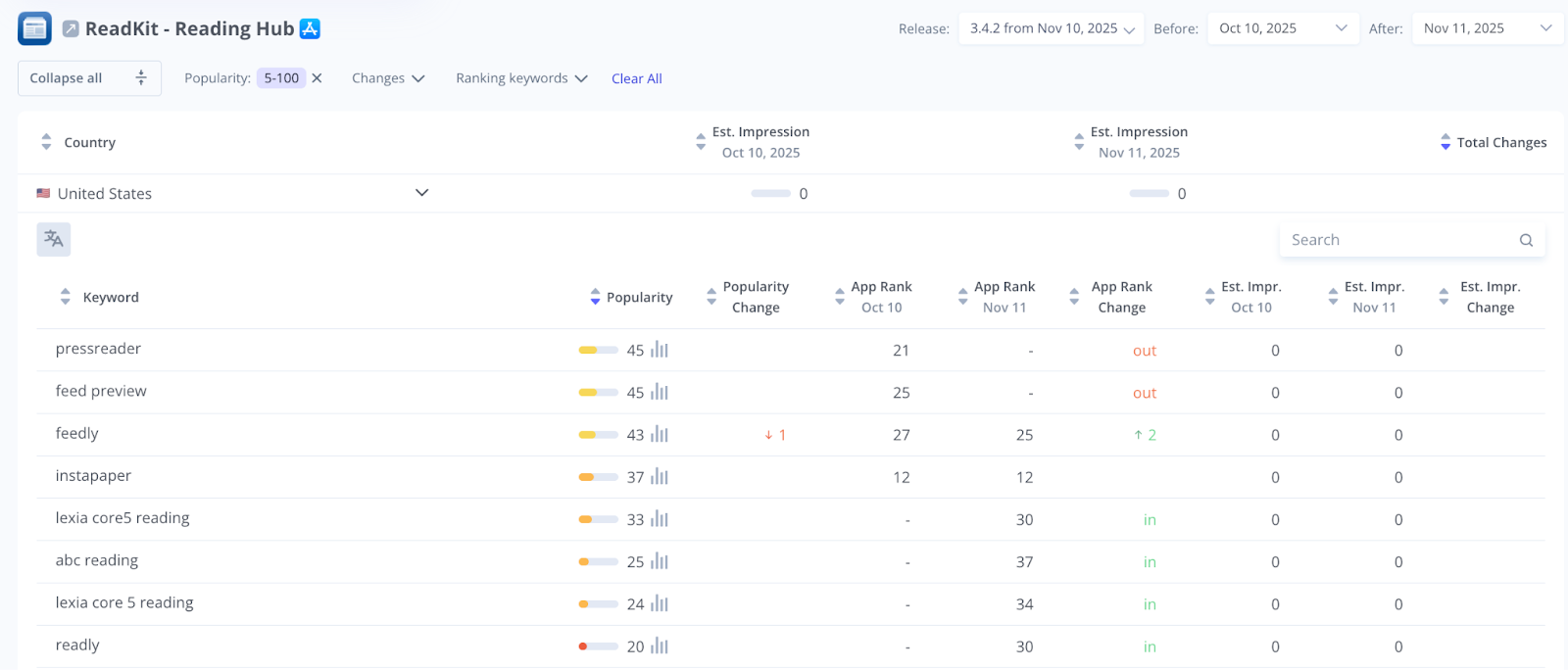
- A table of all ranking keywords with previous vs. current position
- Estimated impressions for each keyword on both dates and per country
- Changes in impression and rank so you can spot high-impact wins and losses
- Exportable data that you can share across teams to guide next actions
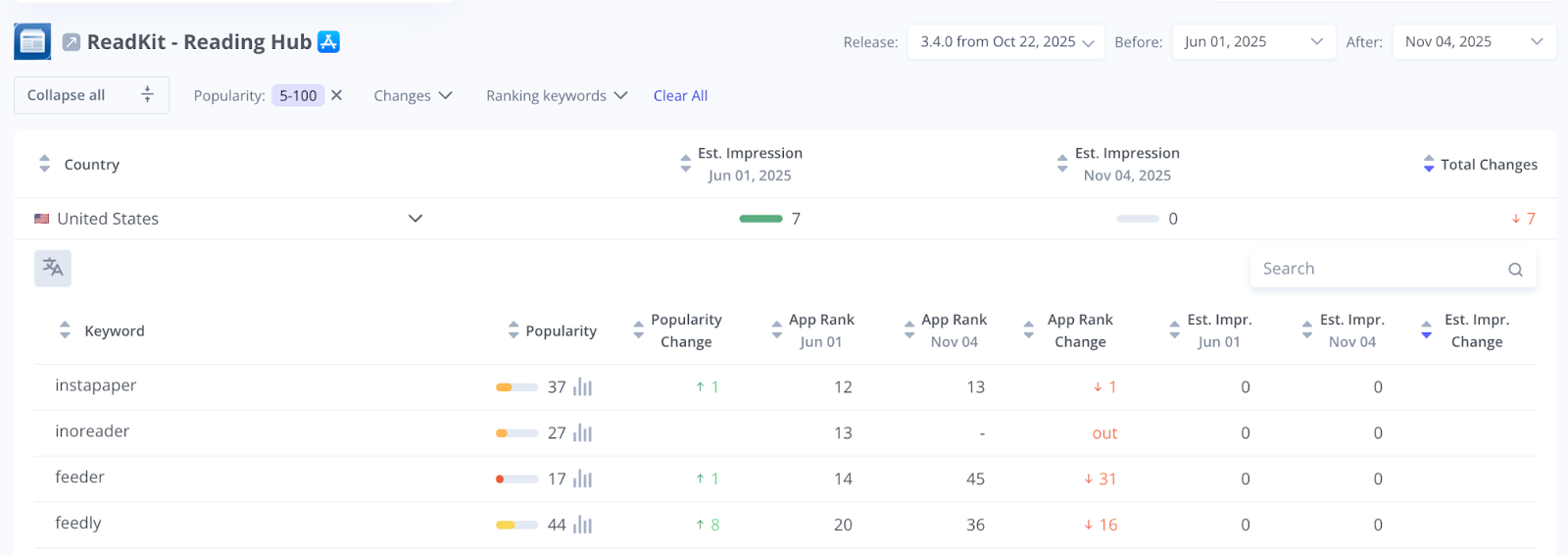
How to Use the Rank Comparative Report Step by Step
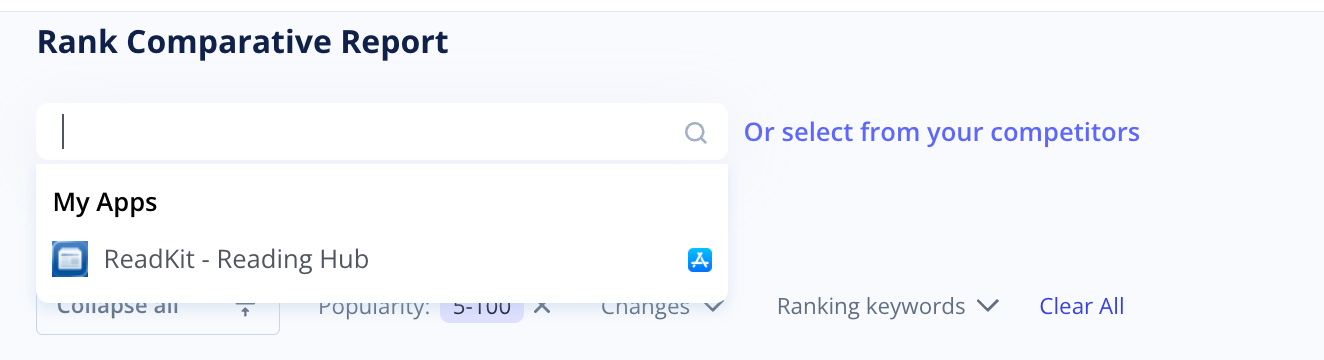
1. Choose Your App and Markets
Start by selecting the app you want to analyze. You can pick your own app, a competitor, or any app available in the store.
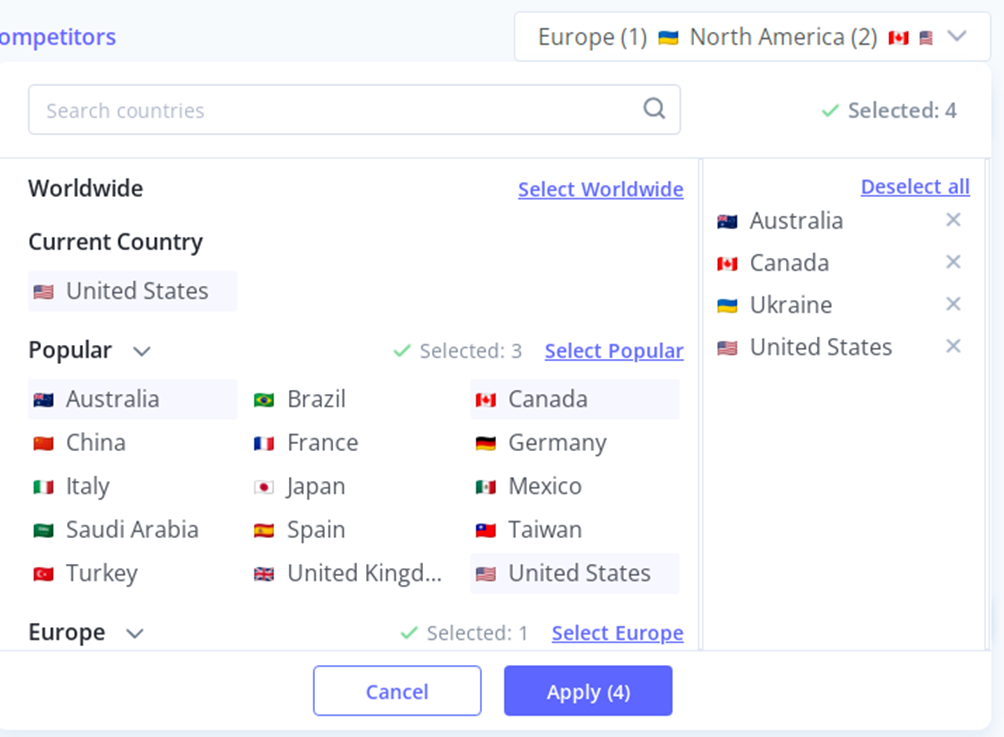
Next, choose the scope of analysis in the upper right corner. Options include:
- Worldwide
- Specific regions
- Individual countries
The tool runs comparisons across all selected locations at once and lets you see how your app’s visibility changes from one market to another.
2. Indicate the Dates and Keyword Mode
Pick one of your releases from the corresponding drop-down to see the effect of that specific update. Also, you may enter custom dates for comparison.
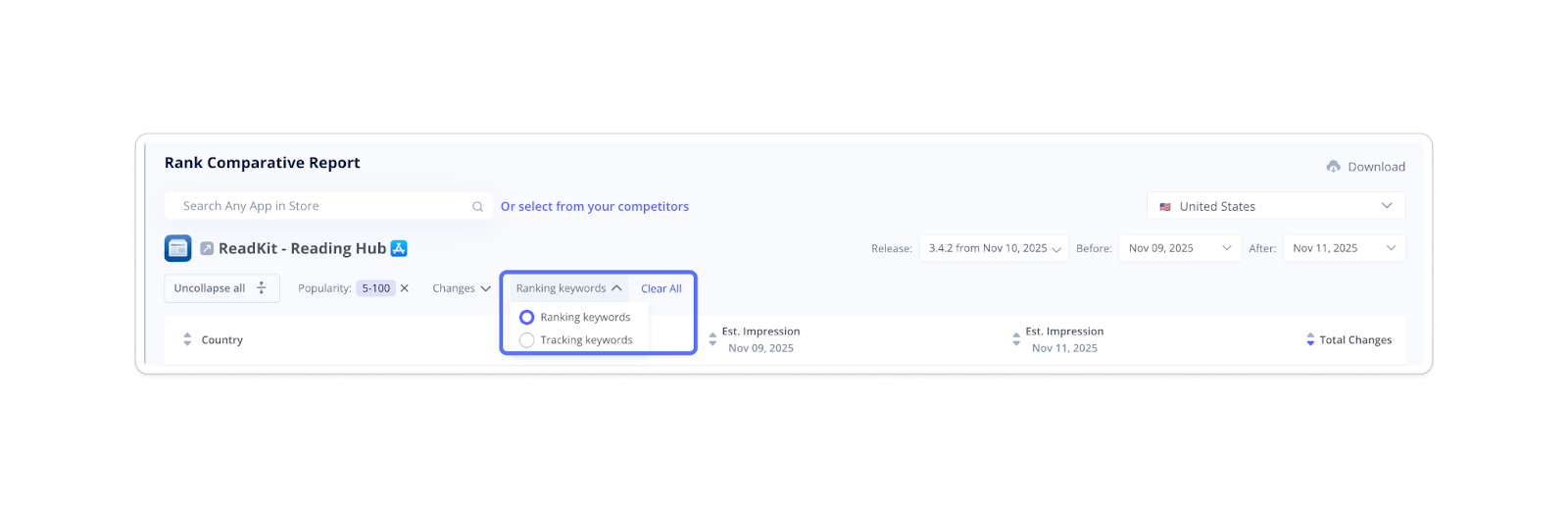
Then, choose your keyword mode:
- Select Ranking Keywords to get the full list of terms your app ranks for and make some helpful discoveries.
- Switch to Tracking Keywords if you want a focused look at your most important keywords.
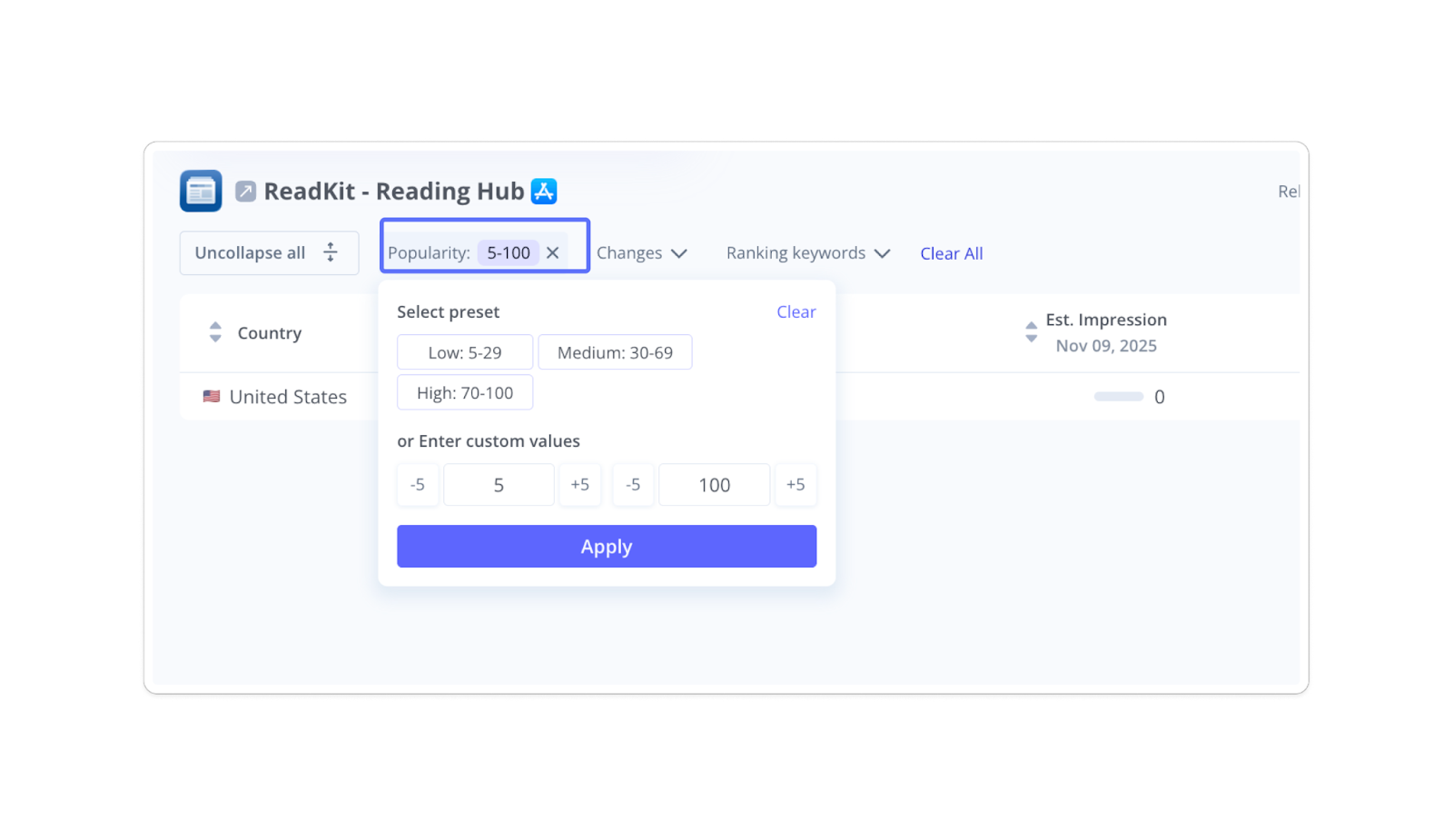
3. Filter and Track Changes
Here, you can select one of the presets (high, medium, low) or set custom ranges to show the most relevant terms.
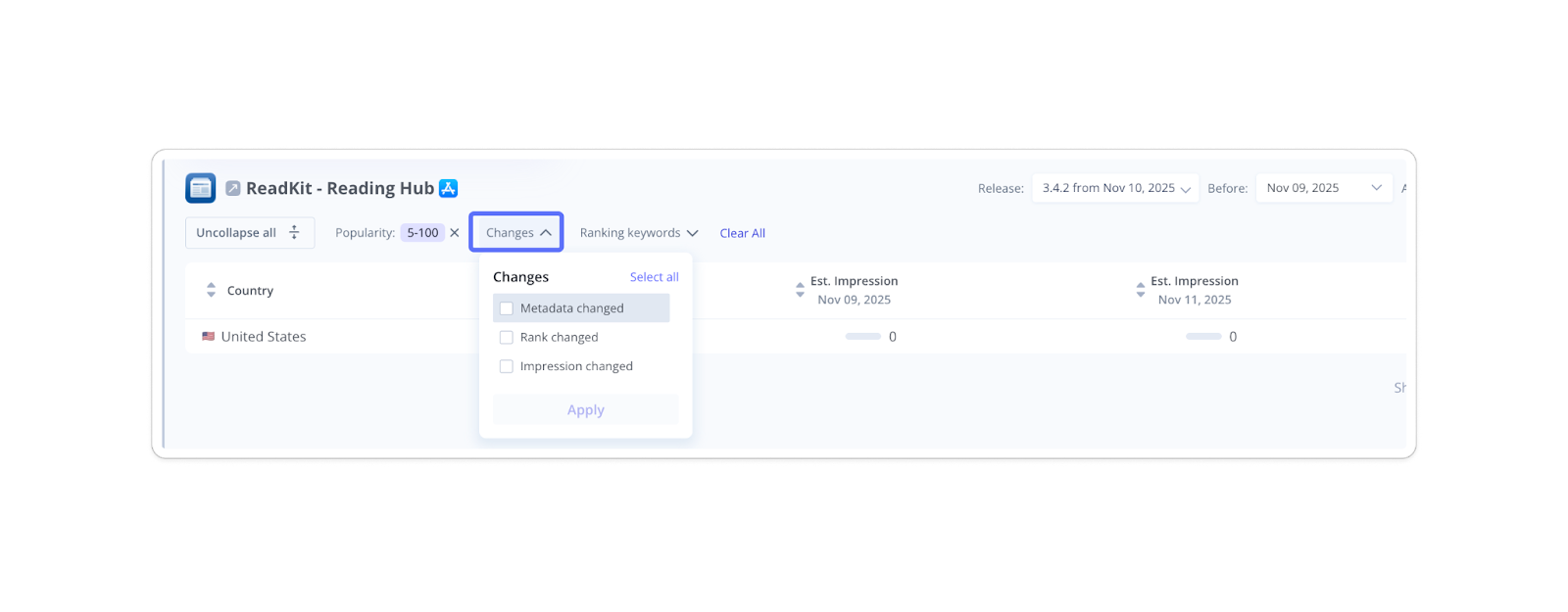
Then, use the Changes drop-down to focus on the metrics that matter most to you:
- Metadata changes
- Rank changes
- Impression changes
This helps you identify exactly what type of update brought the biggest impact, or where performance dropped.
4. Run, Review, and Export Your Report
Examine previous vs. current ranks and estimated impressions for each country. Sort the data to highlight the most meaningful changes. If needed, translate your keywords into English.
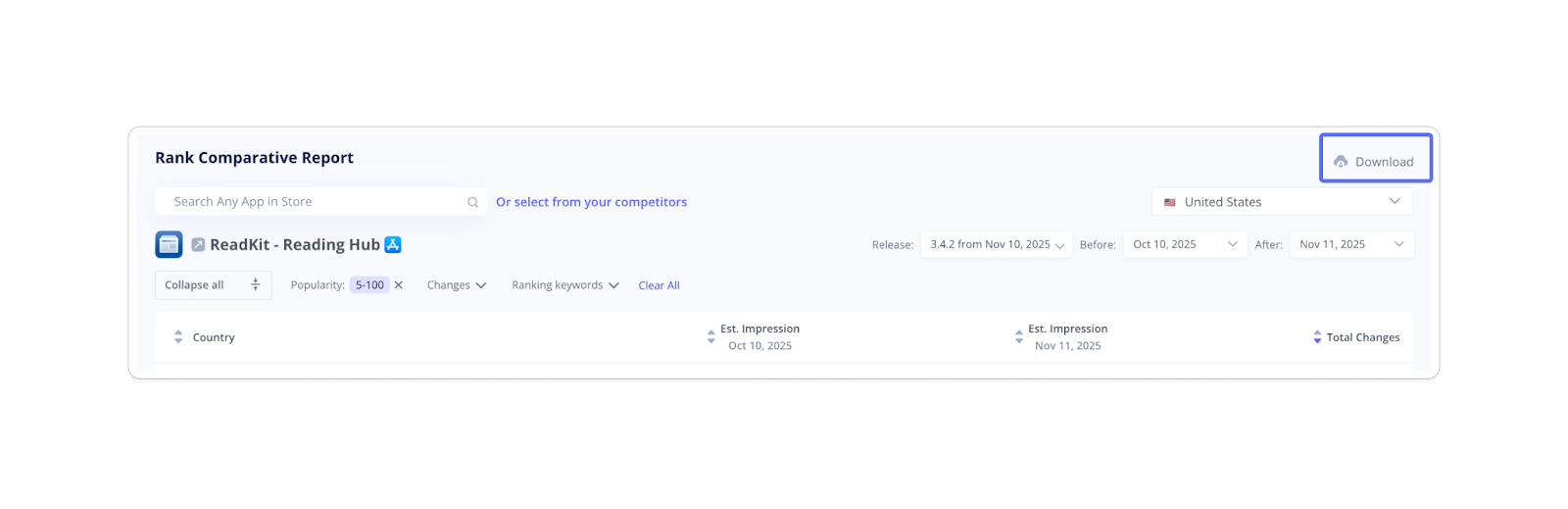
Finally, you can download the generated report in an Excel file and share it with your team for further action.
You may think of the Rank Comparative Report as your ASO progress tracker that clearly shows where your app gained visibility and where it lost ground. With these insights, you can refine metadata, strengthen localization, fix weak spots, and replicate what works across markets. Keep running it after each release to see the real impact of your updates.