
Related Keywords
The Related Keywords tool helps you discover new search terms within your app's niche. Asolytics algorithms analyze the selected keyword in real time to find similar and relevant terms used in your category.
Note: This is not a semantic similarity search. This means the results may include branded keywords or closely related terms from your niche, giving you a broader view of relevant search opportunities.
Why to use: Explore related keywords within your niche for a comprehensive keyword strategy.
Goal: Detect related keywords connected by user intent with the help of AI algorithms.
Time: Up to 5 minutes.
1. Enter a Keyword
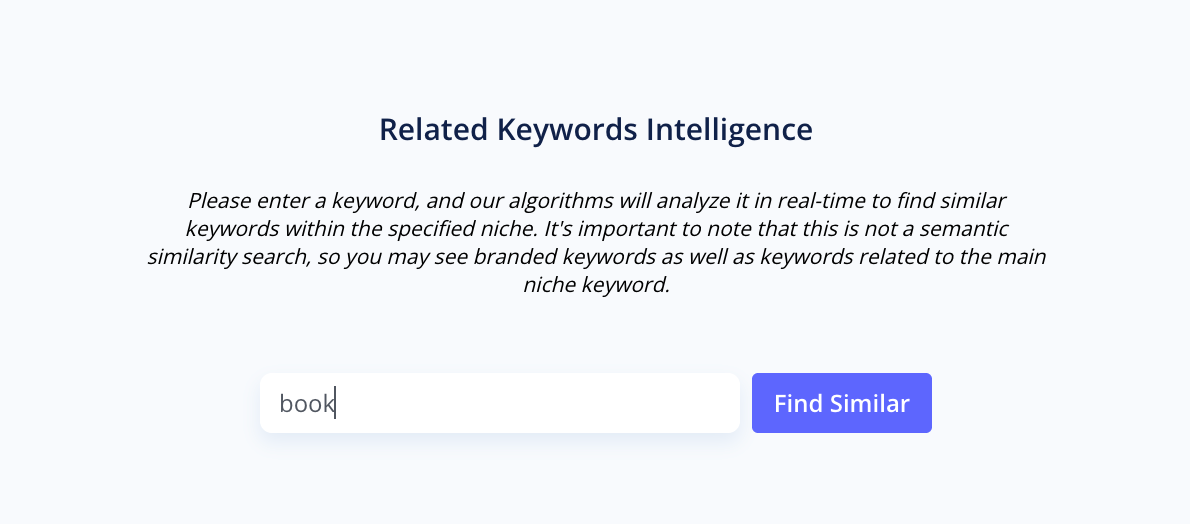
Type your keyword in the search bar and click Find Similar. The tool will instantly generate a list of related keywords based on real app store data from your niche.
2. Filter and Organize Your Keywords
Use filters to narrow the list to the most promising keywords.
You can filter your keywords by:
- Popularity
- App Rank
- Estimated Daily Impressions
- Difficulty
- Competitors in Top 10
- Noncompetitors in Top 10
- Words Count
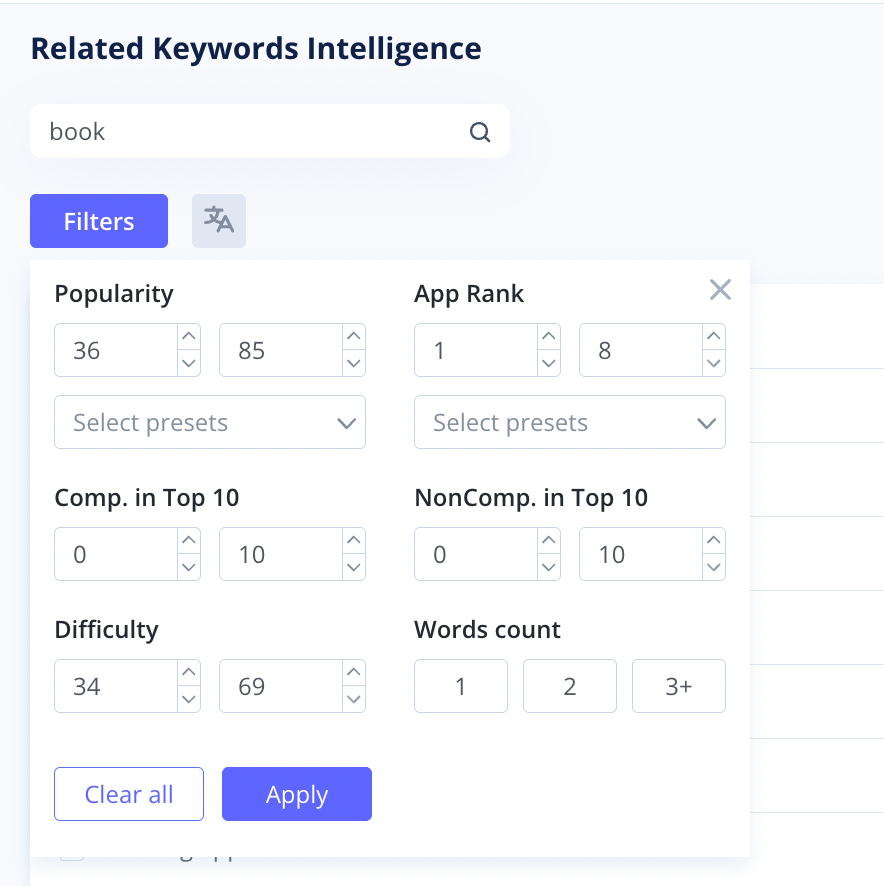
Filtering helps you focus on keywords that best match your app's visibility goals, target audience, and competition level.
You can also sort the list alphabetically or by any metric in ascending or descending order using the arrow icons.
3. Adjust the Table and Analyze the Keywords
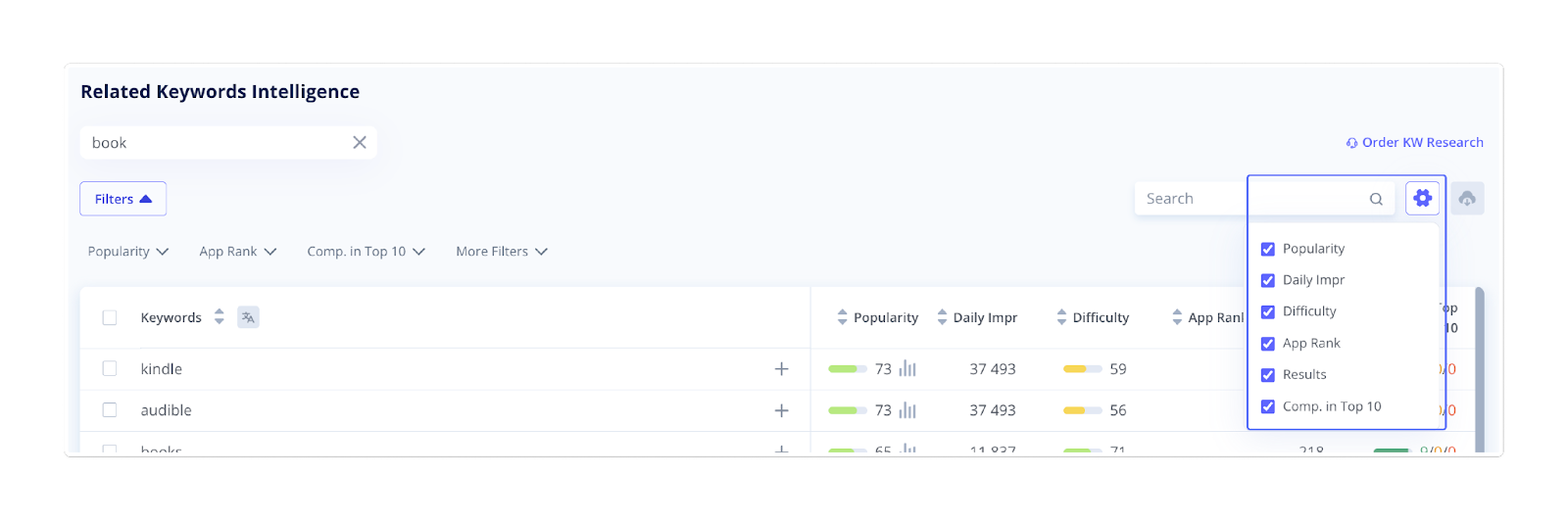
If you want to customize your table, click the gear icon. Add or remove specific columns to display only the data you need.
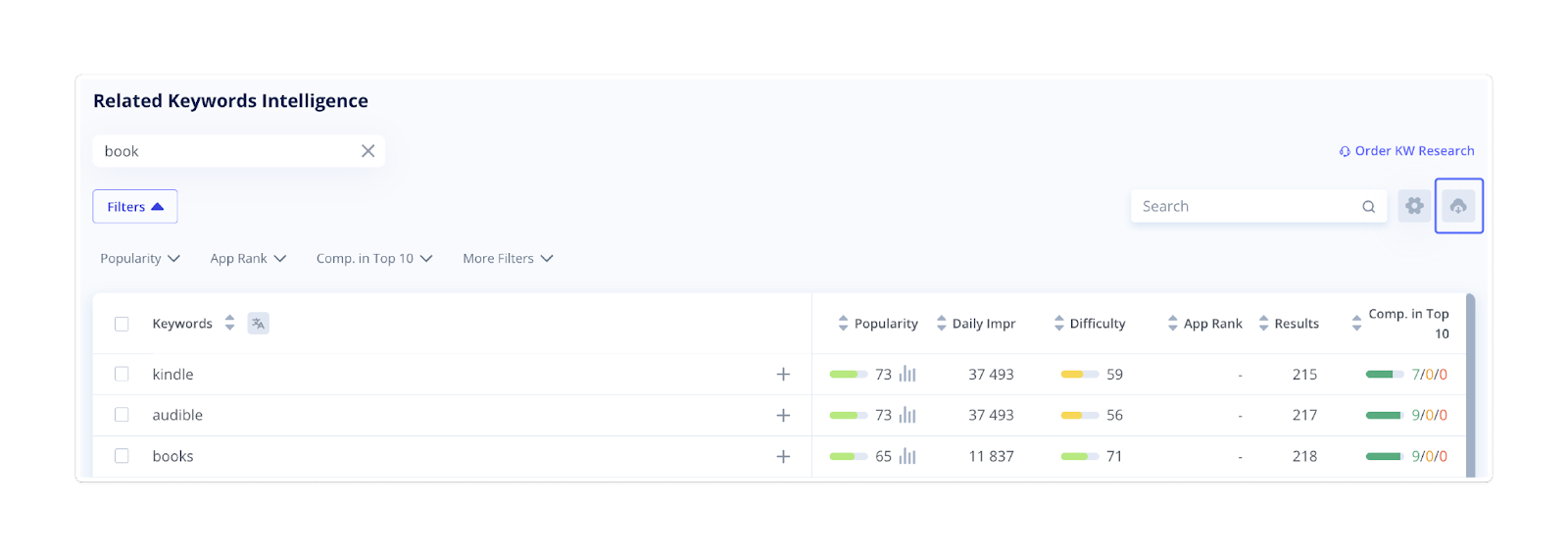
Then, assess each related keyword's performance based on the following crucial parameters:
- Popularity: Popularity ranges from 5 to 100, with 5 being the lowest and 100 being the highest popularity indicator, respectively. The higher the score, the more searched the keyword is.
- Daily Impressions: This parameter estimates how many users might see the keyword daily.
- Difficulty: This column shows how competitive the keyword is. A higher value means more competition.
- App Rank: This parameter instantly shows the current position of your app for the given keyword (if applicable).
- Results: It shows the number of apps currently ranking for the keyword.
- Competition in Top 10: This parameter indicates the number of competitors among the Top 10 search results. The keyword is more relevant if it comes with a higher number of competitors in the Top 10 results.
4. Export and Apply Your Findings
Once you've identified the most promising keywords, you can download the list by clicking the export icon in the top-right corner of the table.
Add the best-performing keywords to your Tracking Keywords list to monitor their performance over time and include them in your ongoing ASO strategy.
The Related Keywords tool is an excellent way to uncover hidden opportunities in your market. Use it regularly to stay updated on the most relevant and high-performing keywords in your niche.