
Rank Breakdown Report
The Rank Breakdown Report is a tool that shows how your app ranks for various keywords in app store search results. With its help, you can evaluate your product's visibility. Moreover, you can understand how your keyword performance changes over time.
Why to use: Check daily keyword ranking trends within a selected period.
Goal: Track how many search terms your app ranks for in different ranking ranges.
Time: Up to 2 minutes.
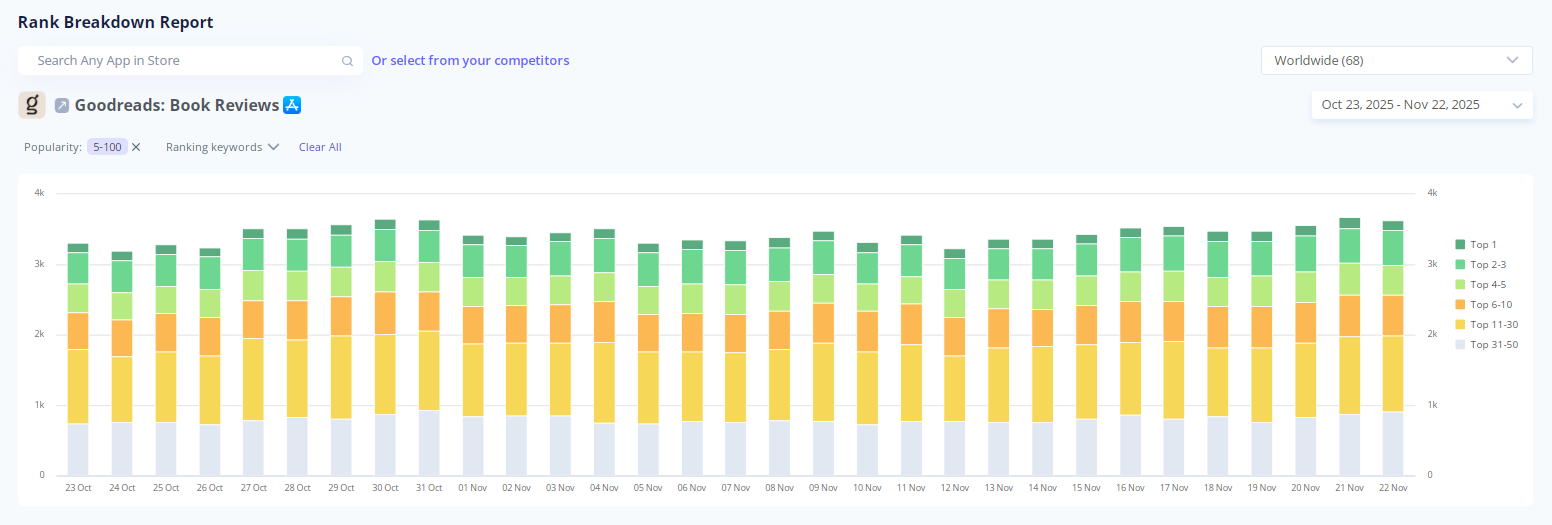
This report demonstrates how keyword counts vary in different ranking positions every day. With these details, you can make metrics-driven adjustments to your ASO strategy.
Let's see how this tool works, step-by-step!
1. Choose an App for Analysis
To start your analysis, type the name of the app into the search bar. It can be one of your products or any other app available in the store.

You can also click Select from your competitors and pick any app from your competitor list.
2. Select Your Markets
Open the country dropdown in the upper-right corner and choose the market you want to analyze. You may pick any country, region, or view worldwide information.
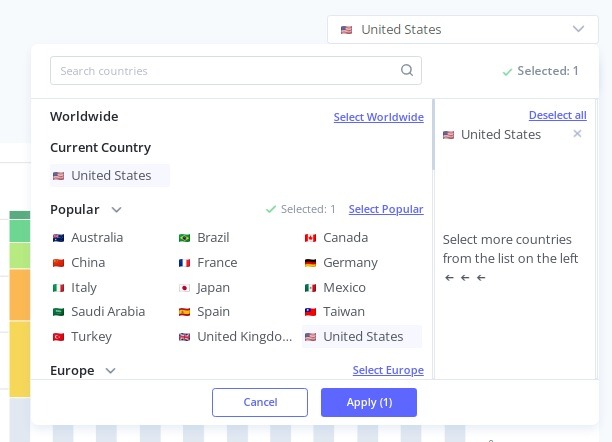
Rankings vary by market. With this tool, you can review several ones to know where your app performs best.
3. Indicate the Dates
Below the country dropdown, you'll find the calendar. Here, you can indicate the period you want to study. Choose among the presets (like, last 7, 30, 90, 180 days) or set a custom range.
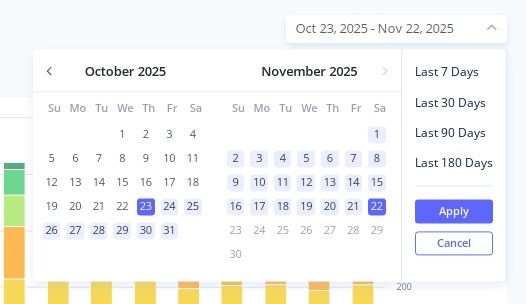
Adjusting the date range, you may spot trends or sudden ranking changes.
4. Study Ranking and Tracking Keywords
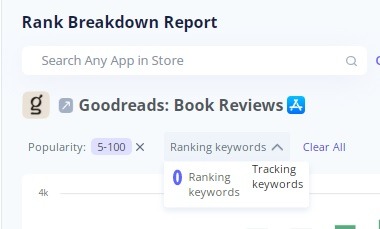
Also, you can select which keyword type the chart displays: ranking or tracking. Ranking keywords are all the terms your app ranks for. Tracking keywords are only the terms you actively monitor.
The Rank Breakdown Report gives you a quick and clear vision of how your app performs for different keywords over time. Use it regularly to detect problems early and adjust your ASO strategy with confidence.