
Impressions Report
The Impressions Report is an ASO tool that displays how your app's visibility changes through time in the app stores. Instead of counting on static top-10 rankings, it analyzes search impressions (how many times your app appeared in search results across the selected countries and dates). This way, you can actually learn how visible your app is, how that visibility changes over time, and which keywords promote it.
Why to use: Explore your app's impression changes across countries to understand visibility patterns and optimize your keyword strategy based on real search exposure data.
Goal: Track daily impression changes across countries and identify which keywords drive the most search impressions.
Time: Up to 5 minutes.
This report is crucial for ASO because rankings alone don't show whether users actually see your app. Impressions do. With this tool, you can detect visibility trends, highlight high-impact keywords, understand country-level performance, and quickly diagnose drops or spikes in search demand.
How to Use the Impressions Report Step by Step
1. Select Your App and Date Range
Start by choosing the app to analyze. It can be your own product, your competitor's, or any other app available in the store.
Next, set the date range for your analysis. You can select from preset time frames (such as the last 7 or 30 days) or define a custom range using the calendar.
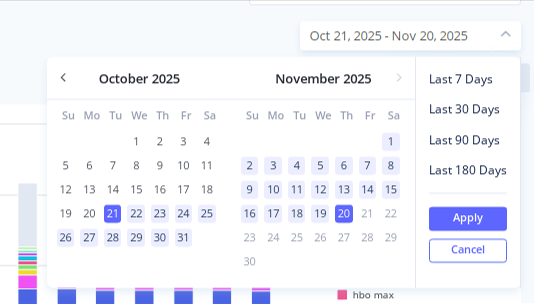
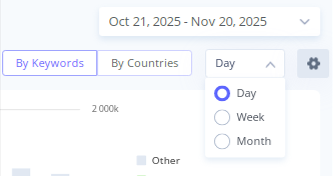
Finally, choose how you want the data to be displayed. By default, it shows the data by day, but you can change it to weekly or monthly if you prefer.
2. Choose Your Countries and Markets
Choose the countries or regions to analyze.
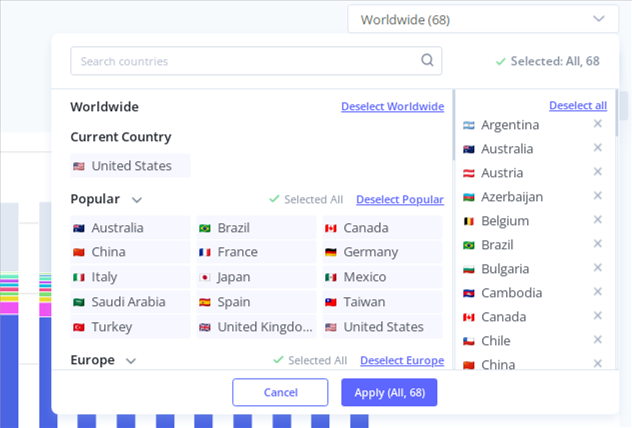
The report gathers data across all selected countries, so you can study combined impressions and individual country performance.
3. Review Your Chart in By Keywords Mode
By default, the report loads in By Keywords Mode. This view displays which search terms are generating impressions across all selected countries simultaneously.
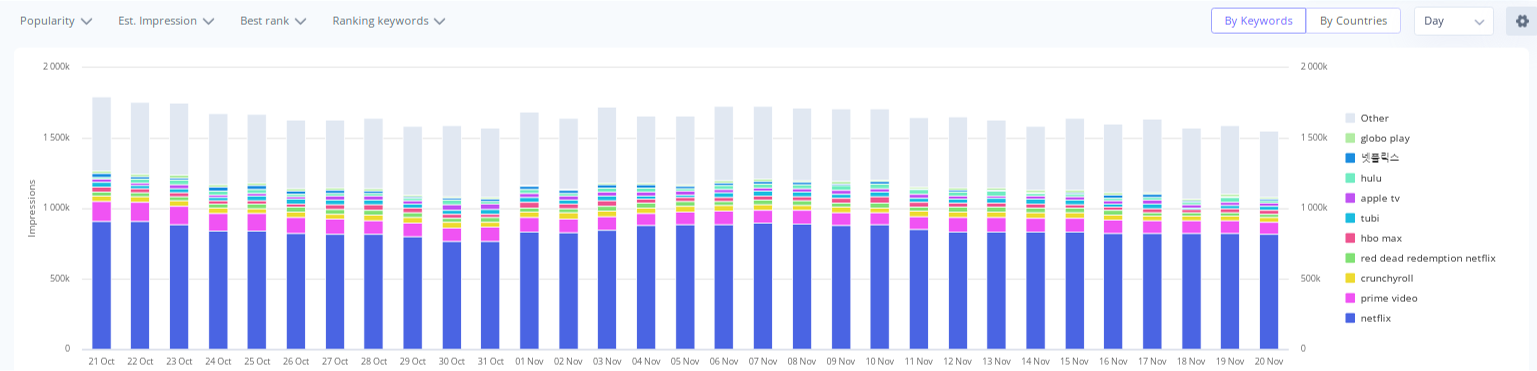
Below the chart, you'll find the table listing all keywords and their total estimated impressions. By clicking the arrow next to any keyword, you can explore:
- Countries where this keyword generates impressions
- Estimated impressions for each country
- Keyword popularity per country
- Popularity changes
- Best rank achieved
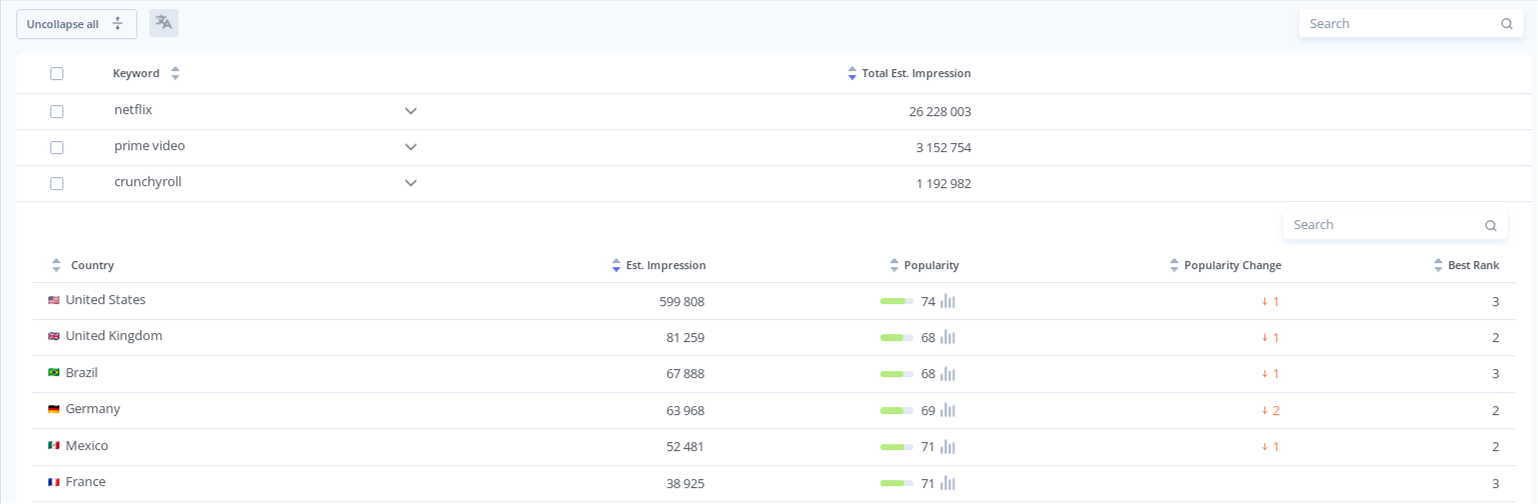
Examine which keywords bring the highest number of impressions and how the impressions for each search term change over time. Besides, you can explore which markets each keyword performs well in and where visibility is increasing or declining.
You may use these details to reinforce high-impression keywords in your metadata and refine your strategy.
4. Study By Countries Mode
Switching to By Countries Mode shows visibility dynamics for each selected country.
This chart displays daily impressions performance market by market. You can hover over any date to view the list of countries that had the highest visibility on that specific day.
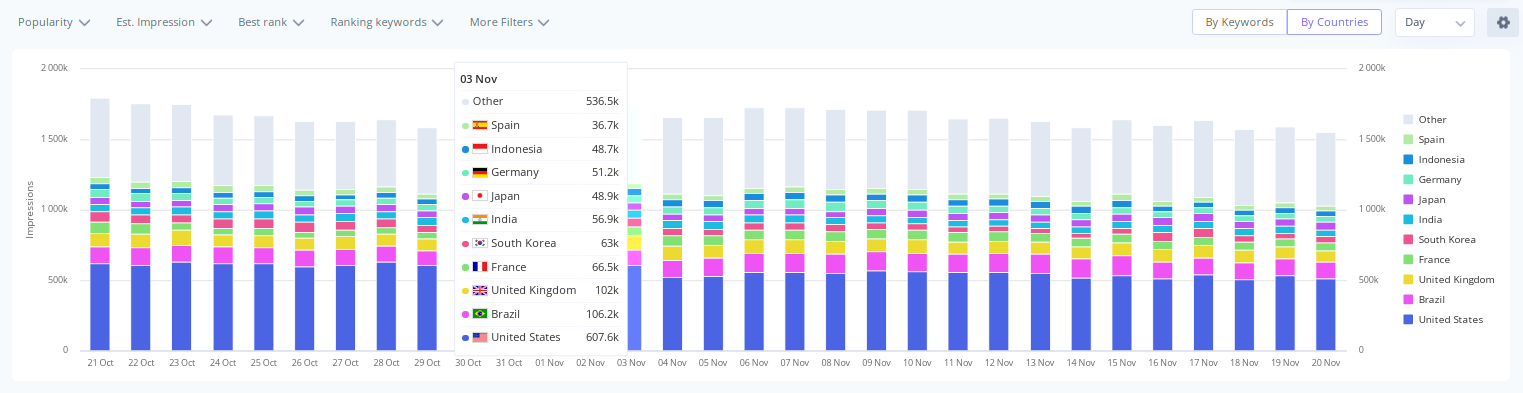
Under the chart, you can see the table that shows the list of countries included in the report, total estimated impressions for each, and the number of keywords that drive impressions.
If you click the arrow next to a country, you'll see the following details:
- A list of exact keywords that drive visibility in that market
- Estimated impressions per search term
- Keyword popularity values
- Popularity changes
- Best ranking achieved
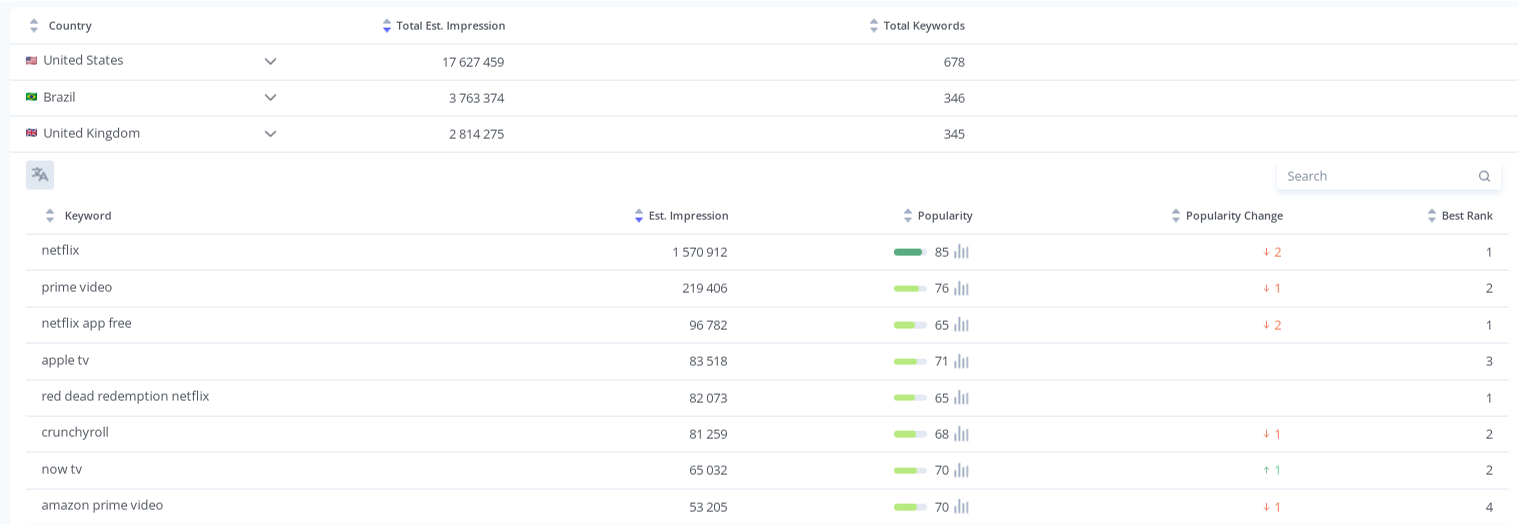
This mode is ideal for identifying strong or weak markets and discovering localization opportunities.
5. Filter, Sort, and Export
To refine your analysis, you can apply filters, such as:
- Popularity range (low, medium, high, or custom values)
- Estimated impressions
- Best rank (Top 3, Top 5, etc.)
- Ranking or tracking keywords
- Total keyword count

Sorting and filtering allow you to focus on the most relevant terms and trends.
Finally, export the full report to Excel and share it with your team to guide your ASO decisions and localization updates.
The Impression Report is your real-visibility tracker. It shows how often users actually see your app in search and which keywords or countries drive that exposure.
With these insights, you can:
- Strengthen high-performing keywords
- Fix visibility drops early
- Prioritize markets with the highest search demand
- Make smarter metadata and localization decisions
Run the report regularly to monitor visibility trends and stay ahead of competitors.