
Getting Started
What you'll have set up in 15 minutes:
- A full competitor list for your niche (3-5 min).
- Automated semantic core collection across all countries, updating on its own (1-2 min).
- A first market analysis: top countries by installs and revenue, competitive landscape (3-5 min).
1. Create a Project
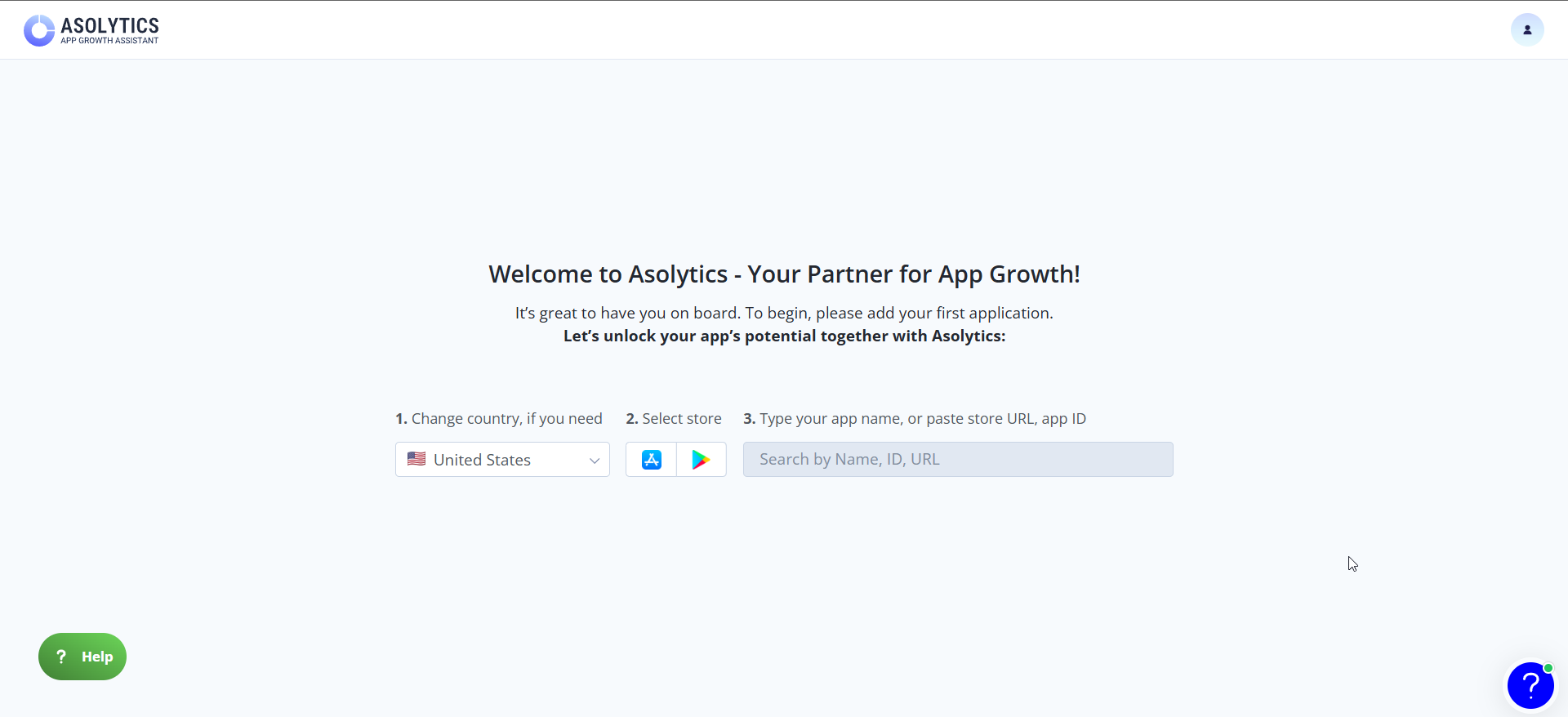
Add your app by searching for it by name, Store URL, or Store ID.
2. Collect Competitors
Most Asolytics tools work better when competitors are tagged in your project. There are two ways to do it, both fast.
Via Competitors Finder. Enter 3-5 search queries from your niche and get a list of similar apps. Tag each one: direct competitor, indirect, or not a competitor.
Directly from analysis tools. In almost every Asolytics tool where you see competitor apps (Live Search, Metadata Keywords, and so on), you can tag them with one click right from the results.
Quick win: in 5 minutes in Find New Competitors you can tag 30-100 competitors and have a ready foundation for everything that follows.
Read Guide: How to Collect Competitors
3. Collect Keywords Automatically Across All Target Countries
Recommended Keywords automates the most time-consuming part of ASO: manual keyword research. Set it up once, and your semantic core builds and updates on its own, without any further action from you. Asolytics has many other keyword research tools, but Recommended Keywords is the fastest starting point.
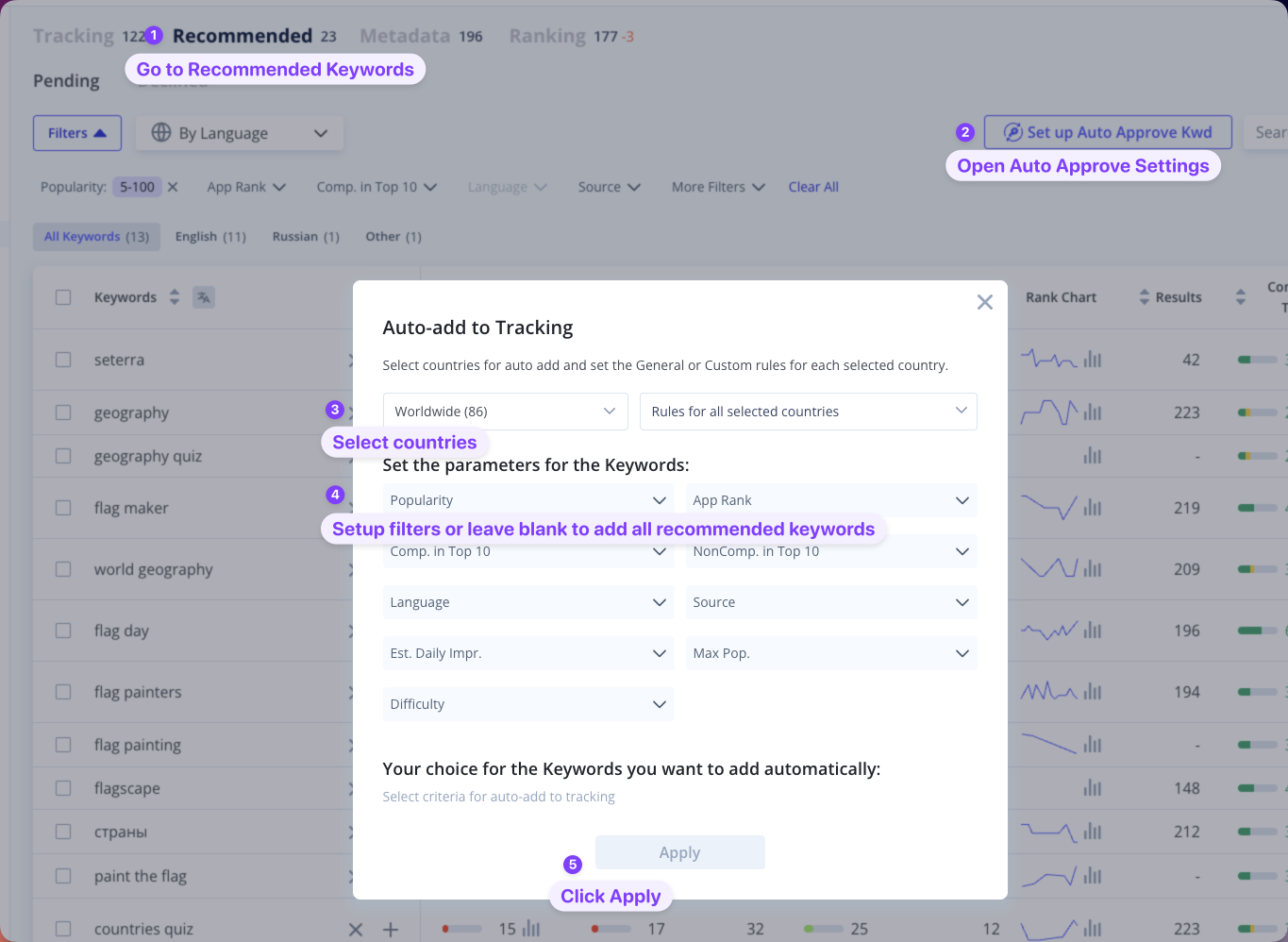
Setup in a minute:
- Go to Recommended Keywords.
- Select countries.
- Enable recommendation sources.
Done. Your keyword list will update automatically from here.
That's dozens of hours of manual keyword research saved every month.
Read Guide: How to Collect Semantic Core for an App
4. Get a Full Niche Market Research in 5 Minutes
The first niche analysis takes two clicks after collecting competitors. Market Research shows where the biggest market is in your niche: estimated installs and revenue by country, niche trends over time, the largest apps. Without this you'd normally pull data manually from several sources. Here it's ready in minutes, and you immediately see where traffic and money are concentrated.
How to do it:
- Go to Market Research.
- Click Create Report.
- The analysis will be ready in a few minutes.
Read Guide: How to Create Market Research with Asolytics Tools
5. Cover Your Semantic Core with the Meta Editor
Meta Editor shows in real time how your titles and descriptions cover the semantic core you've collected. The tool adapts to each store's specifics:
- For App Store: see the main locales that work in each country. After filling in titles, cover remaining uncovered keywords with one click.
- For Google Play: density analysis (keyword frequency control) and optimization error highlighting.
- The semantic core is broken down into individual tokens, making it easier to see where to best place each word.
Read Guide: Meta Editor
6. Monitoring Visibility: Always Know How Your App Ranks
After releasing new metadata, track how rankings and impressions changed. Three core tools for this.
App Ranking Tool. All keywords your app (or a competitor's) ranks for. Great for deep competitor analysis.
Rank Comparative Report. Ranking comparison across two dates in all countries. The main tool for measuring the impact of a metadata release.
Impressions Report. Daily ranking and impression dynamics by country. Shows which keywords drive the most impressions and how that changes over time.
Read Guide: Monitoring Search Performance with Asolytics
7. What to Do Next
Asolytics has many more tools than this guide covers. Here's what to try next:
- Tracking. Continuous tracking of target keywords. Records rankings in all selected countries daily and shows trends over any period.
- Reviews AI Summary. AI-powered review summary for your app and competitors. Extracts frequent topics, pain points, and praise. These are signals for your description and product roadmap.
- Visuals Analysis. All competitor screenshots and icons in one place, filterable by locale and date. Useful before redesigning your Store Listing.
- Update Timeline. A timeline of when and how competitors update their metadata and screenshots. Shows their release frequency and patterns.
- Store Charts. Chart positions in stores by country and category.
- Dashboard. A daily overview of key metrics in one place.